Eric Glenn
Members
-
Joined
-
Last visited
Everything posted by Eric Glenn
-
Anyone have any issues with drives not mounting now? Unraid 7.0.1 Windows 11 24H2 Thank you!
-
I didnt have a cache drive setup because I was using all SSD's at the time. After adding a true cache drive the error has done away.
-
I'm sure this is something super simple and I'm not finding it. I configure lets say my radarr container. Reboot Unraid and its reverted to the out of the box no settings. Appdata all looks good to me. My array is all SSD's so I do not have a cache pool that I have assigned to appdata. So I have no idea why the docker container information is clearly being stored in memory and not persisting. I've attached my appdata config and my docker screen showing that everything is going to /mnt/user/appdata. Thanks for your help!
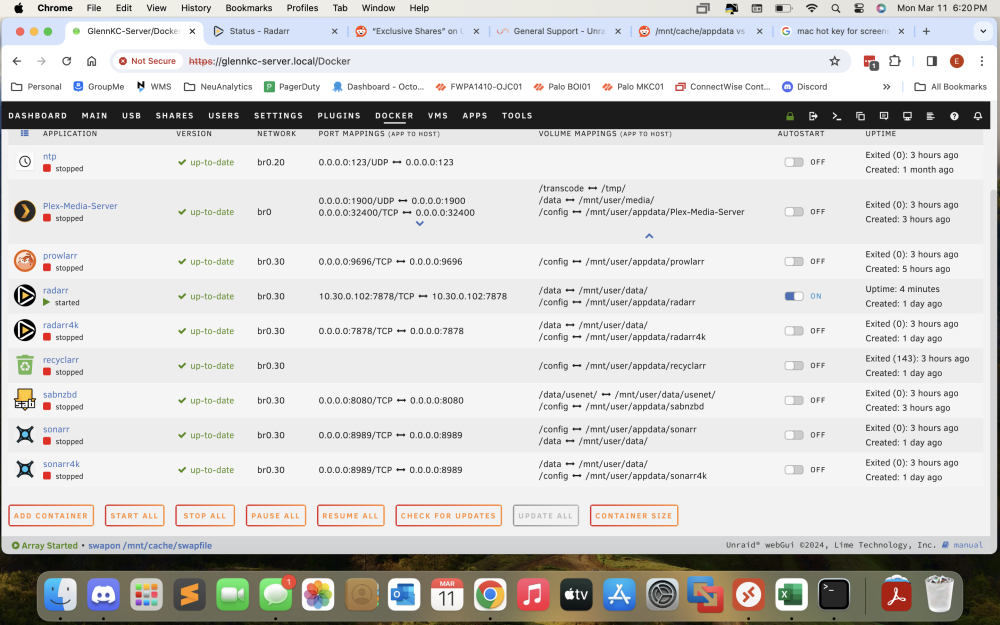
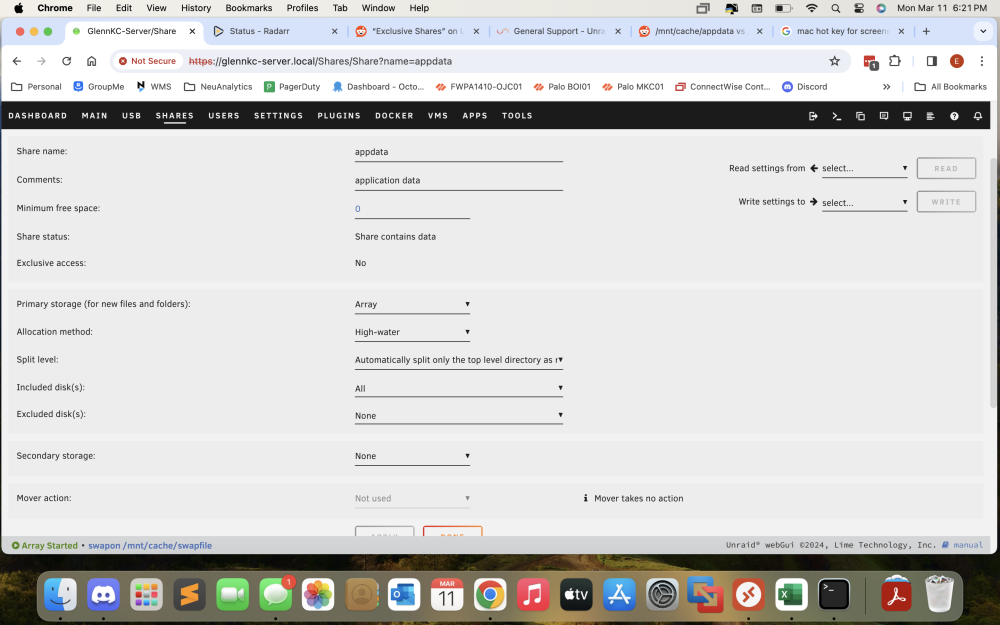
-
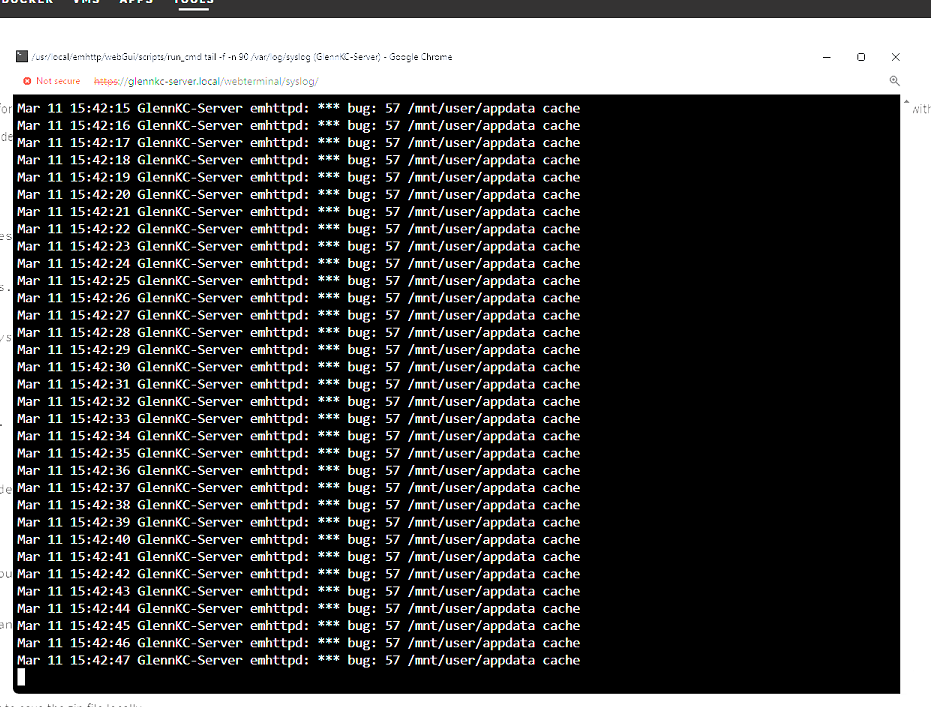
Hi all. I'm having an every second this error is put in the log file and I cannot find any post on what do to.