lan
Members
-
Joined
-
Last visited
-
Thanks, I haven't I haven't come across this article yet.
-
I just installed Frigate using the NVIDIA branch and I get the following error when trying to add my Reolink camera. Any ideas? I have the NVIDIA drivers installed and the added parameters. 2024-12-17 01:05:54.433803519 [2024-12-17 01:05:54] ffmpeg.Duo_North.detect ERROR : rtsp://*:*@192.168.3.56:554/rtsp: Server returned 404 Not Found 2024-12-17 01:05:54.521189520 [2024-12-17 01:05:54] frigate.video ERROR : Duo_North: Unable to read frames from ffmpeg process. 2024-12-17 01:05:54.521512397 [2024-12-17 01:05:54] frigate.video ERROR : Duo_North: ffmpeg process is not running. exiting capture thread... 2024-12-17 01:06:04.468954712 [2024-12-17 01:06:04] watchdog.Duo_North ERROR : Ffmpeg process crashed unexpectedly for Duo_North. 2024-12-17 01:06:04.469007032 [2024-12-17 01:06:04] watchdog.Duo_North ERROR : The following ffmpeg logs include the last 100 lines prior to exit. 2024-12-17 01:06:04.469047028 [2024-12-17 01:06:04] ffmpeg.Duo_North.detect ERROR : [rtsp @ 0x5570c5338f00] method DESCRIBE failed: 404 Stream Not Found I'm using the default config and on my camera I have RTMP, HTTP, HTTPS, RTSP and ONVIF enabled. mqtt: enabled: false cameras: Duo_North: # <------ Name the camera enabled: true ffmpeg: inputs: - path: rtsp://admin:[email protected]:554/rtsp # <----- The stream you want to use for detection roles: - detect detect: enabled: false # <---- disable detection until you have a working camera feed width: 1280 height: 720 version: 0.14
-
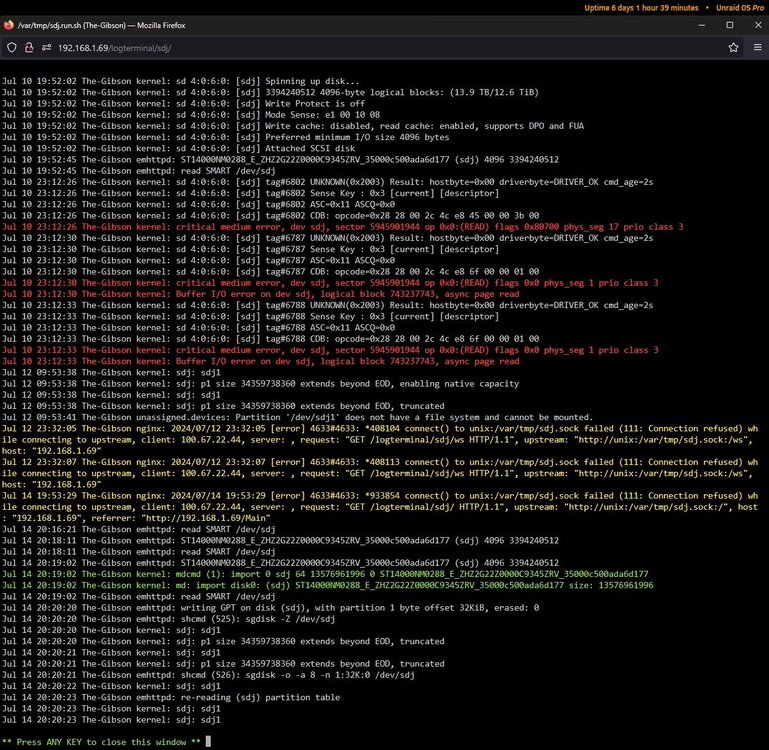
Not totally sure what the issue was but everything is fine now, I hope this isn't a regal event. I re-silvered parity drive 1 and added it to the pool and parity check was successful. I also ran short and extensive smart tests on all drives and none showed any errors. * On a separate note, if there any way to get rid of the drive under "Historical Unassigned Devices"? There have been a few entries during the process and selecting the red x removed them. This one is white and unselectable. Thanks

-
I just unplugged all my drives and plugged them back in. One drive might have felt a little loose, the rest didn't. Thanks for assisting me with this issue, I will let you know in a day or two how things have progressed. Thanks!
-
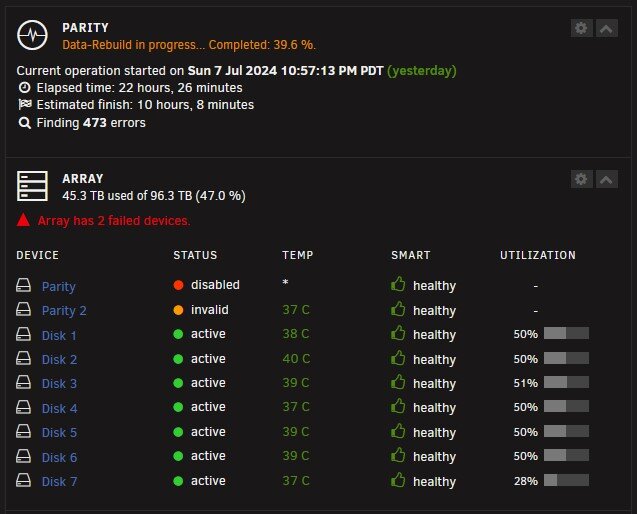
See attached. It has been stuck at 39.6% for some time now. the-gibson-diagnostics-20240708-2118.zip
-
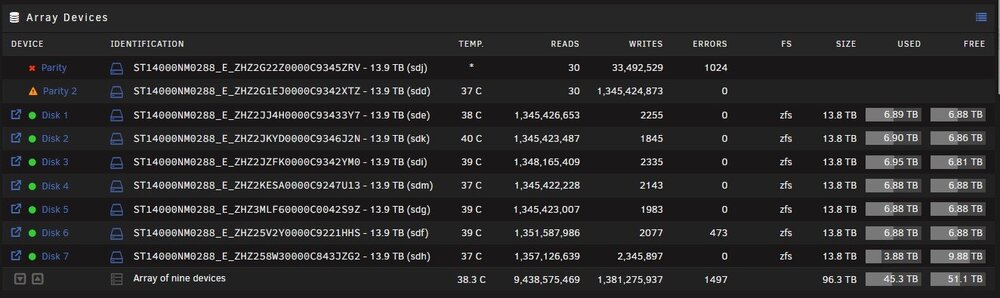
So I tried to restart the server but no dice, but I was able to shutdown. I did this after stopping docker. Upon boot I was able to stop the array, remove the 2 parity drives, clear both drives, add them back as parity drives and now the parity is rebuilding. So far I do not see any errors but will run extended SMART tests if and when this parity finishes. Both parity drives are invalid but neither are disabled, so looking better. Still 100% unsure what the cause is.
-
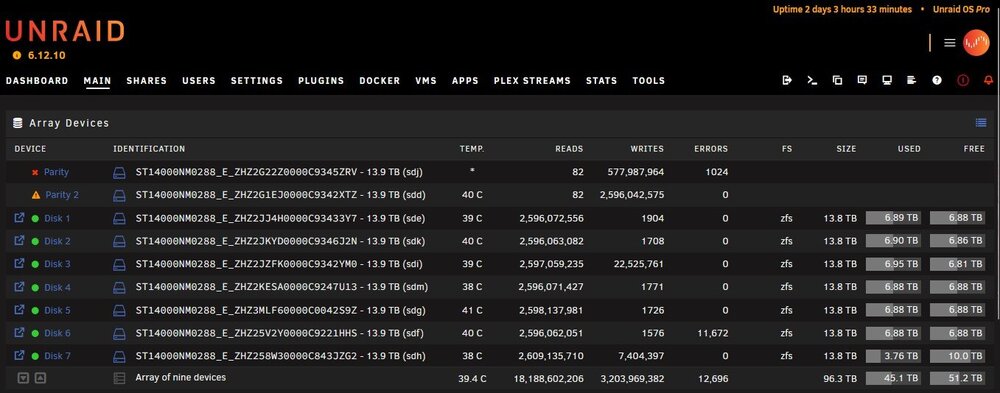
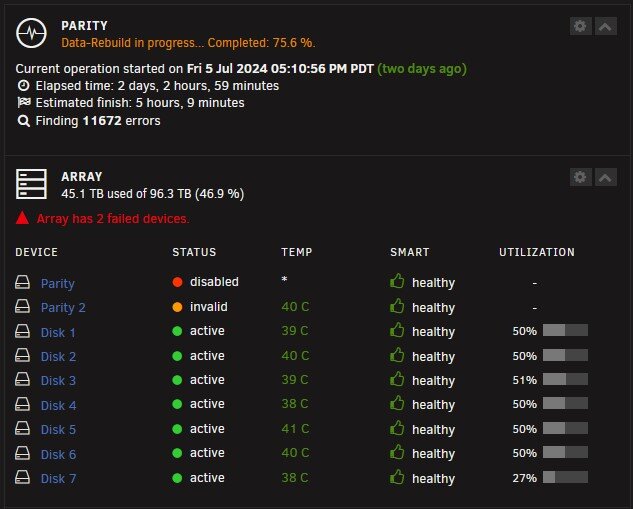
I have an array of 9 SAS HHDs, 2 being parity drives. Both parity drives recently showed up as disabled with a red X but were reporting their temperature. I stopped the array, removed the two parity drives, added the parity drives back and started parity sync. It has now been 2 days stuck at 75% with zero movement, this job normally takes just over a day. During the rebuild disk 6 showed errors for the first time, reporting 11,672 errors and parity drive 1 showed 1024 errors for the first time also. My last SMART test data shows that all drives passed a recent SMART test. I can not run a test on parity drive 1 (the drive with 1024 errors) as it is listed disabled with a red X. I have tried to pause and then cancel the parity sync but nothing has happened. Looking for advice on what to do next, my next step is probably to do a reboot and try this again.