




Skip to content
View in the app

A better way to browse. Learn more.

Unraid

A full-screen app on your home screen with push notifications, badges and more.

To install this app on iOS and iPadOS
  1. Tap the Share icon in Safari
  2. Scroll the menu and tap Add to Home Screen.
  3. Tap Add in the top-right corner.
To install this app on Android
  1. Tap the 3-dot menu (⋮) in the top-right corner of the browser.
  2. Tap Add to Home screen or Install app.
  3. Confirm by tapping Install.

Chento

Members
  • Joined

  • Last visited

  1. Okay, thanks, I’ll try and I’ll let you know
  2. ok it's work without data, Can you restore my data now ?
  3. I recreated a USB key with my data. I use UEFI.
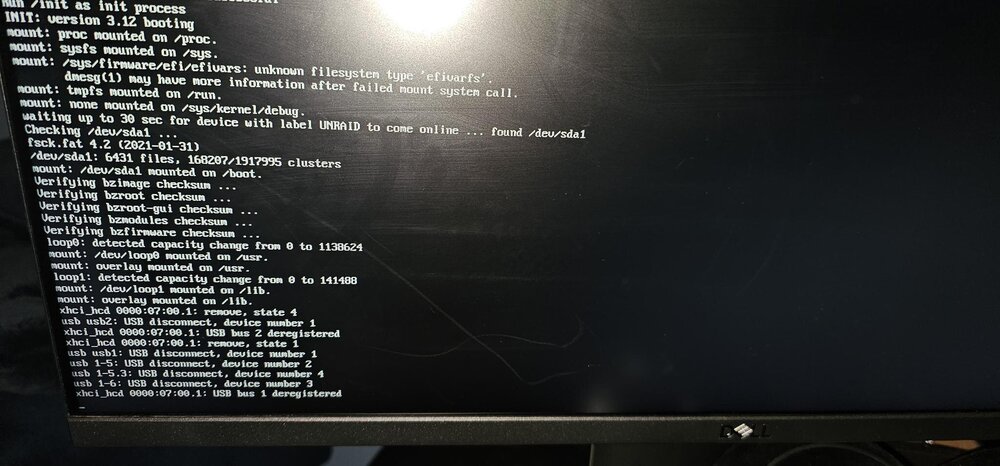
  4. Hi, I need help — my Unraid machine crashes on startup after a reboot, see attached file. I was running version 7.x.X, and I have an AMD Ryzen 7 5700X processor. It does get an IP address, but the Unraid web interface doesn’t come up, and there’s no ping. Here’s what I’ve done so far: Changed the USB key to a different port Backed up the USB key, then reformatted it Created a new USB key But the issue is still present. Can you help m
Account

Navigation

Search

Search

Configure browser push notifications

Chrome (Android)
  1. Tap the lock icon next to the address bar.
  2. Tap Permissions → Notifications.
  3. Adjust your preference.
Chrome (Desktop)
  1. Click the padlock icon in the address bar.
  2. Select Site settings.
  3. Find Notifications and adjust your preference.