Ikard
Members
-
Joined
-
Last visited
-
As the problem seems to only happen occasionally every 2–3 weeks, it is kinda rough to test it that way as I heavily use the docker functionality every day. I changed up my configuration a bit and want to see if the problem persists. The "fix common problems" plugin told me that I use both bridging and macvlan which could lead to instability, so I turned off bridging. When there is another freeze, I will start a memory test for 48 hours.
-
It happened again and I got this log right before it froze: Jan 15 14:10:00 NAS kernel: BUG: Bad page map in process [celeryd: celer pte:ffff888198d38188 pmd:14338e067 Jan 15 14:10:00 NAS kernel: addr:0000145fc80b3000 vm_flags:00200070 anon_vma:0000000000000000 mapping:0000000000000000 index:145fc80b3 Jan 15 14:10:00 NAS kernel: file:(null) fault:0x0 mmap:0x0 read_folio:0x0 Jan 15 14:10:00 NAS kernel: CPU: 0 PID: 63448 Comm: [celeryd: celer Tainted: P B W IO 6.1.64-Unraid #1 Jan 15 14:10:00 NAS kernel: Hardware name: HP ProLiant MicroServer Gen8, BIOS J06 11/02/2015 Jan 15 14:10:00 NAS kernel: Call Trace: Jan 15 14:10:00 NAS kernel: <TASK> Jan 15 14:10:00 NAS kernel: dump_stack_lvl+0x44/0x5c Jan 15 14:10:00 NAS kernel: print_bad_pte+0x1bc/0x1d6 Jan 15 14:10:00 NAS kernel: vm_normal_page+0x81/0x9b Jan 15 14:10:00 NAS kernel: unmap_page_range+0x384/0x67b Jan 15 14:10:00 NAS kernel: unmap_vmas+0xb6/0x100 Jan 15 14:10:00 NAS kernel: ? folio_batch_move_lru+0x9e/0xca Jan 15 14:10:00 NAS kernel: exit_mmap+0xdb/0x22e Jan 15 14:10:00 NAS kernel: __mmput+0x43/0xe3 Jan 15 14:10:00 NAS kernel: do_exit+0x31b/0x923 Jan 15 14:10:00 NAS kernel: do_group_exit+0x7a/0x7a Jan 15 14:10:00 NAS kernel: __x64_sys_exit_group+0x14/0x14 Jan 15 14:10:00 NAS kernel: do_syscall_64+0x6b/0x81 Jan 15 14:10:00 NAS kernel: entry_SYSCALL_64_after_hwframe+0x64/0xce Jan 15 14:10:00 NAS kernel: RIP: 0033:0x145ff64f3249 Jan 15 14:10:00 NAS kernel: Code: Unable to access opcode bytes at 0x145ff64f321f. Jan 15 14:10:00 NAS kernel: RSP: 002b:00007fff11b936f8 EFLAGS: 00000202 ORIG_RAX: 00000000000000e7 Jan 15 14:10:00 NAS kernel: RAX: ffffffffffffffda RBX: 0000145ff62eeb10 RCX: 0000145ff64f3249 Jan 15 14:10:00 NAS kernel: RDX: 000000000000003c RSI: 00000000000000e7 RDI: 000000000000009b Jan 15 14:10:00 NAS kernel: RBP: 0000145ff6ae6ed8 R08: ffffffffffffff80 R09: 0000000000000001 Jan 15 14:10:00 NAS kernel: R10: 0000145ff64311e0 R11: 0000000000000202 R12: 0000145ff6bae388 Jan 15 14:10:00 NAS kernel: R13: 0000000000000001 R14: 0000000000000000 R15: 0000145ff62eeb10 Jan 15 14:10:00 NAS kernel: </TASK> Any ideas? Thanks in advance.
-
It’s an Intel Xeon CPU E3-1220L V2. I will attach the diagnostics here.nas.home-diagnostics-20231224-1234.zip
-
Yeah unfortunately I get no clear information. So one question about the CPU switch. I have not reinstalled unraid after I changed the CPU. I kept my original installation. Is that a problem? Are there any steps I need to take when changing the CPU or other hardware components?
-
@itimpi I have and already posted the syslog above
-
I switched the CPU recently but it ran fine for a couple of weeks without any problem, so I am not sure if that correlates to the freezes. I am currently at my phone but will later post the diagnostics. Although I believe that they get reset after each new boot. Thank you for your help so far. ❤️
-
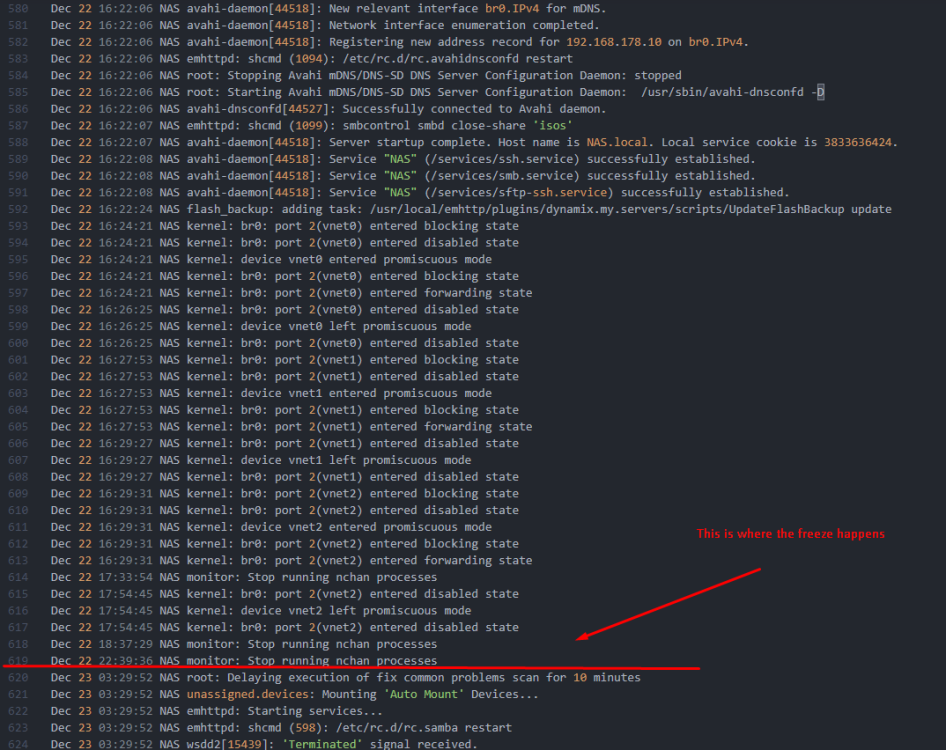
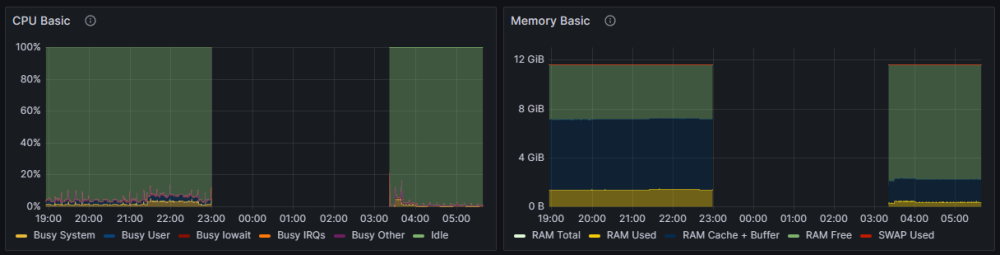
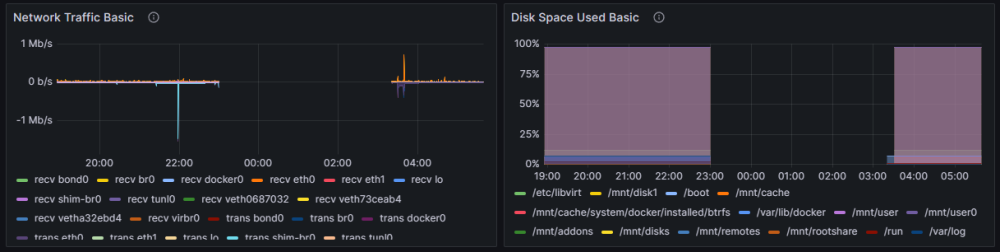
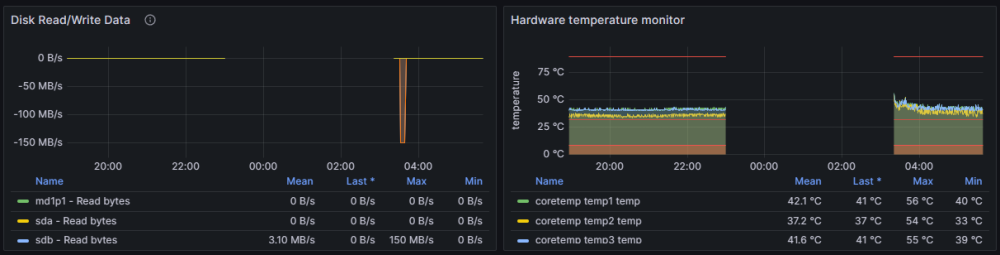
Hi everyone. I have been using my unRAID Server for a couple of months now and never ran into bigger problems but for a couple of weeks, I have this problem, where my NAS is freezing up randomly every couple of days. It's not crashing, but it freezes. I have to manually shut it down when frozen via holding the power button down and then restarting it manually. SSH, Web-Interface and all services are unavailable while frozen. I do use a couple of docker containers on my system but no VMs. To investigate the problems, I started to set up some logging and monitoring for my server. Then I waited for it to happen again. It only took two days. I really hope that someone here can help me to figure this out. For that purpose, I will provide any information that I have already gathered below. Syslog Monitoring Additional Information The last freeze happened at exactly 23:00:00 (Or 11:00pm). At least that's where the monitoring stopped. That means, that the last logs in the syslog file do not necessarily correlate with the freeze. I restarted the NAS manually at around 03:30am. All the parity checks I have been doing after the last freezes show me 0 errors. As far as I can tell, there is no planned task configured for 11pm on my server, and currently I do not know yet if the problem always happens at exactly 11:00pm, but as I have monitoring now, I will try to find out. nas.home-diagnostics-20231224-1234.zip