






Ishtar
Members
-
Joined
-
Last visited
-
I also found an old thread which still has the relevant information about BTRFS and other FS FAQ for unRAID v6 - General Support - Unraid closing this thread! :)
-
As you guys mentioned, there's no way to remove a disk in Single Mode (and didn't understand what that mode is) So I had another workaround instead and used this opportunity to move away from BTRFS due to accumulated bad experience over the years stop docker service shut down VMs and stop the service stop the array/pools open terminal and enter btrfs rescue zero-log /dev/sdf1 start the array move the vmdata pool files to another pool (I chose appdata) retarget folder shares to appdata start the VMs and confirm it's working shutdown the VMs, then stop the VM service, stop the array wipe the vmdata pool, reseat the drives, and then rebuild it as ZFS mirror start the array, move the files from appdata to vmdata, test VMs, enable docker I attached new diags as of July 26 (despite being "resolved") izanagi-diagnostics-20250726-2117.zip Just one last question before closing this thread, what should be the proper method of removing a disk in a mirrored BTRFS pool?
-
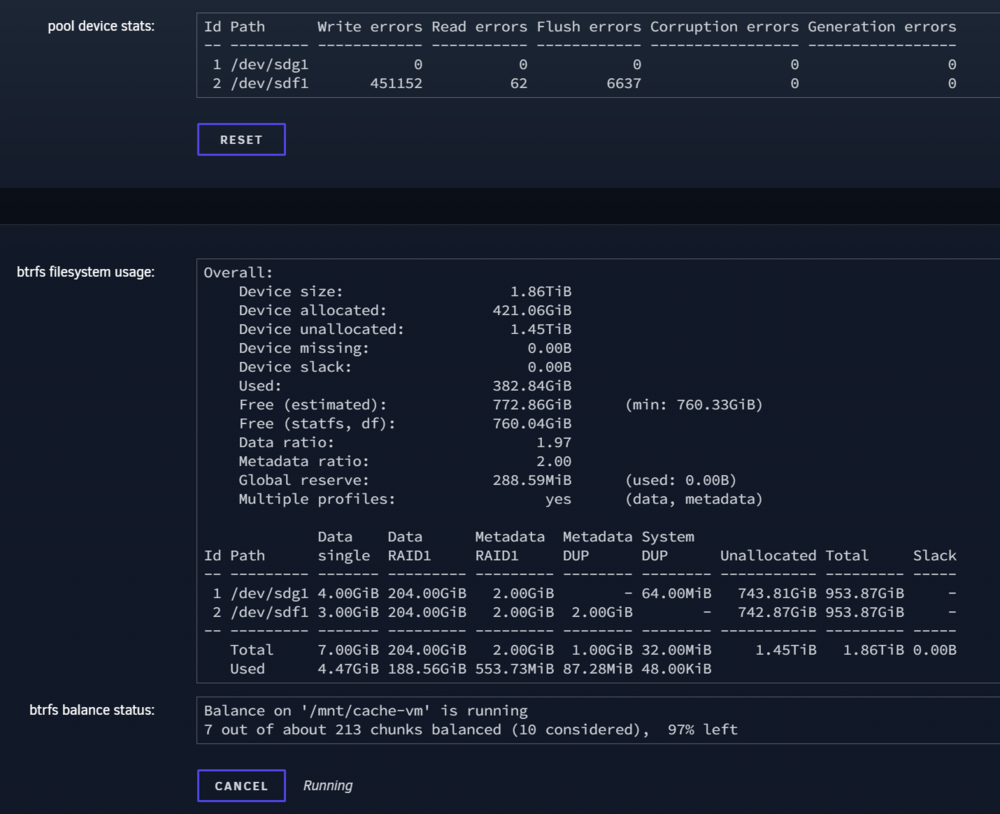
I noticed that /sdf was attached in unsassigned disks so I Unmounted the disk Stopped the array reseated both /sdg and /sdf Started the array Balance is currently running. I'll let it finish, and then try converting RAID1 again to Single Mode
-
As the title says, my cache-vm pool which consists of 2 SATA SSD Disks running at BTRFS RAID1 /dev/sdg /dev/sdf /sdf is a bad disk I wished to remove. I did the following: in cache-vm pool settings, I changed the balance setting to "Convert to Single mode" Waited for few minutes. refreshed the pool settings page, nothing changed (pool still at RAID1) restarted the array pool now shows that it's unmountable My goal is to remove /sdf and keep /sdg for a now while waiting for my new set of disks to arrive. Any ideas on how to resolve the unmountable issue and re-attempt converting the pool from RAID1 to single mode? Please let me know if I'm missing more information :) Diagnostics attached ishtarcommander-diagnostics-20250723-0322.zip
-
Just an update with fixing uncorrectable errors. Most files were Plex thumbnails so I just deleted them and let Plex rebuild the files. Unfortunately some corruptions are located in the docker image, so I'll have to delete the image and re-install the containers. It shouldn't be that complicated but it'll be a weekend project for me. Will keep this post updated as usual
-
Ran BTRFS scrub and found 32 uncorrectable errors. Will update this thread once I'm able to fix it
-
That seemed to have fixed the issue. Thanks @JorgeB❤️ I'm already in the process of restructuring my backup solution to easily fix issues like this
-
New Diagnostics attached after the reboot and array start ishtarcommander-diagnostics-20231215-0718.zip
-
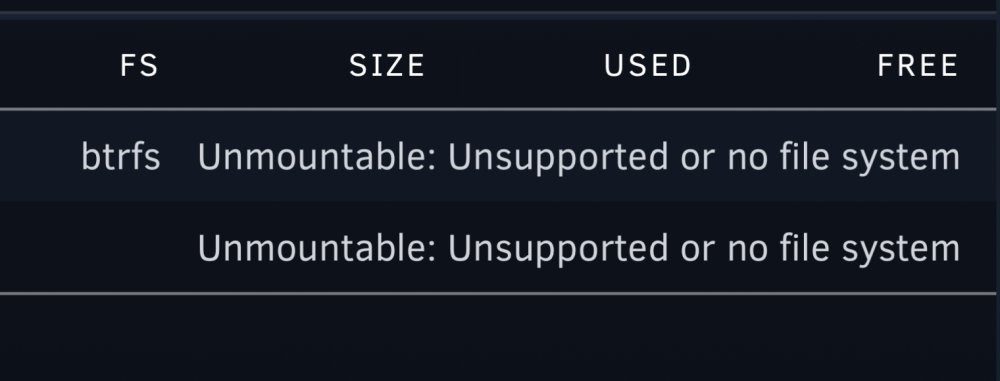
I’m sorry but… how do I perform a backup of the pool? It’s not mounted so the shares aren’t available
-
I've done memtest on all sticks and didn't see any issues with the RAM re: trying ZFS, I can possibly do that, but wouldn't the wipe the data in the pool?
-
Hey guys, I noticed that my services went down today and as I reviewed the syslogs here's what it says Dec 14 07:59:39 IshtarCommander kernel: BTRFS error (device nvme0n1p1): block=198824738816 write time tree block corruption detected Dec 14 07:59:39 IshtarCommander kernel: BTRFS: error (device nvme0n1p1) in btrfs_commit_transaction:2494: errno=-5 IO failure (Error while writing out transaction) Dec 14 07:59:39 IshtarCommander kernel: BTRFS info (device nvme0n1p1: state E): forced readonly Diagnostics also attached. While I've seen the same sort of error from other users but the solution seems to be a case-by-case basis. In this, I haven't made any changes or action yet. Coindicidentally, there was a power outage after the event but I don't think it was the culprit at all. I have a UPS running and NUT plugin configured. Could someone point me into the right direction to repair the corrupted pool? For backups, unfortunately my appdata is backed up by Duplicacy which is on the same share (silly me) but that's going to be my next project. ishtarcommander-diagnostics-20231214-2217.zip



