Skip to content
View in the app

A better way to browse. Learn more.

Unraid

A full-screen app on your home screen with push notifications, badges and more.

To install this app on iOS and iPadOS
  1. Tap the Share icon in Safari
  2. Scroll the menu and tap Add to Home Screen.
  3. Tap Add in the top-right corner.
To install this app on Android
  1. Tap the 3-dot menu (⋮) in the top-right corner of the browser.
  2. Tap Add to Home screen or Install app.
  3. Confirm by tapping Install.

Shivaess

Members
  • Joined

  • Last visited

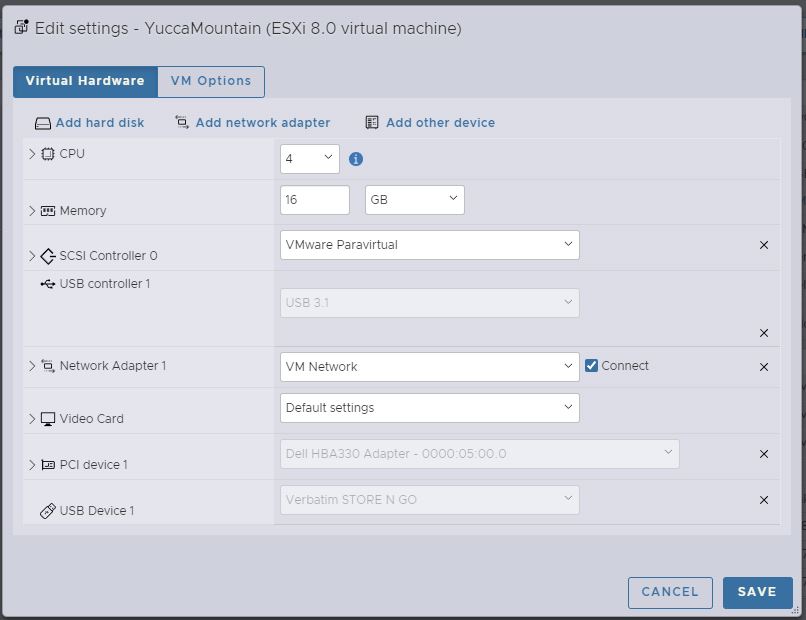
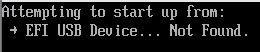
  1. [EDIT: Turning off secure boot fixed my problem immediately.] Apologies for replying to a dead topic, but figured this would leave the most continuity of the discussion. I am attempting to boot unraid on ESXi 8 and having issues with the usb not being found by vmware efi on boot. Interestingly when I boot into the bios and go to configure boot options -> add a boot option the first entry listed is an Unraid MBR. so obviously it can see the usb stick. What am I missing here?

Account

Navigation

Search

Search

Configure browser push notifications

Chrome (Android)
  1. Tap the lock icon next to the address bar.
  2. Tap Permissions → Notifications.
  3. Adjust your preference.
Chrome (Desktop)
  1. Click the padlock icon in the address bar.
  2. Select Site settings.
  3. Find Notifications and adjust your preference.