Locke
Members
-
Joined
-
Last visited
-
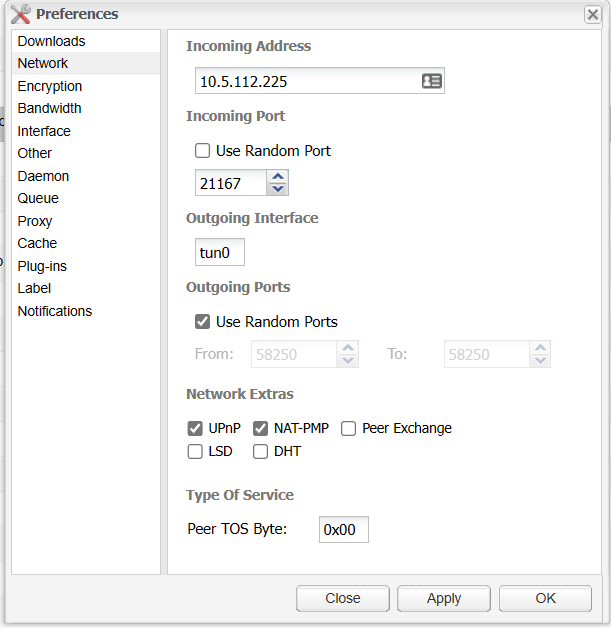
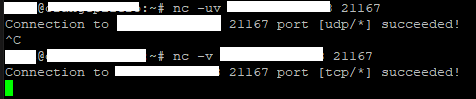
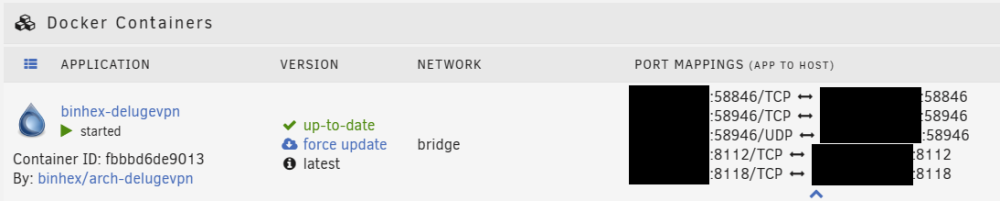
I'm having a strange issue with seeding using this container. I have it set up to both public and private trackers. I've searched the forums for the past hour, but I'm struggling to find anything that helps. Any help would be much appreciated! The information I have so far is below: Seeding on private trackers doesn't appear to be working fully on all trackers, I only seem to be able to provide file parts to a very very small number of peers (kb's). Downloads mostly work (for some reason the ubuntu desktop image I only have one seed I can download from out of 1400 odd in the swarm, other torrents seem fine), and when I check the port status, my PIA VPN's IP and Port set by the container on start-up are open (using online port checker tools, and netcat from another linux machine). I'm assuming the issue is my outbound traffic is not routing correctly through to the other peers as I don't seem to have an issue with inbound traffic. There are peers I am seeding to, however only rarely does one appear that I start uploading to (I've attached two torrents, one unicorn which I seeded about 10gb to a single other peer showing it's not my upload speed, and one which is typical of the rest of my torrents). I assume those rare peers fully connectable, and I am not fully connectable in the swarm; hence the other peers don't receive as much data because I'm not connectable. I know they are getting files from other peers in the swarm as I can see their % going up. The settings on the docker are mostly unmodified, just additional port mappings to enable me to route other containers through the VPN.