





kentb
Members
-
Joined
-
Last visited
-
@bmartino1 Happy to post a diag ... both one I posted at the beginning of this thread, and one now, after tweaks and changes. Your statement "... some other users have been reporting similar...They all reverted back to 7.1.3 and the issue gone away." very very strongly indicates not a hardware, not a trace lifting due to heat ... likely a software / kernel issue. I posted a diagnostics file earlier in this thread, but posting again here ... raider-diagnostics-20250724-0840.zipraider-diagnostics-20250711-0931.zip
-
@bmartino1 The issue definitely is not the power state ... I have restored the power settings as I was not satisfied with the monitor never turning off. the driver update stopped the system hanging, and this was excellent advice However, eth1 still goes down every two to three days at 5:00am-ish - and this only started during the latest unraid update. So, driver sorted the network crashing out, but the underlying issue seems to be an unraid issue. Let me know if you strongly disagree with the above, and I'm happy to diagnose.
-
and again, at 5:00am-ish ... after going well for a few days. eth0 is all good, eth1 goes down. May be a docker container perhaps, not sure what process is running at this time to cause the eth1 to go down completely. Did not happen on the 22nd. Happened on the 23rd. Jul 22 04:40:02 raider root: Fix Common Problems Version 2025.05.29 Jul 22 04:40:10 raider root: Fix Common Problems: Warning: Docker Application netdata has an update available for it Jul 22 09:15:36 raider kernel: eth0: renamed from veth19680b2 Jul 22 09:32:06 raider kernel: veth19680b2: renamed from eth0 Jul 23 00:54:31 raider monitor_nchan: Stop running nchan processes Jul 23 04:40:01 raider root: Fix Common Problems Version 2025.05.29 Jul 23 04:40:10 raider root: Fix Common Problems: Warning: Docker Application n8n has an update available for it Jul 23 04:40:10 raider root: Fix Common Problems: Warning: Docker Application netdata has an update available for it Jul 23 04:40:10 raider root: Fix Common Problems: Warning: Docker Application Omnitools has an update available for it Jul 23 04:40:10 raider root: Fix Common Problems: Warning: Docker Application openHAB has an update available for it Jul 23 05:00:54 raider kernel: r8168: eth1: link down Jul 23 05:00:54 raider kernel: br1: port 1(eth1) entered disabled state Jul 23 05:00:57 raider ntpd[2079]: Deleting 6 br1, [10.1.2.1]:123, stats: received=0, sent=0, dropped=0, active_time=259187 secs Jul 23 05:01:01 raider kernel: r8168: eth1: link up Jul 23 05:01:01 raider kernel: br1: port 1(eth1) entered blocking state Jul 23 05:01:01 raider kernel: br1: port 1(eth1) entered forwarding state Jul 23 05:01:03 raider ntpd[2079]: Listen normally on 7 br1 10.1.2.1:123 Jul 23 05:01:03 raider ntpd[2079]: new interface(s) found: waking up resolver Jul 23 05:01:09 raider kernel: r8168: eth1: link down Jul 23 05:01:09 raider kernel: br1: port 1(eth1) entered disabled state Jul 23 05:01:13 raider ntpd[2079]: Deleting 7 br1, [10.1.2.1]:123, stats: received=0, sent=0, dropped=0, active_time=10 secs Jul 23 05:01:25 raider kernel: r8168: eth1: link up Jul 23 05:01:25 raider kernel: br1: port 1(eth1) entered blocking state Jul 23 05:01:25 raider kernel: br1: port 1(eth1) entered forwarding state Jul 23 05:01:27 raider ntpd[2079]: Listen normally on 8 br1 10.1.2.1:123 Jul 23 05:01:27 raider ntpd[2079]: new interface(s) found: waking up resolver
-
Update your drivers using the app and search for your manufacturer and model. I installed the following, and the issue still occurs, but no longer brings my DMZ network down (eth1 is DMZ, eth0 is LAN)
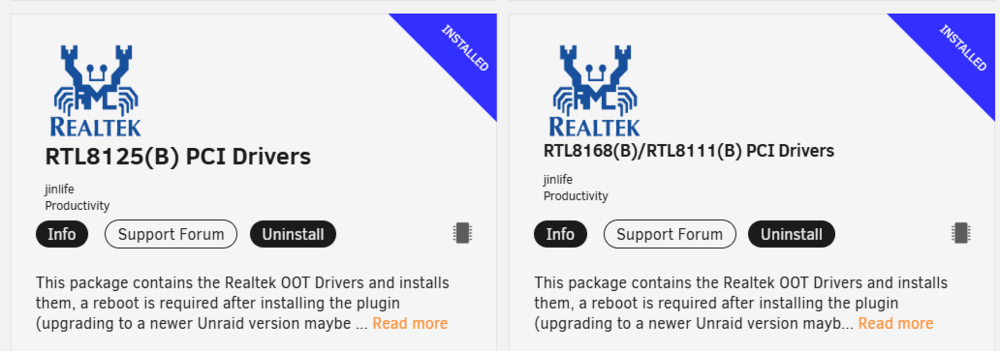
-
Awesome summary. Thanks. I would suggest though, that an Unraid script is causing the issues in my machine, which triggers the network issues. The reasoning behind this is: Eth1 is brought down on random days at pretty much the same time (5:00am (or a few minutes later). Eth1 being brought down triggers a cascade issue with docker virtual ethernet connections Before I updated the driver, and turned off power management, this would leave eth1 in a down state, requiring manual intervention to bring it back up. With the updated driver and reduced power management capabilities, the driver still goes down at 5::00am, but comes up again a little while later (See logs). Again, this happens at a fixed time on a random day, pointing very strongly at a process that interacts with the network causing eth1 to go down. My eth0 does not go down, and is a different model of intel NIC.
-
This seems to be an unraid SOFTWARE issue - consistently at 5:00am - 5:20am on a random day the eth1 goes down. Updating the driver and disabling power management seems to have fixed th eissue that the unraid box becomes unresponsive to eth1 after this event, but it still goes down and has issues for docker containers. Below is the log showing several good days, then another eth1 down event at 5:00am-ish Jul 18 02:16:42 raider monitor_nchan: Stop running nchan processes Jul 18 04:40:01 raider root: Fix Common Problems Version 2025.05.29 Jul 18 04:40:10 raider root: Fix Common Problems: Warning: Docker Application Appsmith has an update available for it Jul 18 04:40:10 raider root: Fix Common Problems: Warning: Docker Application bookstack has an update available for it Jul 18 04:40:10 raider root: Fix Common Problems: Warning: Docker Application Cloudreve has an update available for it Jul 18 04:40:10 raider root: Fix Common Problems: Warning: Docker Application Metabase has an update available for it Jul 18 04:40:10 raider root: Fix Common Problems: Warning: Docker Application MongoDB has an update available for it Jul 18 04:40:10 raider root: Fix Common Problems: Warning: Docker Application netdata has an update available for it Jul 18 04:40:10 raider root: Fix Common Problems: Warning: Docker Application Omnitools has an update available for it Jul 18 04:40:10 raider root: Fix Common Problems: Warning: Docker Application open-webui has an update available for it Jul 18 04:40:10 raider root: Fix Common Problems: Warning: Docker Application pihole has an update available for it Jul 18 04:40:10 raider root: Fix Common Problems: Warning: Docker Application SearXNG has an update available for it Jul 18 04:41:03 raider root: Fix Common Problems: Error: Invalid folder cache contained within /mnt Jul 18 22:50:04 raider webgui: Successful login user root from 192.168.1.150 Jul 18 22:50:57 raider root: Fix Common Problems Version 2025.05.29 Jul 18 22:51:08 raider root: Fix Common Problems: Warning: Docker Application Appsmith has an update available for it Jul 18 22:51:08 raider root: Fix Common Problems: Warning: Docker Application bookstack has an update available for it Jul 18 22:51:08 raider root: Fix Common Problems: Warning: Docker Application Cloudreve has an update available for it Jul 18 22:51:08 raider root: Fix Common Problems: Warning: Docker Application Metabase has an update available for it Jul 18 22:51:08 raider root: Fix Common Problems: Warning: Docker Application MongoDB has an update available for it Jul 18 22:51:08 raider root: Fix Common Problems: Warning: Docker Application netdata has an update available for it Jul 18 22:51:08 raider root: Fix Common Problems: Warning: Docker Application Omnitools has an update available for it Jul 18 22:51:08 raider root: Fix Common Problems: Warning: Docker Application open-webui has an update available for it Jul 18 22:51:08 raider root: Fix Common Problems: Warning: Docker Application pihole has an update available for it Jul 18 22:51:08 raider root: Fix Common Problems: Warning: Docker Application SearXNG has an update available for it Jul 18 22:52:04 raider root: Fix Common Problems: Error: Invalid folder cache contained within /mnt Jul 19 02:45:31 raider monitor_nchan: Stop running nchan processes Jul 19 04:40:01 raider root: Fix Common Problems Version 2025.05.29 Jul 19 04:40:10 raider root: Fix Common Problems: Warning: Docker Application Appsmith has an update available for it Jul 19 04:40:10 raider root: Fix Common Problems: Warning: Docker Application bookstack has an update available for it Jul 19 04:40:10 raider root: Fix Common Problems: Warning: Docker Application Cloudreve has an update available for it Jul 19 04:40:10 raider root: Fix Common Problems: Warning: Docker Application Metabase has an update available for it Jul 19 04:40:10 raider root: Fix Common Problems: Warning: Docker Application MongoDB has an update available for it Jul 19 04:40:10 raider root: Fix Common Problems: Warning: Docker Application netdata has an update available for it Jul 19 04:40:10 raider root: Fix Common Problems: Warning: Docker Application Omnitools has an update available for it Jul 19 04:40:10 raider root: Fix Common Problems: Warning: Docker Application open-webui has an update available for it Jul 19 04:40:10 raider root: Fix Common Problems: Warning: Docker Application pihole has an update available for it Jul 19 04:40:10 raider root: Fix Common Problems: Warning: Docker Application SearXNG has an update available for it Jul 20 04:00:31 raider root: /mnt/mira: 978 GiB (1050006622208 bytes) trimmed on /dev/sdb1, /dev/sdc1 Jul 20 04:40:02 raider root: Fix Common Problems Version 2025.05.29 Jul 20 04:40:10 raider root: Fix Common Problems: Warning: Docker Application Appsmith has an update available for it Jul 20 04:40:10 raider root: Fix Common Problems: Warning: Docker Application bookstack has an update available for it Jul 20 04:40:10 raider root: Fix Common Problems: Warning: Docker Application Cloudreve has an update available for it Jul 20 04:40:10 raider root: Fix Common Problems: Warning: Docker Application Metabase has an update available for it Jul 20 04:40:10 raider root: Fix Common Problems: Warning: Docker Application MongoDB has an update available for it Jul 20 04:40:10 raider root: Fix Common Problems: Warning: Docker Application netdata has an update available for it Jul 20 04:40:10 raider root: Fix Common Problems: Warning: Docker Application Omnitools has an update available for it Jul 20 04:40:10 raider root: Fix Common Problems: Warning: Docker Application open-webui has an update available for it Jul 20 04:40:10 raider root: Fix Common Problems: Warning: Docker Application pihole has an update available for it Jul 20 04:40:10 raider root: Fix Common Problems: Warning: Docker Application SearXNG has an update available for it Jul 20 05:00:36 raider kernel: r8168: eth1: link down Jul 20 05:00:36 raider kernel: br1: port 1(eth1) entered disabled state Jul 20 05:00:40 raider ntpd[2079]: Deleting 4 br1, [10.1.2.1]:123, stats: received=0, sent=0, dropped=0, active_time=259119 secs Jul 20 05:00:45 raider kernel: r8168: eth1: link up Jul 20 05:00:45 raider kernel: br1: port 1(eth1) entered blocking state Jul 20 05:00:45 raider kernel: br1: port 1(eth1) entered forwarding state Jul 20 05:00:47 raider ntpd[2079]: Listen normally on 5 br1 10.1.2.1:123 Jul 20 05:00:47 raider ntpd[2079]: new interface(s) found: waking up resolver Jul 20 05:00:53 raider kernel: r8168: eth1: link down Jul 20 05:00:53 raider kernel: br1: port 1(eth1) entered disabled state Jul 20 05:00:56 raider ntpd[2079]: Deleting 5 br1, [10.1.2.1]:123, stats: received=0, sent=0, dropped=0, active_time=9 secs Jul 20 05:01:08 raider kernel: r8168: eth1: link up Jul 20 05:01:08 raider kernel: br1: port 1(eth1) entered blocking state Jul 20 05:01:08 raider kernel: br1: port 1(eth1) entered forwarding state Jul 20 05:01:10 raider ntpd[2079]: Listen normally on 6 br1 10.1.2.1:123 Jul 20 05:01:10 raider ntpd[2079]: new interface(s) found: waking up resolver Jul 20 18:12:28 raider webgui: Successful login user root from 192.168.1.150
-
I have not yet, and am about to add more details from my logs. Updating my drivers, and disabling power management for NIC seems to have sorted out the worst effects (unraid box unresponsive to eth1).
-
And please note that this ran fine for 6+ months before the latest version of unraid ... (and me adding some docker containers). I have had issues with network and unraid previously - on an older i7
-
Here's the log of the reboot: I previously turned off power saving for network in autotweak based on your previous comments. Jul 15 14:59:47 raider autotweak: Set performance preference to balance_power for CPU 7 Jul 15 14:59:47 raider autotweak: Set performance preference to balance_power for CPU 8 Jul 15 14:59:47 raider autotweak: Set performance preference to balance_power for CPU 9 Jul 15 14:59:47 raider autotweak: Set HWP Dynamic Boost to 1 Jul 15 14:59:47 raider autotweak: Set no_turbo to 0 Jul 15 14:59:47 raider autotweak: Failed to set ASPM policy Jul 15 14:59:47 raider autotweak: PCIe PM control set to 'auto' for device 0000:00:00.0 Jul 15 14:59:47 raider autotweak: PCIe PM control set to 'auto' for device 0000:00:02.0 Jul 15 14:59:47 raider autotweak: PCIe PM control set to 'auto' for device 0000:00:08.0 Jul 15 14:59:47 raider autotweak: PCIe PM control set to 'auto' for device 0000:00:0a.0 Jul 15 14:59:47 raider autotweak: Skipping device 0000:00:14.0 with banned driver: xhci_hcd Jul 15 14:59:47 raider autotweak: PCIe PM control set to 'auto' for device 0000:00:14.2 Jul 15 14:59:47 raider autotweak: Skipping device 0000:00:16.0 with banned driver: mei_me Jul 15 14:59:47 raider autotweak: PCIe PM control set to 'auto' for device 0000:00:17.0 Jul 15 14:59:47 raider autotweak: PCIe PM control set to 'auto' for device 0000:00:1d.0 Jul 15 14:59:47 raider autotweak: PCIe PM control set to 'auto' for device 0000:00:1d.1 Jul 15 14:59:47 raider autotweak: PCIe PM control set to 'auto' for device 0000:00:1f.0 Jul 15 14:59:47 raider autotweak: PCIe PM control set to 'auto' for device 0000:00:1f.3 Jul 15 14:59:47 raider autotweak: PCIe PM control set to 'auto' for device 0000:00:1f.4 Jul 15 14:59:47 raider autotweak: PCIe PM control set to 'auto' for device 0000:00:1f.5 Jul 15 14:59:47 raider autotweak: PCIe PM control set to 'auto' for device 0000:01:00.0 Jul 15 14:59:47 raider autotweak: PCIe PM control set to 'auto' for device 0000:02:00.0 Jul 15 14:59:47 raider autotweak: Set SATA link power management to max_performance for host1 Jul 15 14:59:47 raider autotweak: Set SATA link power management to max_performance for host2 Jul 15 14:59:47 raider autotweak: Set r8125 ASPM to disable Jul 15 14:59:47 raider autotweak: Set r8168 ASPM to disable Jul 15 14:59:47 raider autotweak: Banned CPUs for network interface interrupt affinity: 0,5 Jul 15 14:59:47 raider autotweak: Usable CPUs for eth0: 8-11 Jul 15 14:59:47 raider autotweak: Set CPU affinity of interrupt 125 and rx queue 0 of eth0 to CPU 8 Jul 15 14:59:47 raider autotweak: Set CPU affinity of interrupt 126 and rx queue 1 of eth0 to CPU 9 Jul 15 14:59:47 raider autotweak: Set CPU affinity of interrupt 127 and rx queue 2 of eth0 to CPU 10 Jul 15 14:59:47 raider autotweak: Set CPU affinity of interrupt 128 and rx queue 3 of eth0 to CPU 11 Jul 15 14:59:47 raider autotweak: Set CPU affinity of interrupt 142 and tx queue 0 of eth0 to CPU 8 9 Jul 15 14:59:47 raider autotweak: Set CPU affinity of interrupt 144 and tx queue 1 of eth0 to CPU 10 11 Jul 15 14:59:47 raider autotweak: Usable CPUs for eth1: 8-11 Jul 15 14:59:47 raider autotweak: Unknown rx queue configuration for interface eth1 Jul 15 14:59:47 raider autotweak: Maximum interface speed: 1000 Mb/s Jul 15 14:59:47 raider autotweak: TCP parameters optimized Jul 15 14:59:47 raider unassigned.devices: Mounting 'Auto Mount' Remote Shares... Jul 15 14:59:47 raider unassigned.devices: Using Gateway '192.168.1.254' for Remote Shares. Jul 15 14:59:47 raider kernel: eth0: renamed from veth3fa2c7c Jul 15 14:59:47 raider unassigned.devices: Waiting 5 secs before mounting Remote Shares... Jul 15 14:59:47 raider rc.docker: pihole: started successfully! Jul 15 14:59:47 raider kernel: eth0: renamed from veth168e042 Jul 15 14:59:47 raider rc.docker: Nginx-Proxy-Manager-Official: started successfully! Jul 15 14:59:47 raider kernel: eth0: renamed from vethefd1165 Jul 15 14:59:48 raider rc.docker: GoAccess-NPMLogs: started successfully! Jul 15 14:59:48 raider kernel: eth0: renamed from veth85d59e2 Jul 15 14:59:48 raider rc.docker: PostgreSQL_Immich: started successfully! Jul 15 14:59:48 raider kernel: eth0: renamed from veth80cf594 Jul 15 14:59:48 raider rc.docker: Jellyfin: started successfully! Jul 15 14:59:48 raider kernel: eth0: renamed from veth2438b9c Jul 15 14:59:48 raider rc.docker: DumbDo: started successfully! Jul 15 14:59:48 raider kernel: eth0: renamed from vethe1ecaf2 Jul 15 14:59:48 raider rc.docker: ConvertX: started successfully! Jul 15 14:59:49 raider kernel: eth0: renamed from vethc9e3721 Jul 15 14:59:49 raider rc.docker: Omnitools: started successfully! Jul 15 14:59:49 raider kernel: eth0: renamed from vethdced8bb Jul 15 14:59:49 raider rc.docker: web-check: started successfully! Jul 15 14:59:49 raider kernel: eth0: renamed from vethfb5157a Jul 15 14:59:49 raider rc.docker: Cloudreve: started successfully! Jul 15 14:59:49 raider kernel: eth0: renamed from vethd73c2b0 Jul 15 14:59:50 raider rc.docker: it-tools: started successfully! Jul 15 14:59:51 raider kernel: eth0: renamed from veth8974de9 Jul 15 14:59:51 raider rc.docker: navidrome: started successfully! Jul 15 14:59:55 raider unassigned.devices: Mounting Remote Share '//SYN/raider'... Jul 15 14:59:55 raider unassigned.devices: Mount SMB share '//SYN/raider' using SMB default protocol. Jul 15 14:59:55 raider unassigned.devices: Mount SMB command: /sbin/mount -t 'cifs' -o rw,hard,relatime,noserverino,nounix,iocharset=utf8,file_mode=0777,dir_mode=0777,uid=99,gid=100,retrans=3,actimeo=10,rsize=1048576,wsize=1048576,closetimeo=30,credentials='/tmp/unassigned.devices/credentials_SYN_raider' '//SYN/raider' '/mnt/remotes/SYN_raider' Jul 15 14:59:56 raider reload_services: execute queued job 6 Jul 15 14:59:57 raider rc.nginx: Updating Nginx server daemon... Jul 15 14:59:57 raider rc.nginx: Reloading Nginx server daemon... Jul 15 14:59:57 raider rc.nginx: Checking configuration for correct syntax and then trying to open files referenced in configuration... Jul 15 14:59:57 raider rc.nginx: /usr/sbin/nginx -t -c /etc/nginx/nginx.conf Jul 15 14:59:57 raider rc.nginx: Reloading Nginx server daemon configuration... Jul 15 14:59:59 raider kernel: Key type dns_resolver registered Jul 15 14:59:59 raider kernel: Key type cifs.idmap registered Jul 15 14:59:59 raider kernel: CIFS: No dialect specified on mount. Default has changed to a more secure dialect, SMB2.1 or later (e.g. SMB3.1.1), from CIFS (SMB1). To use the less secure SMB1 dialect to access old servers which do not support SMB3.1.1 (or even SMB3 or SMB2.1) specify vers=1.0 on mount. Jul 15 14:59:59 raider kernel: CIFS: enabling forceuid mount option implicitly because uid= option is specified Jul 15 14:59:59 raider kernel: CIFS: enabling forcegid mount option implicitly because gid= option is specified Jul 15 14:59:59 raider kernel: CIFS: Attempting to mount //SYN/raider Jul 15 14:59:59 raider unassigned.devices: Successfully mounted '//SYN/raider' on '/mnt/remotes/SYN_raider'. Jul 15 14:59:59 raider unassigned.devices: Device '//SYN/raider' is not set to be shared. Jul 15 15:00:00 raider kernel: eth0: renamed from veth84b2d63 Jul 15 15:00:00 raider rc.docker: MeTube: started successfully! Jul 15 15:00:00 raider kernel: eth0: renamed from veth80b52a9 Jul 15 15:00:00 raider rc.docker: StirlingPDF: started successfully! Jul 15 15:00:00 raider kernel: eth0: renamed from veth1636619 Jul 15 15:00:00 raider rc.docker: Statping-ng: started successfully! Jul 15 15:00:00 raider rc.docker: Statping-ng: wait 60 seconds Jul 15 15:00:32 raider webgui: Successful login user root from 192.168.1.150 Jul 15 15:00:50 raider ntpd[2079]: Soliciting pool server 150.107.75.115 Jul 15 15:00:50 raider ntpd[2079]: 150.107.75.115 local addr <null> -> 192.168.2.1 Jul 15 15:00:51 raider ntpd[2079]: Soliciting pool server 103.165.180.123 Jul 15 15:00:51 raider ntpd[2079]: 103.165.180.123 local addr <null> -> 192.168.2.1 Jul 15 15:00:52 raider ntpd[2079]: Soliciting pool server 162.159.200.123 Jul 15 15:00:52 raider ntpd[2079]: 162.159.200.123 local addr <null> -> 192.168.2.1 Jul 15 15:01:00 raider rc.docker: Containers started.
-
Wow - huge response from @bmartino1 - Thank you for your expertise. Let me address each one if I can... Main thing is this happens at a set time on a random day (5:01am every three or so days). This suggests to me software, not hardware ... but I will go through your comments and try and enact them, or comment on them, as there are a lot of interesting and expert items here. I am in Australian time, so +10 GMT, so this is not a midnight thing + Offset. I do not have any PCIE devices. The network devices are on the motherboard. I have unplugged all USB Devices (I had a matter/Zigbee hub, and a BDTV device, now unplugged) CMOS battery is new and seated well. I have a weird Chinese motherboard that has an i5 12th gen laptop on a B760 motherboard. It has a custom BIOS and this may be the cause. It was cheap. Again, this happens at 5:01am on random days, so likely software kicking off the error, unless the BIOS triggers something at 5:01am (I am +10 GMT so not 12:00am thing). GRUB Edits - I have made th eedit. I have run echo "options r8168 aspm=0" >> /etc/modprobe.d/r8168.conf I have set 1 NTP server ... but kept automatic

-
@bmartino1 - See above for another Unraider's issues that seem to echo this one @nsutherland . So, I noticed that Statping had down time for all of my externally facing docker containers. And at the same time (5:01am) the eth1 went down, but this time it went back p again instead of staying dead. I suspect that the driver update, or the power management changes I made may have solved the issue with the link staying down ... but not what causes the link to go down at 5:01am on a regular basis. Here's the log showing the eth1 going back up, instead of staying dead (again, than you for the tip to update driver and power management and delete S3 plugin). Jul 14 04:40:01 raider root: Fix Common Problems Version 2025.05.29 Jul 14 05:01:58 raider kernel: r8168: eth1: link down Jul 14 05:01:58 raider kernel: br1: port 1(eth1) entered disabled state Jul 14 05:02:02 raider ntpd[2116]: Deleting 2 br1, [10.1.2.1]:123, stats: received=0, sent=0, dropped=0, active_time=10594 secs Jul 14 05:02:09 raider kernel: r8168: eth1: link up Jul 14 05:02:09 raider kernel: br1: port 1(eth1) entered blocking state Jul 14 05:02:09 raider kernel: br1: port 1(eth1) entered forwarding state Jul 14 05:02:11 raider ntpd[2116]: Listen normally on 3 br1 10.1.2.1:123 Jul 14 05:02:11 raider ntpd[2116]: new interface(s) found: waking up resolver Jul 14 05:02:14 raider kernel: r8168: eth1: link down Jul 14 05:02:14 raider kernel: br1: port 1(eth1) entered disabled state Jul 14 05:02:17 raider ntpd[2116]: Deleting 3 br1, [10.1.2.1]:123, stats: received=0, sent=0, dropped=0, active_time=6 secs Jul 14 05:02:30 raider kernel: r8168: eth1: link up Jul 14 05:02:30 raider kernel: br1: port 1(eth1) entered blocking state Jul 14 05:02:30 raider kernel: br1: port 1(eth1) entered forwarding state Jul 14 05:02:32 raider ntpd[2116]: Listen normally on 4 br1 10.1.2.1:123 Jul 14 05:02:32 raider ntpd[2116]: new interface(s) found: waking up resolver
-
Thank you @bmartino1 ! I have removed the S3 tweak. Bye Bye. I have disabled ASPM in the Auto Tweak. I have installed the driver for the RTL r8168 and am rebooting now. The network was very stable until I recently updated Unraid ... so I suspect it is a software issue - Hopefully a power saving tweak not playing nicely with the more recent kernel, or a driver incompatibility ... Again, thew timing of the network going down, and th enew issue starting after an unraid update makes me prefer to try software fixes first ... I'll post again after the reboot, and a few days. Thanks again for the fast, and comprehensive response and support. Have an awesome week.
-
Thank you @bmartino1 for helping, and hope life being busy is a good thing :). I have fixed ip addresses on both interfaces, and the routers at both ends are very stable. No other devices go down. Also, all three times the network interface went down was around 5am - and it has only happened after the last update ... so most likely (though not guaranteed) to be a software issue.
-
The only user scripts I have active is an rsync - hourly job .... here's the result of running the script manually ... absolutely nothing scheduled at 5am root@raider:~# /usr/sbin/rclone bisync /mnt/remotes/SYN_raider/media /mnt/mira/media --verbose --resync 2025/07/11 10:58:12 NOTICE: bisync is IN BETA. Don't use in production! 2025/07/11 10:58:12 INFO : Setting --ignore-listing-checksum as neither --checksum nor --compare checksum are set. 2025/07/11 10:58:12 INFO : Bisyncing with Comparison Settings: { "Modtime": true, "Size": true, "Checksum": false, "HashType1": 0, "HashType2": 0, "NoSlowHash": false, "SlowHashSyncOnly": false, "SlowHashDetected": true, "DownloadHash": false } 2025/07/11 10:58:12 INFO : Synching Path1 "/mnt/remotes/SYN_raider/media/" with Path2 "/mnt/mira/media/" 2025/07/11 10:58:12 INFO : Copying Path2 files to Path1 2025/07/11 10:58:12 INFO : - Path2 Resync is copying files to - Path1 2025/07/11 10:58:27 INFO : There was nothing to transfer 2025/07/11 10:58:29 INFO : - Path1 Resync is copying files to - Path2 2025/07/11 10:58:43 INFO : There was nothing to transfer 2025/07/11 10:58:45 INFO : Resync updating listings 2025/07/11 10:58:51 INFO : Validating listings for Path1 "/mnt/remotes/SYN_raider/media/" vs Path2 "/mnt/mira/media/" 2025/07/11 10:58:52 INFO : Bisync successful 2025/07/11 10:58:52 INFO : Transferred: 0 B / 0 B, -, 0 B/s, ETA - Checks: 283736 / 283736, 100%, Listed 573808 Elapsed time: 39.7s root@raider:~#
-
A command that brings the interface back up ip link set eth1 up root@raider:~# ip link 1: lo: <LOOPBACK,UP,LOWER_UP> mtu 65536 qdisc noqueue state UNKNOWN mode DEFAULT group default qlen 1000 link/loopback 00:00:00:00:00:00 brd 00:00:00:00:00:00 2: tunl0@NONE: <NOARP> mtu 1480 qdisc noop state DOWN mode DEFAULT group default qlen 1000 link/ipip 0.0.0.0 brd 0.0.0.0 5: eth0: <BROADCAST,MULTICAST,UP,LOWER_UP> mtu 1500 qdisc fq master br0 state UP mode DEFAULT group default qlen 1000 link/ether 00:e2:69:7a:45:43 brd ff:ff:ff:ff:ff:ff 6: eth1: <BROADCAST,MULTICAST,UP,LOWER_UP> mtu 1500 qdisc fq master br1 state UP mode DEFAULT group default qlen 1000 link/ether 00:e2:69:7a:45:42 brd ff:ff:ff:ff:ff:ff 7: br0: <BROADCAST,MULTICAST,UP,LOWER_UP> mtu 1500 qdisc noqueue state UP mode DEFAULT group default qlen 1000 link/ether 00:e2:69:7a:45:43 brd ff:ff:ff:ff:ff:ff 8: br1: <BROADCAST,MULTICAST,UP,LOWER_UP> mtu 1500 qdisc noqueue state UP mode DEFAULT group default qlen 1000 link/ether 00:e2:69:7a:45:42 brd ff:ff:ff:ff:ff:ff 9: br-2437bb60b432: <NO-CARRIER,BROADCAST,MULTICAST,UP> mtu 1500 qdisc noqueue state DOWN mode DEFAULT group default link/ether 02:42:29:16:e3:01 brd ff:ff:ff:ff:ff:ff 10: docker0: <BROADCAST,MULTICAST,UP,LOWER_UP> mtu 1500 qdisc noqueue state UP mode DEFAULT group default link/ether 02:42:9e:a0:cc:12 brd ff:ff:ff:ff:ff:ff 11: br-8f4313a3e239: <NO-CARRIER,BROADCAST,MULTICAST,UP> mtu 1500 qdisc noqueue state DOWN mode DEFAULT group default link/ether 02:42:9f:c9:8d:06 brd ff:ff:ff:ff:ff:ff 12: br-ae25bf0cd9b4: <NO-CARRIER,BROADCAST,MULTICAST,UP> mtu 1500 qdisc noqueue state DOWN mode DEFAULT group default link/ether 02:42:0a:c5:c3:53 brd ff:ff:ff:ff:ff:ff 35: veth29c3b66@if34: <BROADCAST,MULTICAST,UP,LOWER_UP> mtu 1500 qdisc noqueue master docker0 state UP mode DEFAULT group default link/ether 9a:87:cc:0d:60:5a brd ff:ff:ff:ff:ff:ff link-netnsid 2 And my docker containers now respond to the external internet via NPM At least I do not have to reboot.


