





chasingtraction
Members
-
Joined
-
Last visited
Everything posted by chasingtraction
-
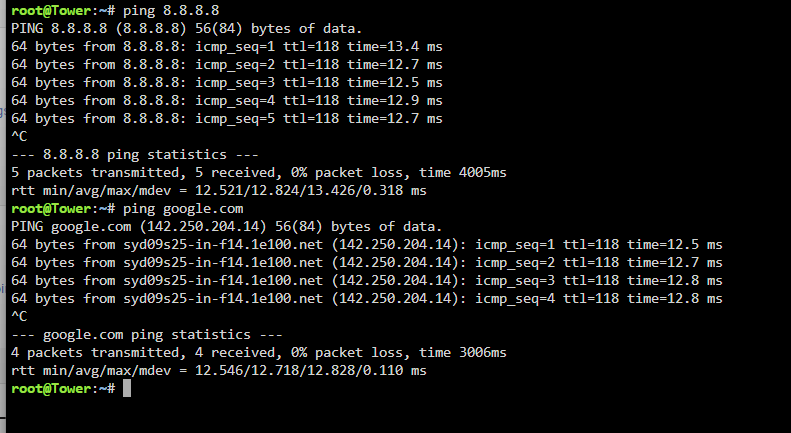
fixed it .. well kind of, Disabled the inbuilt WG VPN ( no endpoints conencted) and everything fired up not sure why that would break things
-
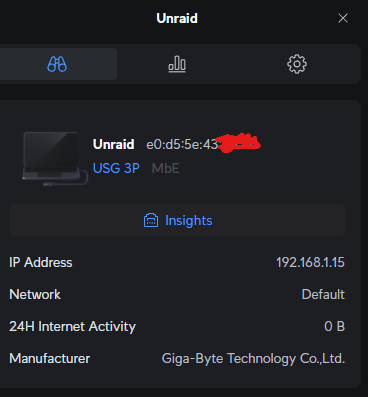
router can see i but shows 0 bytes of internet traffic , no blocking, no filtering no vlans
-
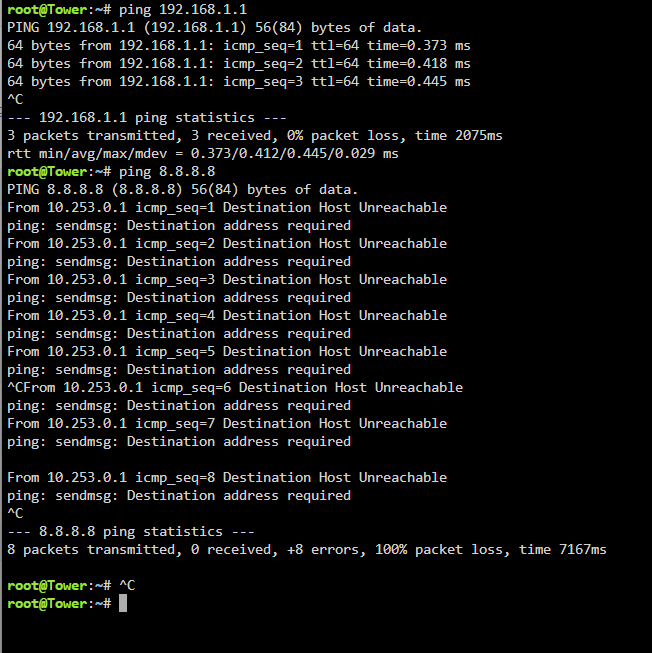
ping to gateway and google dns
-
Correct yes
-
I'm stuck! I moved to a slightly newer motherboard / cpu combo today as I had a failed sata controller on a really old motherboard. Thought all went smoothly. I updated the DHCP reservation on my router, it picked up the new ip, started to fix the parity issue I had from the failed sata controller - no dramas right? I can access unraid UI via a brower on my network, no issues - It seems unraid itself and its dockers have no internet access. Things I have tried - Manually set DNS to various ISP / Google / Cloudflare variations Changing the DHCP reservation on my router Static IP unraid to a new address deleting the config/network.cfg file and restarting updated to 7.1.4 from 6.12 doing all the above again after the update FWIW if the IP's look out of whack: I have a /23 setup - DHCP devices are 192.168.1.11-254 and static addresses are 0.x - have tried on both ends of the /23 No problems with any internal network routing or services, they all seem fine from early testing tower-diagnostics-20251028-1932.zip
