





jw_ruleless
Members
-
Joined
-
Last visited
-
Kind do not know how to do it but, I got you few screenshots, since I was using wifi so there is a little bit slow. But is works fine.
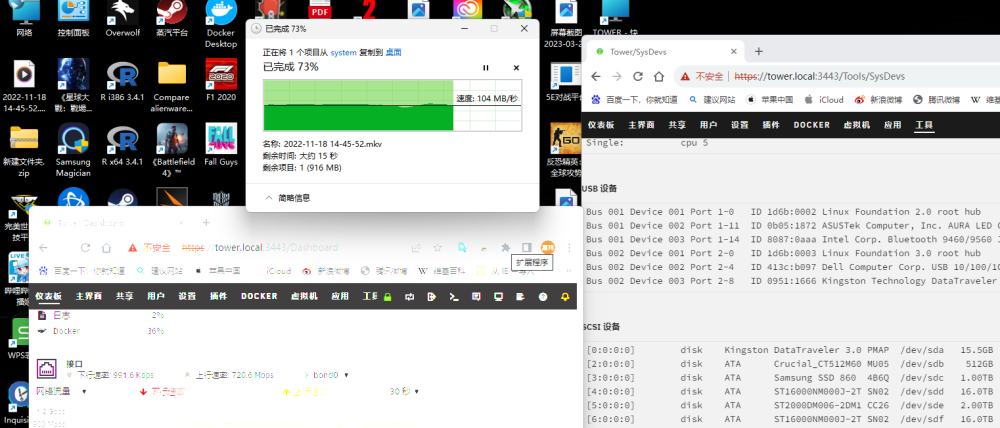
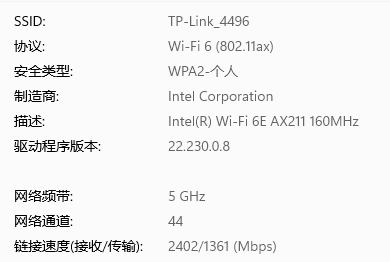
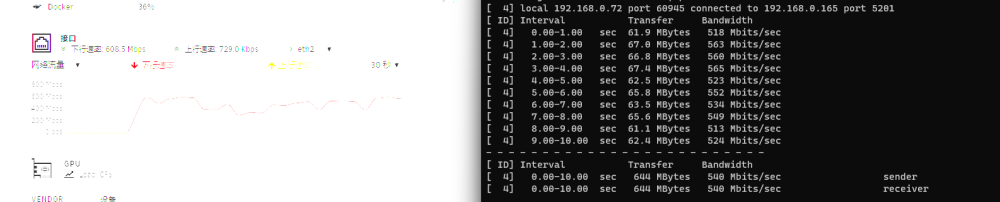


-
Just got a quick run, it’s been fine now. Thanks a lot.
-
Oh MB didn’t see it coming , I will try it now see how’s thing going.
-
If you got few minutes, it’s basically just the comment in this link https://answers.launchpad.net/ubuntu/+source/r8125/+question/705159 In the #8 NOC (noc-center) said on 2023-02-26 (last edit on 2023-02-26):#8 I don’t know if it’s helpful or not.
-
Just did, it is 6.12.4. Thanks for reminding :)
-
I believe is 6.12.4, thank you very much, that helps a lot, I am new to the community, if there is any impolite please let me know..
-
But I don’t know how to install as plugins.
-
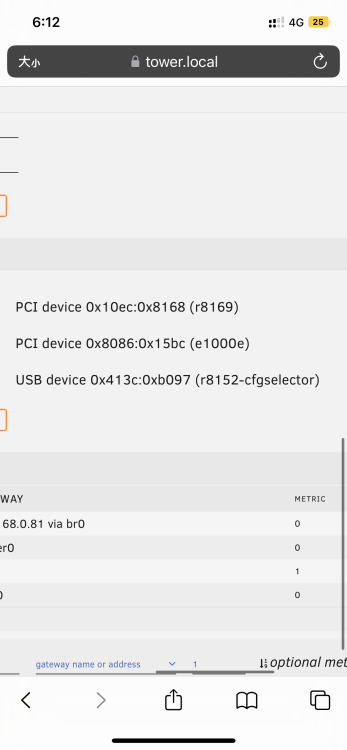
It’s no need for special Alienware drivers, just like the links says , add few line in the driver file. Something like this /* Dell */ { USB_DEVICE(0x413c, 0xb097) }, if so, what do I need to execute in the following so the kernel will be notified about this change? Or shouldn't I touch the file "/usr/src/linux-headers-5.19.0-31/include/linux/usb/r8152.h" at all and instead .... *** EDIT *** I made a successful progress, however I need assistance from a pro to verify if this is the correct way to go. My goal was to add the identifier 413c:b097 to the kernel module r8152. Unfortunately I had no source file r8152.c on my filesystem. I ran "apt install linux-headers-5.19.0-31 && updatedb && locate r8152.c" but still no "r8152.c" found under /usr/src/* where I would have expected it. I also tried "apt install linux-source" but still no success. At the end I downloaded the file from <https://git.kernel.org/pub/scm/linux/kernel/git/netdev/net-next.git/plain/drivers/net/usb/r8152.c> and saved it under "/usr/src/linux-headers-5.19.0-31/drivers/net/usb". $ modprobe -r r8152 $ ls /usr/src/linux-headers-5.19.0-31/drivers/net/usb Kconfig Makefile r8152.c At the end of file "r8152.c"
-
Hey there, I have a 2.5g adapter from dell called aw1022 it’s using 8152 chips but not in the driver list. I wonder if you can help me add Realtek Alienware AW1022 2.5GbE AdapterUSB\VID_413C&PID_B097 to the driver? Like this guy did https://answers.launchpad.net/ubuntu/+source/r8125/+question/705159
-
大佬,我有一张dell aw1022网卡,因为小螃蟹驱动太老了,这张网卡没在认证设备里面,具体情况跟这个老哥比较像https://answers.launchpad.net/ubuntu/+source/r8125/+question/705159,我不太知道unraid里要怎么改…


