Prinler
Members
-
Joined
-
Last visited
-
Recently I have been having my NPM go belly up on me. When i look at the logs in docker (right click logs) i get no indicator its not working but NONE of my stuff will work. Error from Cloudflare telling me it cant connect to nginx basicly. I reboot the docker container and it worked for 20 seconds. I haven't changed ANYTHING on this docker so I'm not sure what has changed. I have recently installed Teslamate, Teslamate-graphana, Postgres11, and mosquitto-1 but i cant imagine how that would effect anything on this side. I was able to find 1 obscure page where someone added more workers and all it does for me is extend the amount of time before it goes belly up to a minute or so. I have recently added another line that gives it even more... and it stays up for 2 days now before I need to restart the docker. I have force updated the docker to rebuild it but nothing seems to help. Anyone have any ideas what i could do to fix this?
-
Had a tech come to my house to service my solar. I pressed the reset button on accident when shutting it off. Upon my next boot I get this error. Only options is to format. I have my VM on there apparently. There has to be another way! Please let me know what you think I can do. syslog.txt
-
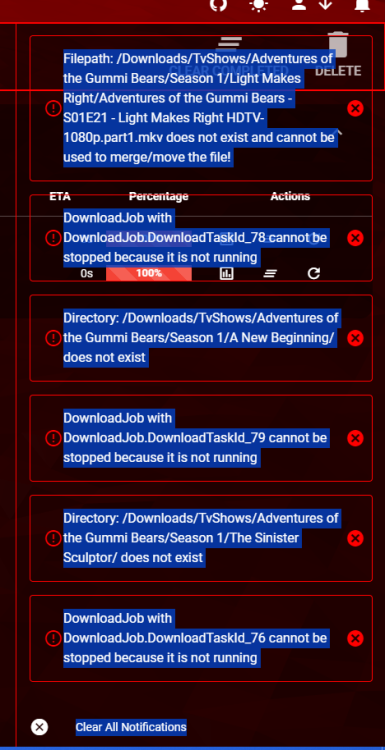
This one of the coolest programs available for plex. I cant tell you how many rare shows could be had, and shared. It works for some people but obviously not me. I can see the files, but for the life of me, it only downloads a tiny about of bytes and says its done. Im at a loss.
-
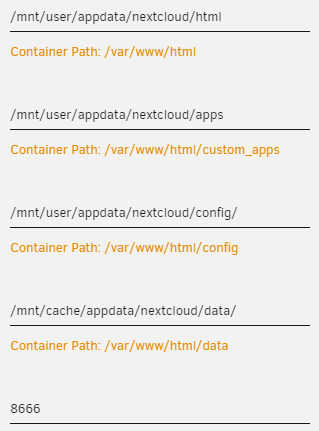
Is the default location of my files going to appdata? How do i make this goto my /mnt/user/data/nextcloud