





jonathonmccoy
Members
-
Joined
-
Last visited
-
question - I have been runing the scrub on my cache drive - as that is where the error is showing, but the files are not there. they are on the main data share. does this matter? And so I understand your recommendation correctly, remove one the ram sticks to see what happens. I assume bad ram would cause the non-responsive issues i was seeing before.
-
okay, so now the logs are showing another file with issues and scrub status has 1 uncorrectable error.
-
Copy all. Files deleted, scrub complete with zero errors and i have reset the filesystem stats. I appreaciate your help. Before I walked away from it, i was crashing often. Am i correct in assuming that this is a result of that - and not the cause of the crash (meaning - non responsive).
-
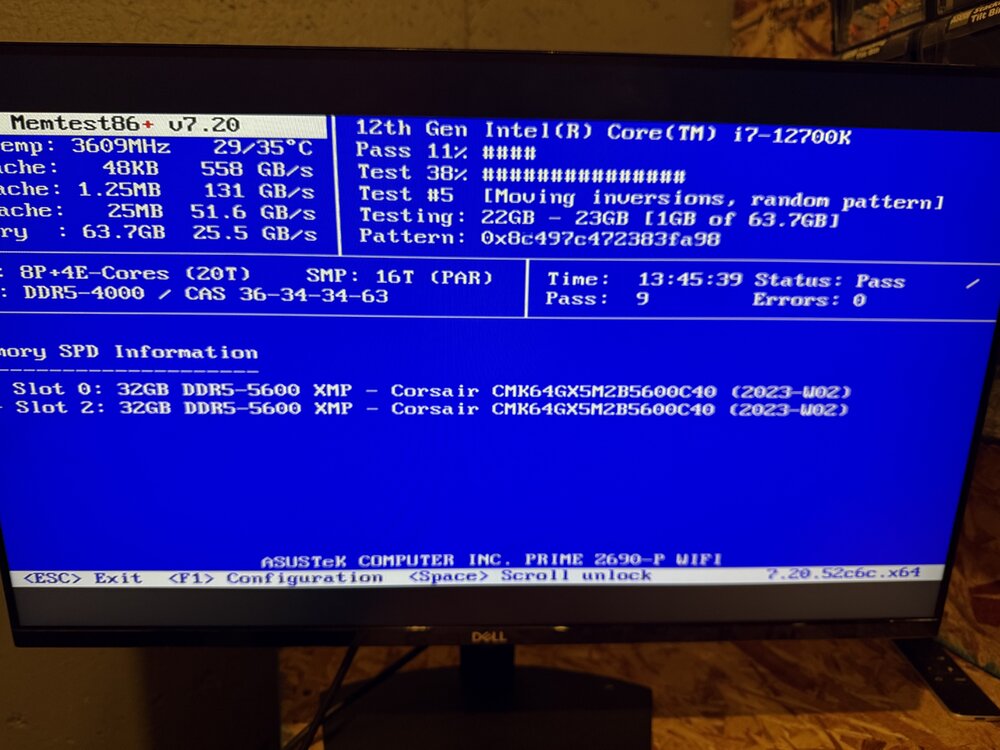
Thanks. Here are the results

-
no issues found with memtest.
-
I could use some help here. I am capabile enough to follow a youtube video but not enough to understand what is going on. I have had the server off for a little while, as life has been to busy to deal with it. I hope I have figure it out over the next few days with some help from you folks. When i turned it off and walked away a few months ago, it seemed it would run for a day or two and then i could no longer connect to it. i just fired it up and the logs have warnings and errors. Anyone have any recommendations/thoughts? Dec 29 13:07:20 jarvis kernel: BTRFS warning (device nvme0n1p1): csum failed root 5 ino 35984 off 1473740800 csum 0x0639a4cd expected csum 0x43097d0c mirror 1 Dec 29 13:07:20 jarvis kernel: BTRFS error (device nvme0n1p1): bdev /dev/nvme0n1p1 errs: wr 0, rd 0, flush 0, corrupt 58124, gen 0 Dec 29 13:07:20 jarvis kernel: BTRFS warning (device nvme0n1p1): csum failed root 5 ino 35984 off 1473740800 csum 0x0639a4cd expected csum 0x43097d0c mirror 1 Dec 29 13:07:20 jarvis kernel: BTRFS error (device nvme0n1p1): bdev /dev/nvme0n1p1 errs: wr 0, rd 0, flush 0, corrupt 58125, gen 0 Dec 29 13:07:20 jarvis kernel: BTRFS warning (device nvme0n1p1): csum failed root 5 ino 35984 off 1473740800 csum 0x0639a4cd expected csum 0x43097d0c mirror 1 Dec 29 13:07:20 jarvis kernel: BTRFS error (device nvme0n1p1): bdev /dev/nvme0n1p1 errs: wr 0, rd 0, flush 0, corrupt 58126, gen 0 Dec 29 13:07:20 jarvis kernel: BTRFS warning (device nvme0n1p1): csum failed root 5 ino 35984 off 1473740800 csum 0x0639a4cd expected csum 0x43097d0c mirror 1 Dec 29 13:07:20 jarvis kernel: BTRFS error (device nvme0n1p1): bdev /dev/nvme0n1p1 errs: wr 0, rd 0, flush 0, corrupt 58127, gen 0

