




Skip to content
View in the app

A better way to browse. Learn more.

Unraid

A full-screen app on your home screen with push notifications, badges and more.

To install this app on iOS and iPadOS
  1. Tap the Share icon in Safari
  2. Scroll the menu and tap Add to Home Screen.
  3. Tap Add in the top-right corner.
To install this app on Android
  1. Tap the 3-dot menu (⋮) in the top-right corner of the browser.
  2. Tap Add to Home screen or Install app.
  3. Confirm by tapping Install.

I3andit

Members
  • Joined

  • Last visited

Everything posted by I3andit

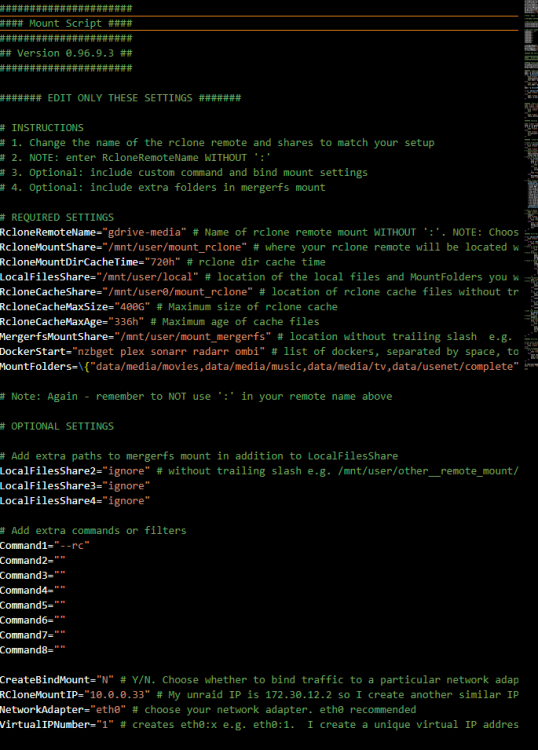
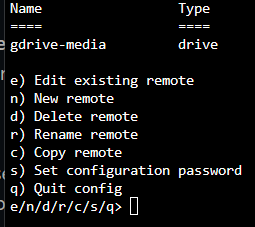
  1. Hello Everyone, I can sure use a bit of help. I am new to unraid just installed it last night, still learning it. I am trying to to get my gdrive mounted but I am failing miserably at it. I follwed the direction on the main page but I still can't seem to get it to mount. I also don't get a log file in /tmp/user.scripts/tmpScripts/rclone_mount. Also when I try to go to my gdrive mount directory I get an error: /mnt/user/mount_rclone# cd gdrive-media bash: cd: gdrive-media: Transport endpoint is not connected gdrive-media is my remote name I don't use crypt. Any help would be appreciated Thank you!
Account

Navigation

Search

Search

Configure browser push notifications

Chrome (Android)
  1. Tap the lock icon next to the address bar.
  2. Tap Permissions → Notifications.
  3. Adjust your preference.
Chrome (Desktop)
  1. Click the padlock icon in the address bar.
  2. Select Site settings.
  3. Find Notifications and adjust your preference.