





Hermachis
Members
-
Joined
-
Last visited
-
Ok guys, it seams my problem is my usb stick from Scandisk... it has a non valid GUID and it does not let me insert my first key that i got. Thanks for all of you that helped. I will try to get another pen...
-
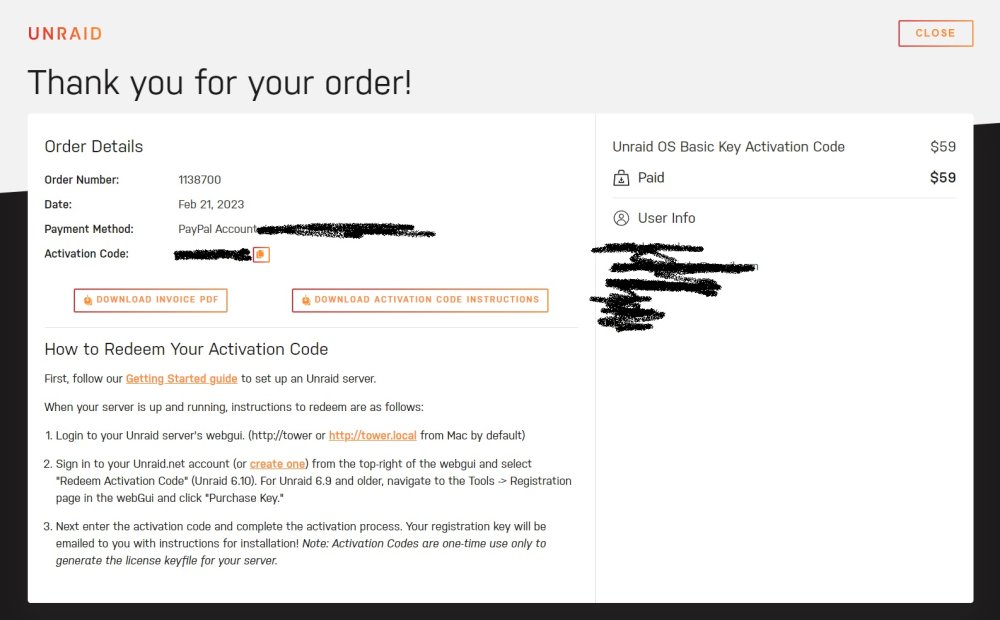
Everything i got was that website that is in the picture and a confirmation from the payment from my paypal
-
There is no keyfile attached to my email at all, wich is kinda making me mad tbh...
-
I think i did this all wrong... i didnt registrate my account before i bought the key.. i got the key already in my email, but i didnt get any download link. I also downloaded the usb installation as a free trial without beeing logged in. what can i do...
-
Hi everyone, I dont know what i did wrong but i installed the unraid on a usb stick manually and it runned the server. Once i connected i saw my usb was blacklisted. I then created an account and i payed for the basic product from unraid 59$ and i cant find no where to activate the key. when i log into my Webgui i cant find anywere to put the key in. It gives me an option to put the "install key" but i only got 1 key, no key file url.... Can anyone help me?
