Jim778899
Members
-
Joined
-
Last visited
Everything posted by Jim778899
-
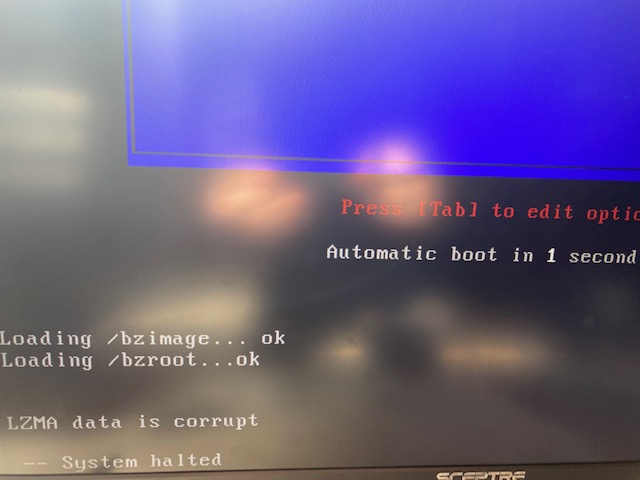
Oh dang. I tried unplugging all the disk drives and booting with the original flash drive. Without the drives plugged in, I'm getting to the same error that I got originally If I try to boot a new installation with the old config file folder and no disk drives plugged in, I get to the original error. If I try to boot a new/unedited flash installation with the disk drives unplugged I get to the unraid boot menu, but get this error when I try to boot - LZMA data is corrupt I ran the memtest - came back with no errors
-
I tried a new install as you suggested, and it's still hanging up on a blinking cursor. I tried booting the old flash drive with the old config (not a new install on a new USB with a copied config folder), and now that is not booting at all now either. To add more detail - I get the BIOS screen (hit delete to enter setup and all that stuff). Then it shows my hard drive controller (add on) spin up and it finds all the drives. Then it just sits at a blinking cursor. Hardware issue?
-
I tried 6.11.x and 6.9.x, but neither would boot. I did not get any sort of error message. The drive controller spins up all the drives, but then it just hangs at a blinking cursor. Any suggestions would be appreciated
-
Thank you! I was able to make a backup of the config folder, and I'll try the new install shortly. Before I do that, is there I way I can access the drives to make a backup of my data? If I just took out the data drives one by one, and put them in a windows machine, would I be able to copy stuff to another drive I have in the windows machine? I apologize if this is a dumb question - I'm not too knowledgeable and I setup the unraid box about 10 years ago. It's been so darn reliable, I've never had to learn anything.
-
I do not
-
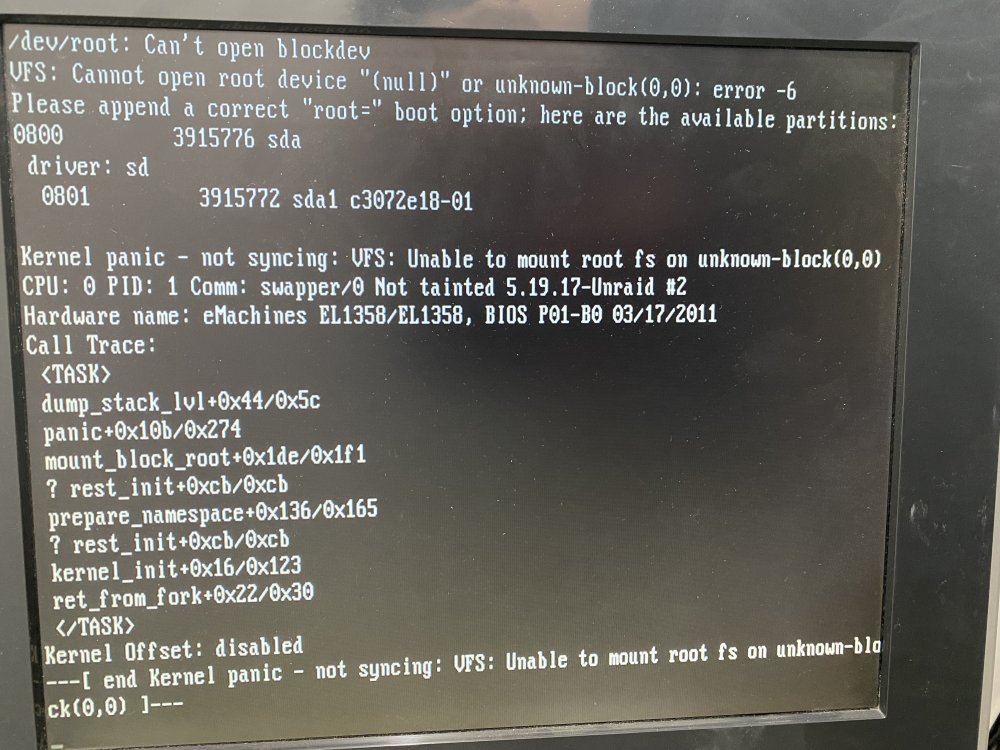
I just updated from 6.5.x to 6.11.5. on reboot I'm getting a kernel panic. Attached is the error I'm receiving. I have no idea how to proceed