Alex_P
Members
-
Joined
-
Last visited
Everything posted by Alex_P
-
Update went smooth on Unraid 7.3.2. According to the update notes I only had to set the new PAPERLESS_SECRET_KEY variable.
-
request for https://github.com/sharkdp/fd
-
Thank you for pointing me in the right direction👍 Didn't know about this downside but I'm aware that zfs is coming. That's the plan anyway to migrate.
-
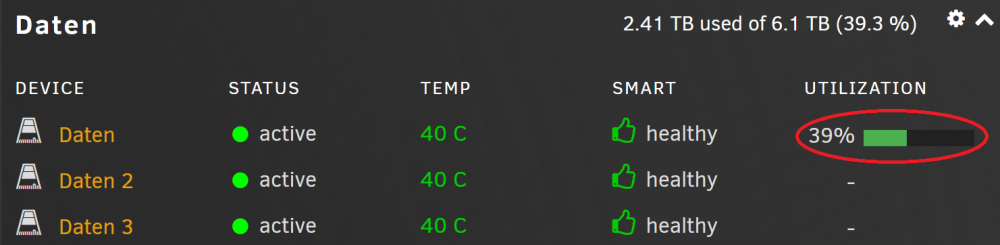
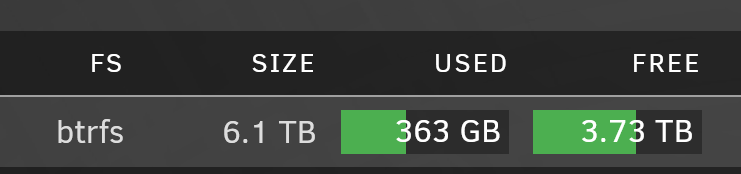
Hello to everyone. On my unraid server, I have a Btrfs RAID5 pool that apparently shows an inconsistent number of free space. I assume this is because there are Btrfs snapshots saved on this drive. However, I would consider this as a bug. When issue df -H command it shows me: /dev/sdc1 6.2T 363G 3.8T 9% /mnt/daten Also on the pool page: Not so on the dashboard: Is anyone else experiencing this behavior?