



Skip to content
View in the app

A better way to browse. Learn more.

Unraid

A full-screen app on your home screen with push notifications, badges and more.

To install this app on iOS and iPadOS
  1. Tap the Share icon in Safari
  2. Scroll the menu and tap Add to Home Screen.
  3. Tap Add in the top-right corner.
To install this app on Android
  1. Tap the 3-dot menu (⋮) in the top-right corner of the browser.
  2. Tap Add to Home screen or Install app.
  3. Confirm by tapping Install.

daviddonovan

Members
  • Joined

  • Last visited

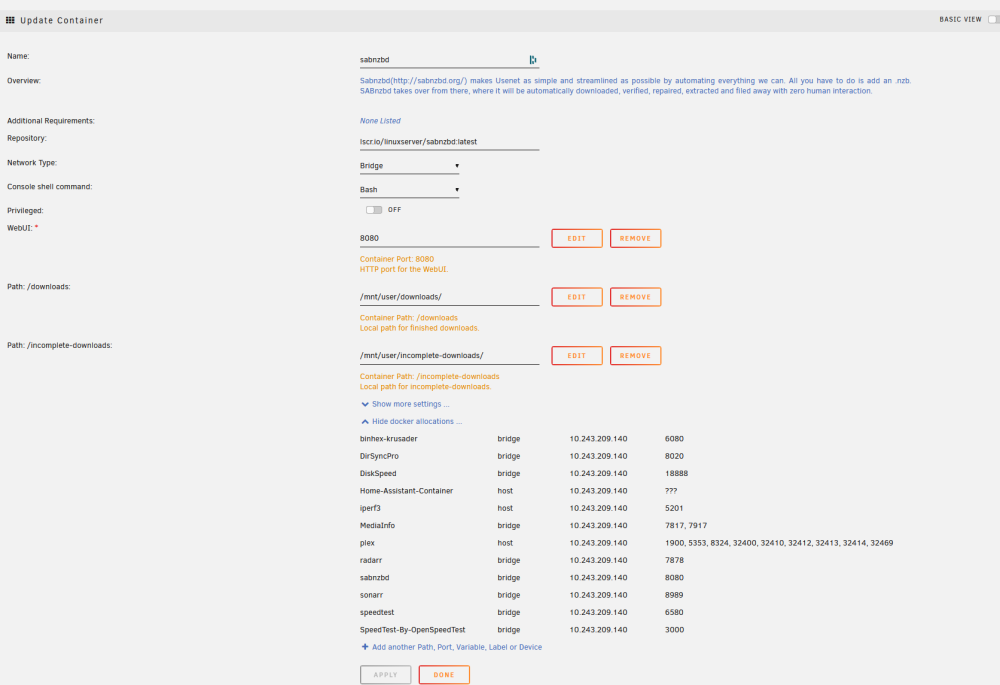
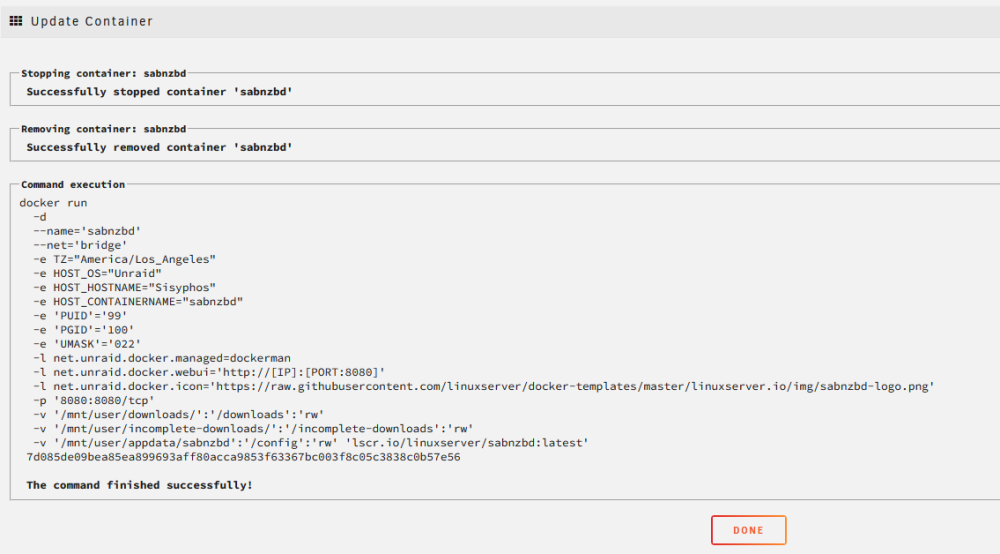
  1. Hello, I hope this is the right place for a support post like this. And thank you in advance for anyone's time in responding! For a while now I have been unable to access the sabnzbd docker web GUI although I had been able to under this installation before. I can still access the web gui for Radarr and Sonarr. Although I have read through other posts of folks having similar issues, none of those have resolved the issue for me. I'm sure it's user error but if anyone can help, I'd appreciate it. I've attached the container log plus the container run & docker port allocations screencaps in case that is helpful. Anything else I can supply to assist? Thanks again. Much appreciated! DD sabnzbd_log.txt
Account

Navigation

Search

Search

Configure browser push notifications

Chrome (Android)
  1. Tap the lock icon next to the address bar.
  2. Tap Permissions → Notifications.
  3. Adjust your preference.
Chrome (Desktop)
  1. Click the padlock icon in the address bar.
  2. Select Site settings.
  3. Find Notifications and adjust your preference.