stark1995
Members
-
Joined
-
Last visited
Everything posted by stark1995
-
Just an update to this case, I reformatted the problematic disk to XFS. It hasn't crashed once since Thursday. I simply moved appdata and system folders back to the new SSD, without recreating docker folder. It has been completely stable
-
I can say that with docker disabled server is not crashing. Two days ago I disable docker before midnight, it didn't crash. Then i reenabled docker and didn't crash until next midnight, but every container was on at 8AM and 4PM. I don't know, maybe I should try to format the NVME to something different from ZFS, and check if somehow the filesystem creates problem to this unknown cronjob But I would really like to keep ZFS...
-
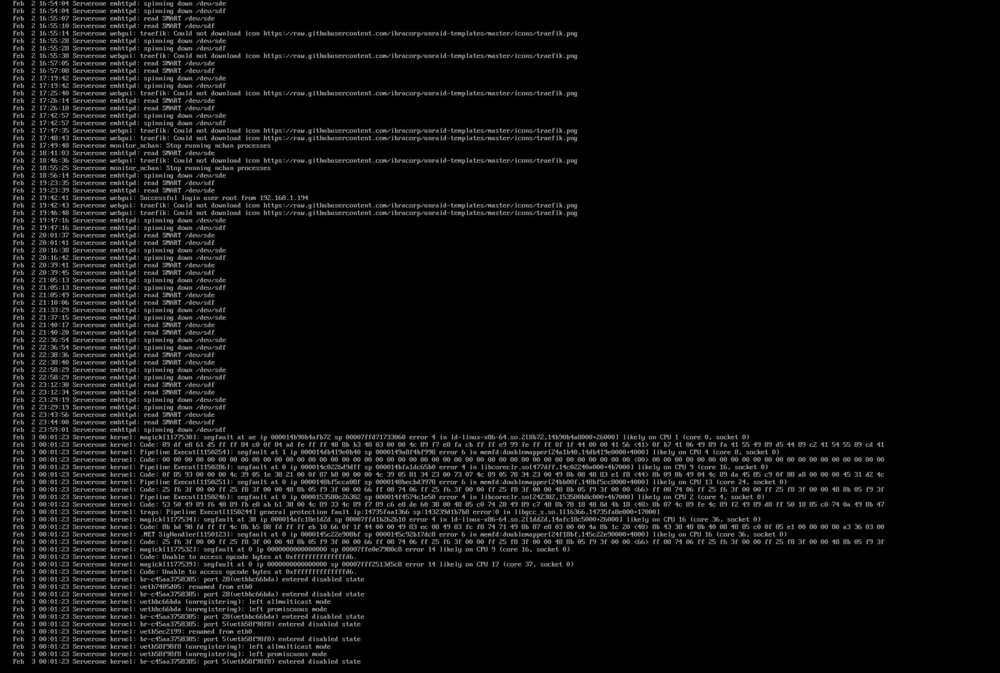
Hi, this is the screenshot The logs are like this: Feb 1 22:38:09 Serverone emhttpd: read SMART /dev/sde Feb 1 22:38:12 Serverone emhttpd: read SMART /dev/sdf Feb 1 22:53:16 Serverone emhttpd: spinning down /dev/sdf Feb 1 23:04:45 Serverone emhttpd: spinning down /dev/sde Feb 1 23:31:05 Serverone emhttpd: read SMART /dev/sde Feb 1 23:38:20 Serverone emhttpd: read SMART /dev/sdf Feb 2 00:12:16 Serverone rc.rsyslogd: Syslog server daemon... Started. Feb 2 00:12:16 Serverone enhanced.log: Enabling Syslog filter... Feb 2 00:12:17 Serverone rsyslogd: [origin software="rsyslogd" swVersion="8.2102.0" x-pid="14226" x-info="https://www.rsyslog.com"] start Feb 2 00:12:17 Serverone rc.rsyslogd: Restarting Syslog server daemon... Feb 2 00:12:17 Serverone rc.rsyslogd: Stopping Syslog server daemon... Feb 2 00:12:17 Serverone rc.rsyslogd: killall --ns 14278 rsyslogd Feb 2 00:12:20 Serverone rc.rsyslogd: Syslog server daemon... Started. Feb 2 00:12:20 Serverone root: Delaying execution of fix common problems scan for 10 minutes Feb 2 00:12:20 Serverone unassigned.devices: Mounting 'Auto Mount' Devices... While the screenshot I posted initially is took from a kvm attached to server that prints syslog Here the output from cat /etc/cron.d/root # Generated btrfs balance cache schedule: 0 4 * * 0 /usr/local/emhttp/plugins/dynamix/scripts/btrfs_balance start /mnt/cache -dusage=50 &> /dev/null # Generated system monitoring schedule: */1 * * * * /usr/local/emhttp/plugins/dynamix/scripts/monitor &> /dev/null # Generated parity check schedule: 0 7 * * * /usr/local/emhttp/webGui/scripts/parity_control pause &> /dev/null 0 2 * * * /usr/local/emhttp/webGui/scripts/parity_control resume &> /dev/null 0 2 1 * * /usr/local/sbin/mdcmd check &> /dev/null # Generated TRIM schedule: 0 3 * * 0 /usr/local/emhttp/plugins/dynamix/scripts/ssd_trim cron|logger &> /dev/null # Appdata.Backup cron settings 0 5 * * 0 php /usr/local/emhttp/plugins/appdata.backup/scripts/backup.php > /dev/null 2>&1 # Generated schedule for Mover Tuning move: 30 2 * * * /usr/local/emhttp/plugins/ca.mover.tuning/mover start |& logger -t move # Generated cron settings for docker autoupdates 0 3 * * * /usr/local/emhttp/plugins/ca.update.applications/scripts/updateDocker.php >/dev/null 2>&1 # Generated cron settings for plugin autoupdates 0 3 * * * /usr/local/emhttp/plugins/ca.update.applications/scripts/updateApplications.php >/dev/null 2>&1 # CRON for CA background scanning of applications 10 * * * * php /usr/local/emhttp/plugins/community.applications/scripts/notices.php > /dev/null 2>&1 # Generated system data collection schedule: */1 * * * * /usr/local/emhttp/plugins/dynamix.system.stats/scripts/sa1 1 1 &> /dev/null # Generated cron schedule for user.scripts */5 * * * * /usr/local/emhttp/plugins/user.scripts/startCustom.php /boot/config/plugins/user.scripts/scripts/healtcheck/script > /dev/null 2>&1 Thank you for your help. Could be something related to zfs and overlay2 in docker?
-
Hi! thank you for your support It is indeed happening at fixed intervals: exactly every 8 hours (midnight, 8 AM, and 4 PM). The logs always show ImageMagick and .NET segfaulting simultaneously. I did try to run a memtest for a few hours and all tests were passed. I haven't overclocked the CPU and the docker filesystem is basically new because I made it yesterday when I changed from native to overlay2. I have many containers running in background: any-sync-bundle-aio apache-tika-server switchbot-mqtt atvloadly audiobookshelf binhex-code-server binhex-qbittorrentvpn CloudBeaver CoolerControl crowdsec crowdsec-firewall-bouncer DiskSpeed dockersocket Dozzle flaresolverr frigate glances Grafana Home-Assistant-Container homepage immich_machine_learning immich_server LiteLLM Maintainerr Maintainerr-Overlay-Helperr matter-server MongoDB mosquitto n8n open-webui palmr Plex Plex-Auto-Languages Pocket-ID postgresql16 prowlarr qui radarr Redis scrutiny Seerr SFTPGo sonarr syncthing tautulli telethon-downloader TeslaMate traefik UptimeKuma vaultwarden zigbee2mqtt I have now copied appdata and system folder back to old SATA SSD formatted as XFS, so if the problem is on RAM or something else it should come again. But I hadn't any kind of problem before swapping to NVME SSD. None of my unraid crons (mover, appdata backup) starts in these periods. I even tried trigger tasks of sonarr radarr maintainerr immich etc manually to try to replicate the crash but everything went smoothly.
-
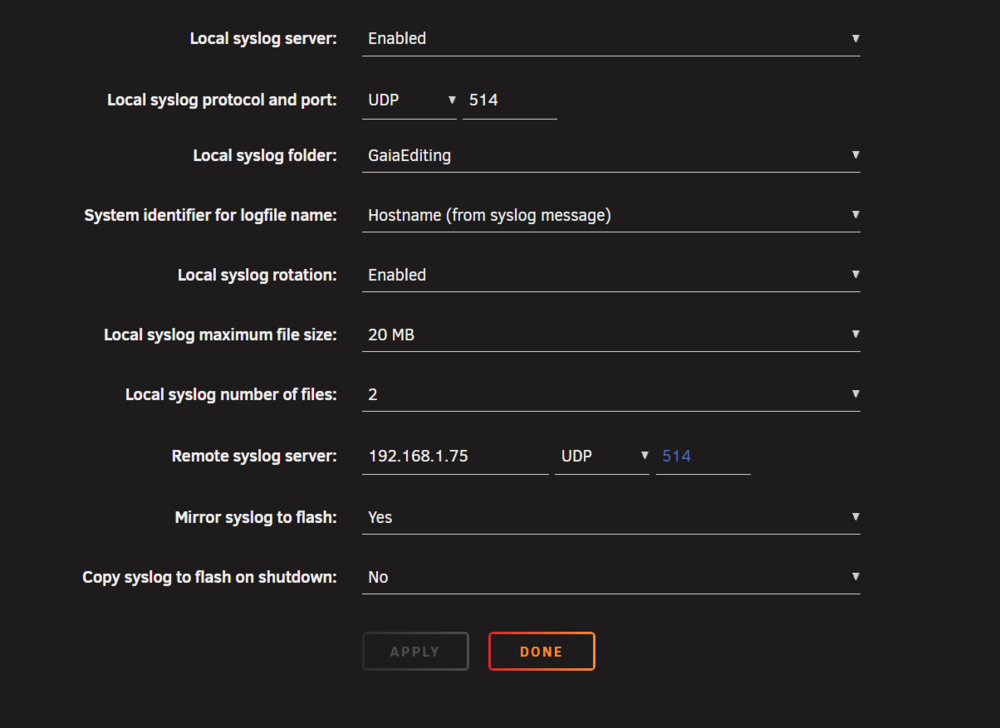
Hi everyone, I am running into a persistent issue that i'm not able to solve alone. First of all, I really hope this is not a broken SSD, since everyone know how the prices are going, I bought it before christmas at a decent price. Current System Specs: CPU: Intel i7-12700 Mobo: ROG STRIX B760-I Gaming WIFI (Brand new, just swapped) RAM: 64GB Cache Pool: NVMe SSD (Formatted as ZFS) Unraid Version: 7.2.3 My server has been stable for 90+ days with old hardware, but when I added a WD_BLACK SN850X as cache drive instead of old one the system started to crash with segfault at specific time of day. I used a SATA SSD formatted as XFS with docker img, with the new one I went with ZFS, and docker with folder structure, since this changed everything broke. Crashes appends every night at midnight, with a day at 8AM and 4PM. The log is always the same in syslog, i'll attach a screenshot beacuse even with mirror syslog enabled the system is not able to write logs in file This is the smart log Smart Log for NVME device:nvme0 namespace-id:ffffffff critical_warning : 0 temperature : 114 °F (319 K) available_spare : 100% available_spare_threshold : 10% percentage_used : 0% endurance group critical warning summary: 0 Data Units Read : 6366107 (3.26 TB) Data Units Written : 10656984 (5.46 TB) host_read_commands : 46940165 host_write_commands : 110899764 controller_busy_time : 144 power_cycles : 38 power_on_hours : 580 unsafe_shutdowns : 24 media_errors : 0 num_err_log_entries : 0 Warning Temperature Time : 0 Critical Composite Temperature Time : 0 Thermal Management T1 Trans Count : 0 Thermal Management T2 Trans Count : 0 Thermal Management T1 Total Time : 0 Thermal Management T2 Total Time : 0 This is my syslinux configuration: kernel /bzimage append initrd=/bzroot nvme_core.default_ps_max_latency_us=0 acpi_enforce_resources=lax pcie_aspm=off What I have tried so far: Docker Rebuild: I deleted the entire docker folder in the system share and recreated it from scratch, and overlay2 driver. Hardware Swap: I suspected a hardware issue, so I swapped the motherboard from an Intel H610-I to a new ROG STRIX B760-I. The crash happened again at midnight with the new motherboard. RAM: Memtest passed with 0 errors. I have restored the old ssd as cache drive, and the wdblack is unassigned. Just to see if it's something regardless the hardware used as cache drive. Thanks in advance to everyone who helps me figure this out serverone-diagnostics-20260205-0955.zip