skrisz
Members
-
Joined
-
Last visited
-
I would leave the solution here! The problem was that the IPTV service was on the same network, and along with it, the Unraid server received a broadcast signal. The solution was to configure IGMP/IPTV in the router, but this may vary depending on the router.
-
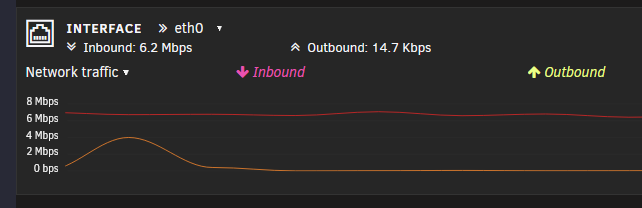
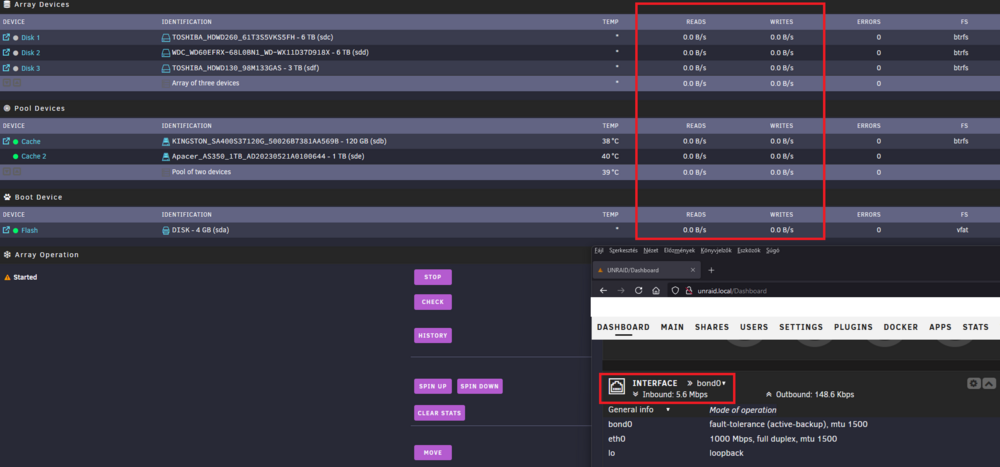
Hello Guys, I noticed on the control panel that there is continuous incoming connection even in high idle state. I tried to filter out what's causing the phenomenon. I stopped Docker/Array and the problem still occurs. The problem also occurs in safe mode. What else can I do to find out what's causing the traffic? Interestingly, alongside the incoming connection, the hard drives are not writing anything.
-
Hello, I would like to receive a phone notification when only a webgui or ssh login to the UNRAID server occurs. I know that it is possible to set up notifications, but I have not found an option to get a notification when webgui or ssh authentication occurs. No found login noti here. -> Can anyone think of a solution? Thank you!