





Harold_Boom
Members
-
Joined
-
Last visited
-
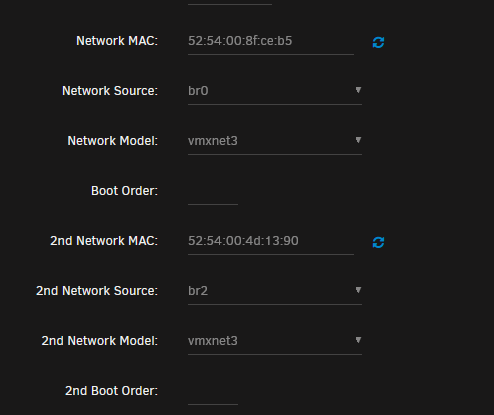
I managed to fix it by setting the Network Model to vmxnet3. Is there any downside to using this model of virtio-net?
-
Actually on checking, even though the adapter is now showing in HA (after adding the 3rd adapter) the interface inst working. Cant ping/connect to IoT clients.... I have no idea what has happened, I haven't made any changes to Unraid, the network, HA for over a week and I have rebooted HA after those changes with no issues
-
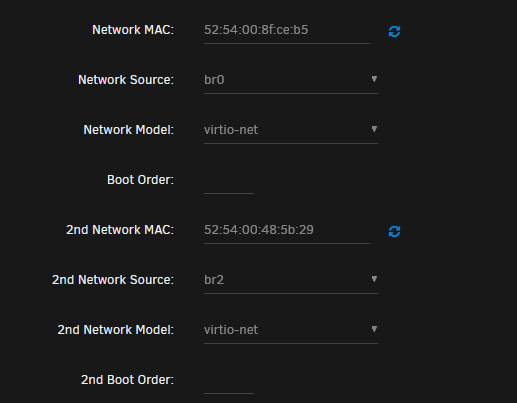
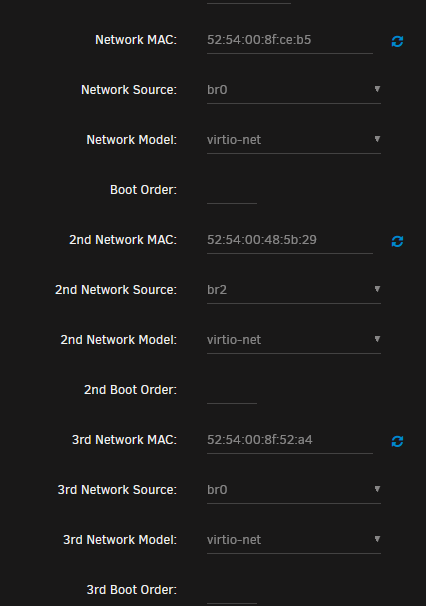
Hi all, I am having an issue with my HA VM, my second network adapter disappeared after a reboot and the only way I can get the adapter to show again in HA is to add a 3rd adapter which doesn't show but makes the second adapter show. I tried rebooting unraid, HA multiple times, changing network adaptor config bridging on/off. Changing IP of the host, disabling IP of host on that adaptor but no dice. I also rolled back home assistant config just to check it wasnt that and that also didnt help. cyberdyne-diagnostics-20241116-1514.zip not working xml.txt working xml.txt


-
Ok thanks mate! I think it’s actually under warranty still so I will contact the vendor
-
So is it worth replacing or just move everything off it and let it die? I’m just worried back my parity checks always show errors
-
Ah yep sorry, attached cyberdyne-diagnostics-20230702-0951.zip
-
Hi all, I have a relatively new nvme drive and I am getting read errors when running my month parity check. Is the drive on the way out? Also should I replace it because I am getting about 1000 parity errors when the parity check runs. System log is full of this; Jul 2 03:07:58 Cyberdyne kernel: md: disk1 read error, sector=1009624936 Jul 2 03:07:58 Cyberdyne kernel: md: disk1 read error, sector=1009624944 Jul 2 03:07:58 Cyberdyne kernel: md: disk1 read error, sector=1009624952 Jul 2 03:07:58 Cyberdyne kernel: md: disk1 read error, sector=1009624960 Jul 2 03:07:58 Cyberdyne kernel: md: disk1 read error, sector=1009624968 Jul 2 03:07:58 Cyberdyne kernel: md: disk1 read error, sector=1009624976 Jul 2 03:07:58 Cyberdyne kernel: md: disk1 read error, sector=1009624984 Jul 2 03:07:58 Cyberdyne kernel: md: disk1 read error, sector=1009624992 Jul 2 03:07:58 Cyberdyne kernel: md: disk1 read error, sector=1009625000 Jul 2 03:07:58 Cyberdyne kernel: md: disk1 read error, sector=1009625008 Jul 2 03:07:58 Cyberdyne kernel: md: disk1 read error, sector=1009625016 Jul 2 03:07:58 Cyberdyne kernel: md: disk1 read error, sector=1009625024 Jul 2 03:07:58 Cyberdyne kernel: nvme_log_error: 21 callbacks suppressed Jul 2 03:07:58 Cyberdyne kernel: nvme1n1: I/O Cmd(0x2) @ LBA 1009638744, 264 blocks, I/O Error (sct 0x2 / sc 0x81) MORE DNR Jul 2 03:07:58 Cyberdyne kernel: blk_print_req_error: 21 callbacks suppressed Jul 2 03:07:58 Cyberdyne kernel: critical medium error, dev nvme1n1, sector 1009638744 op 0x0:(READ) flags 0x0 phys_seg 33 prio class 0 Jul 2 03:07:58 Cyberdyne kernel: md: disk1 read error, sector=1009636696 Jul 2 03:07:58 Cyberdyne kernel: md: disk1 read error, sector=1009636704 Jul 2 03:07:58 Cyberdyne kernel: md: disk1 read error, sector=1009636712 Jul 2 03:07:58 Cyberdyne kernel: md: disk1 read error, sector=1009636720 Jul 2 03:07:58 Cyberdyne kernel: md: disk1 read error, sector=1009636728 Jul 2 03:07:58 Cyberdyne kernel: md: disk1 read error, sector=1009636736 Jul 2 03:07:58 Cyberdyne kernel: md: disk1 read error, sector=1009636744 Jul 2 03:07:58 Cyberdyne kernel: md: disk1 read error, sector=1009636752 Jul 2 03:07:58 Cyberdyne kernel: md: disk1 read error, sector=1009636760 Jul 2 03:07:58 Cyberdyne kernel: md: disk1 read error, sector=1009636768 Jul 2 03:07:58 Cyberdyne kernel: md: disk1 read error, sector=1009636776 Jul 2 03:07:58 Cyberdyne kernel: md: disk1 read error, sector=1009636784 Jul 2 03:07:58 Cyberdyne kernel: md: disk1 read error, sector=1009636792 Jul 2 03:07:58 Cyberdyne kernel: md: disk1 read error, sector=1009636800 Thanks all test.txt


