chil7
Members
-
Joined
-
Last visited
-
Also found this, which shows driver is virtio_net:
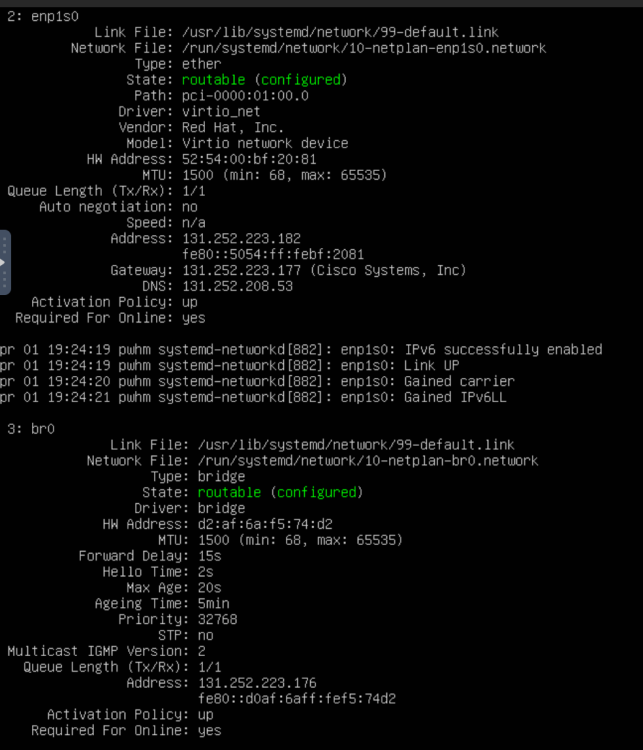
-
Further investigation of my network drivers:
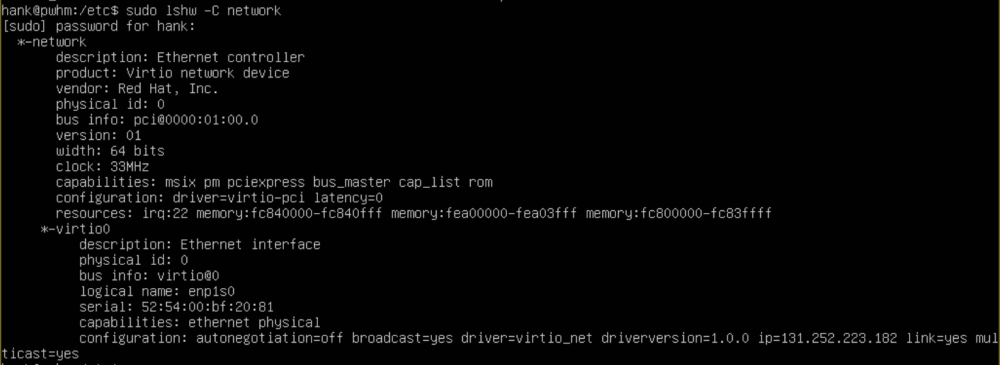
-
I checked my virtio drivers and this was the output
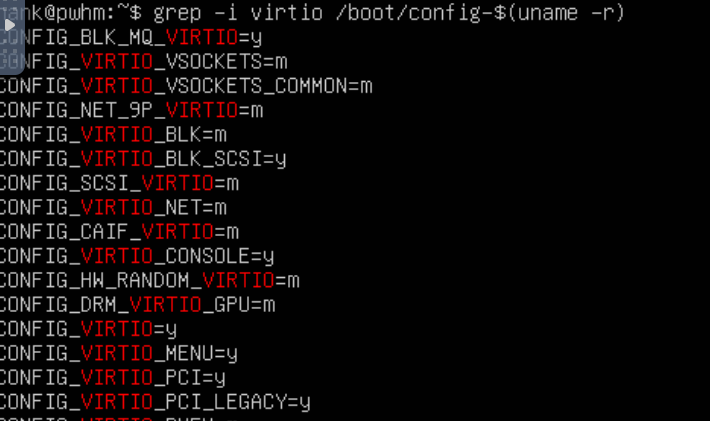
-
I think the main problem was that I did not install the qemu guest agent. So I ran the command to install it on my VM and now my VM shows the interfaces, where it said "Guest agent not installed" before. So now I can download packages but I still cannot ping out to my gateway or anywhere else. I am confused as to why I cannot ping out but can download files.

-
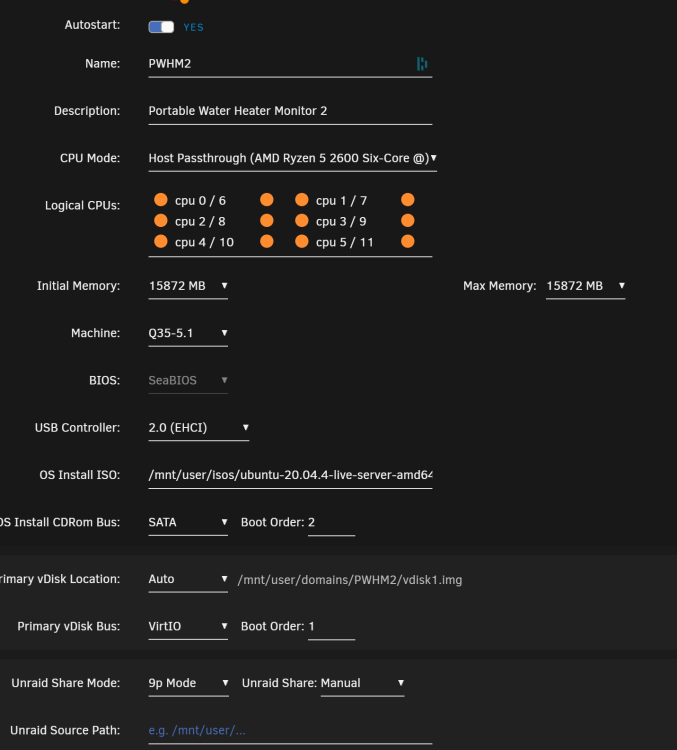
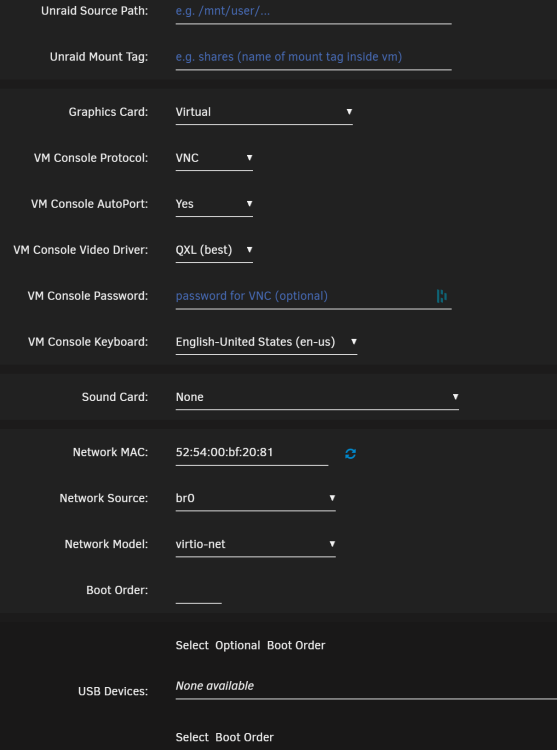
Here you go, sorry about that.
-
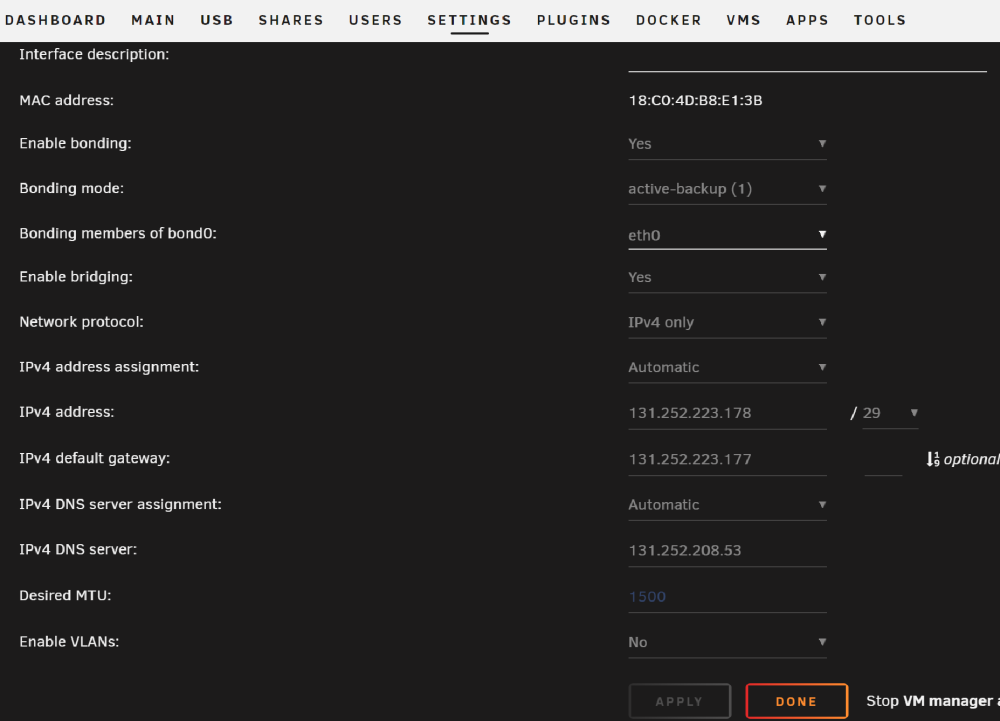
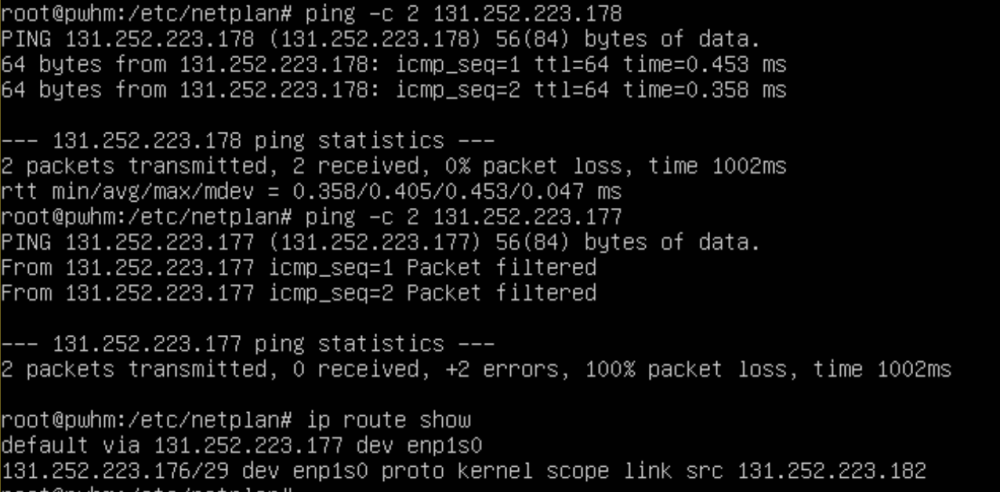
I can ping to the Unraid server at 131.252.223.178. But I cannot ping the gateway (131.252.223.177). Looking at the routing, it shows it goes from my IP (131.252.223.182) to the bridge (br0) at 131.252.223.176/29 Am I supposed to configure br0 in my VM?
-
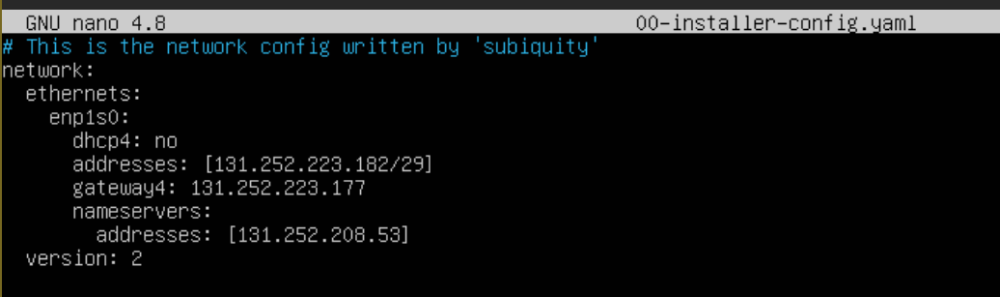
Here is the netplan config file that I altered in the Ubuntu VM. I added my IP address, gateway and DNS server.
-
Ok sounds good. Yes, Unraid has network access, but the Ubuntu VM does not have internet access.
-
I installed Ubuntu on a VM I made on my Unraid account. To be more specific: When I made a new VM in the Unraid OS, I chose to boot from a shared iso which had the Ubuntu OS.
-
It seems like I was posting it in the correct place. That forum is for configuring VMs. Which is what I am trying to do. Is there something I am misunderstanding?

-
Hey there, I made a VM on a shared server. The default OS from the boot device on the Unraid account is Ubuntu 20.04 LTS. I received an IP address, gateway and subnet mask from my IT department. I changed the netplan file to set the IP address for the VM, but I am not able to connect to internet. I checked my firewall and it is inactive. Maybe the network settings are not set up correctly. Any feedback would be appreciated, thanks.