





evergreen.dazed
Members
-
Joined
-
Last visited
Everything posted by evergreen.dazed
-
Thanks, adding the DNS to extra parameters for each docker worked. Seems like a red flag. Unfortunately, when using the VPN Manager for VPN tunneled access for docker, even when adding a Peer DNS server, it'll still DNS leak to whatever your router uses. Tried with both Mullvad and ProtonVPN configurations. Each of the conf contained DNS address of the VPN. Weird that VPN Manager is not passing that through the tunnel? You can check a docker instance terminal using VPN Manager by using this dnsleaktest script: https://github.com/macvk/dnsleaktest Can also use Mullvad's API json to find the IP of a docker: curl https://am.i.mullvad.net/json
-
I do not have it installed. On a separate note, Unraid Connect has not worked for me since a 6.x release couple years back (API or CORS errors).
-
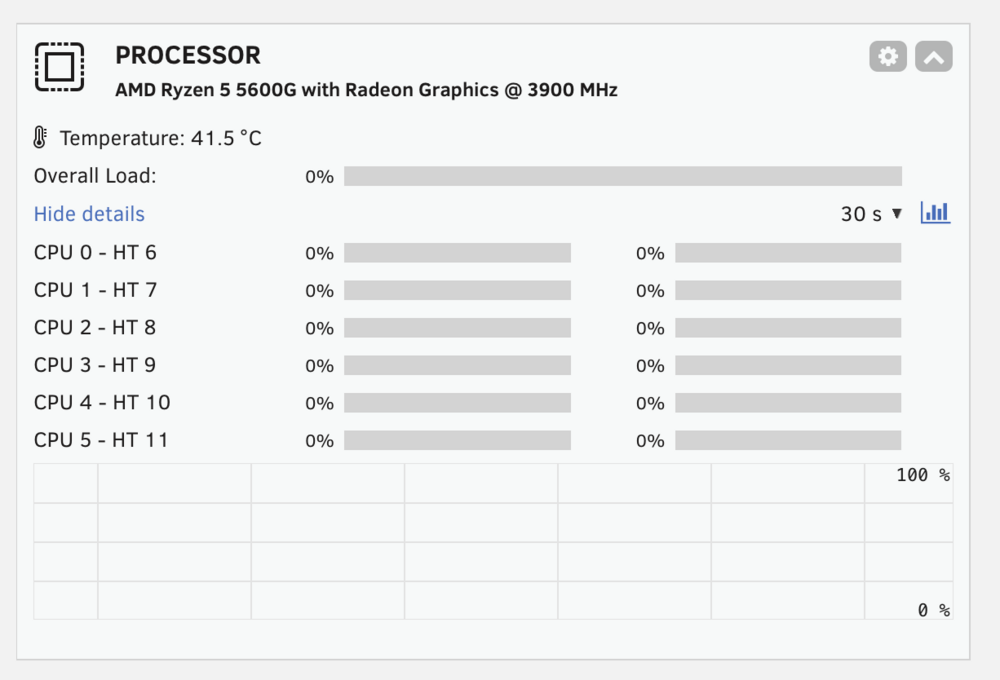
Oddly the Processor graph from the dashboard view is now blank (save for temp) after update. On a AMD Ryzen 5 5600G server. Tried a restart as initial diagnostic, no joy. Stats page shows CPU load graph correctly.
-
The card will work however it cannot do HDR tonemap transcode in Plex.
