ihavoc
Members
-
Joined
-
Last visited
-
Thank you @JorgeB I have made the syslinux change and removed all power management options in the bios. Normally if I have an issue it can take a week or more to show up. I will report back if I see any issues.
-
See attached Diagnostics Thanks unraid-diagnostics-20240818-1724.zip
-
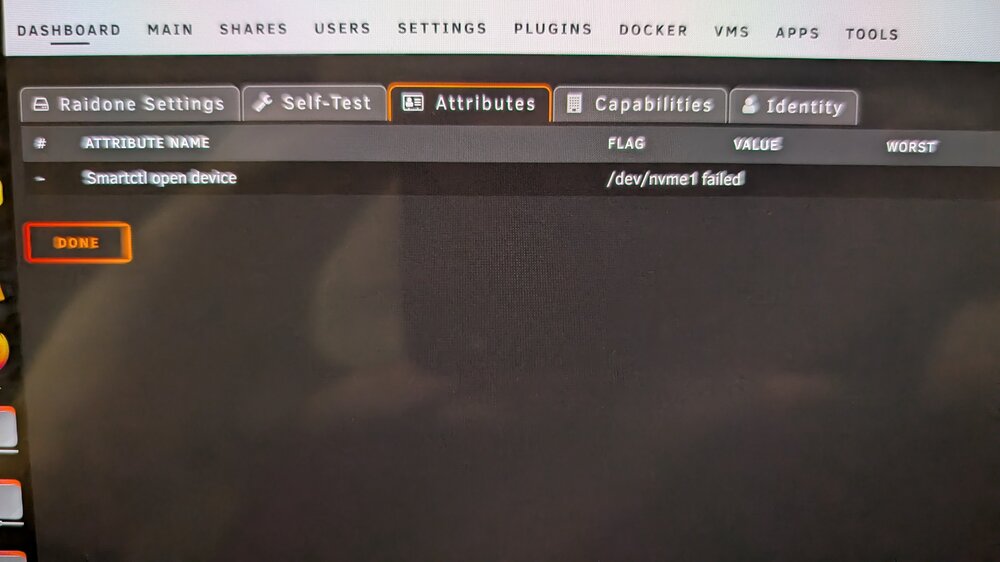
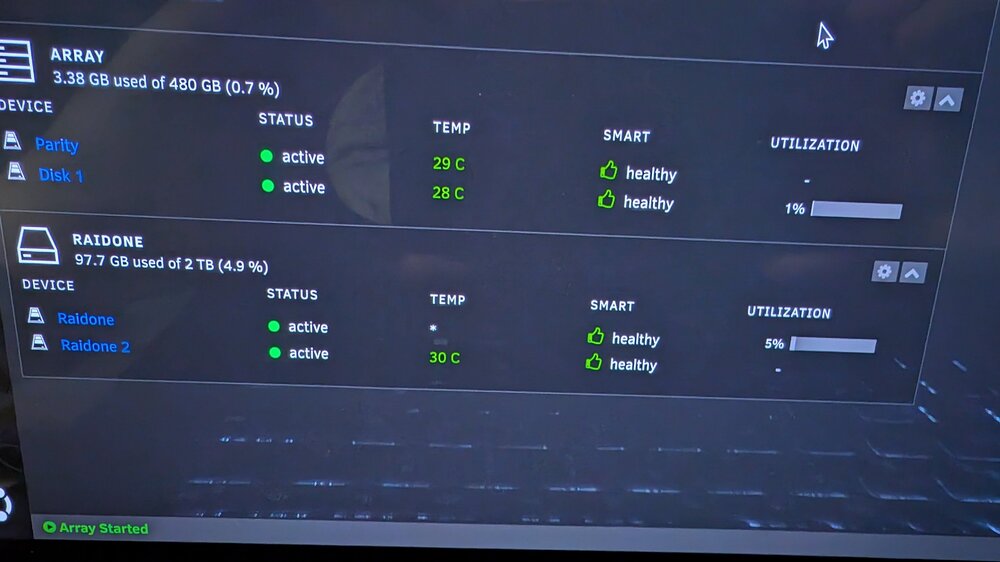
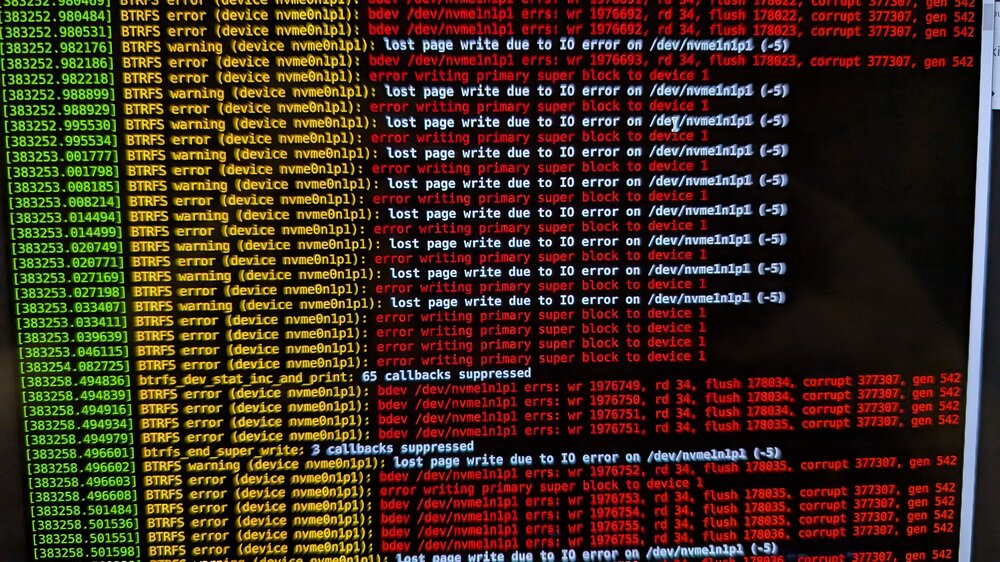
I have a BTRFS mirror of 2 NVME drives, twice now the same NVME drive has "failed" yet the volume shows as healthy and no warnings in the UI about the failed disk. If I reboot the system, the drive comes back online and a srub with repair resolves the problem. This is concerning that the UI shows the volume as healthy. The only clue is that the drive reports no temp just a *. Any thoughts? this is a new Samsung 990 Pro drive and has the latest firmware. see attached images. I am on Unraid 6.12.11 Do you think the drive is bad or the controller. Running this system on an HP EliteDesk 800 G6 and using the 2 motherboard slots for the NVME drives. Also why didn't unraid report the failed array/drive?