Tillerdawg
Members
-
Joined
-
Last visited
Everything posted by Tillerdawg
-
Thanks, JorgeB! This is helpful. I totally understand that USB drives should not really be used for array or pool devices. Even so, the temperature problem of the NVMe drive being directly plugged into the motherboard was concerning. I tried looking for an NVMe-to-SATA SSD adapter to use, but I couldn't find any that were "M" keyed. I'm happy to try other ideas, though. In the meantime, is there any way to make the USB bridge show the different NVMe serial numbers to Unraid?
-
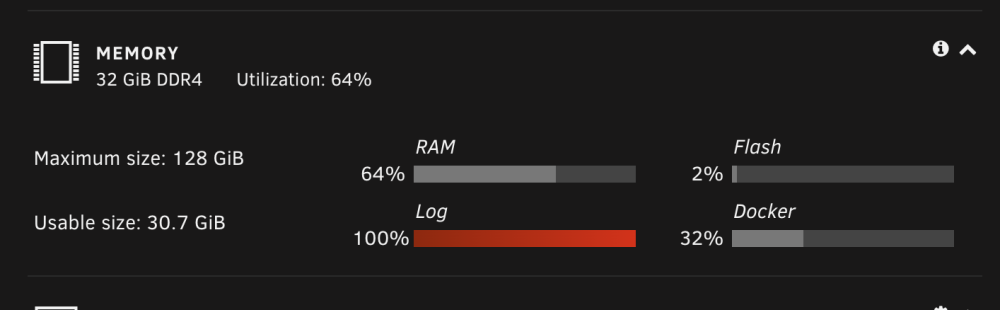
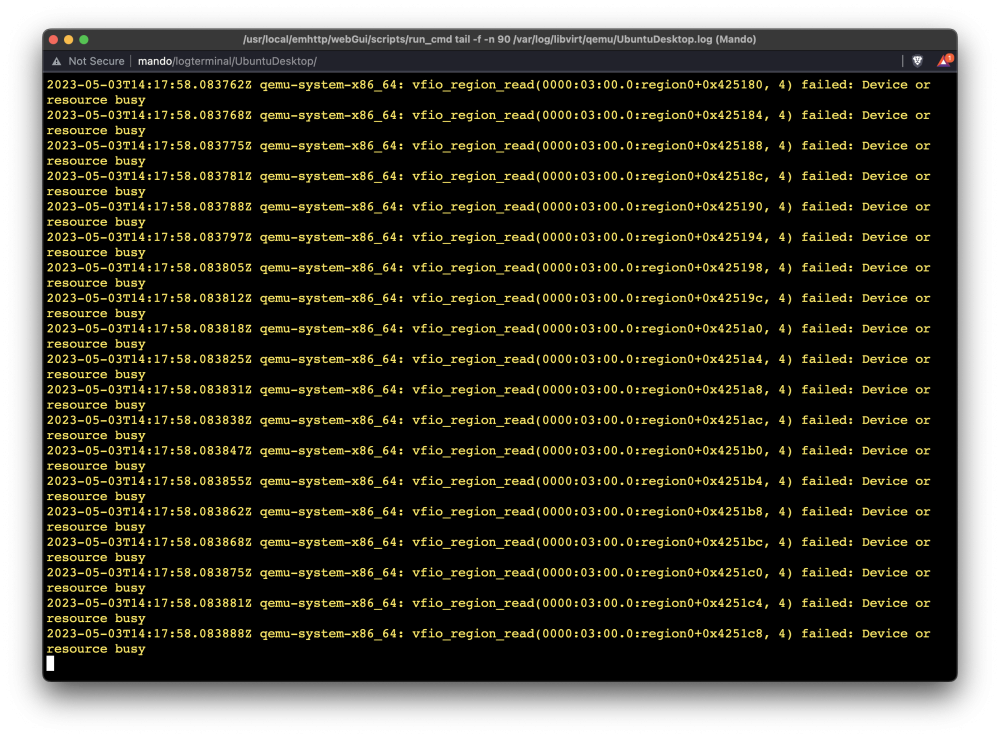
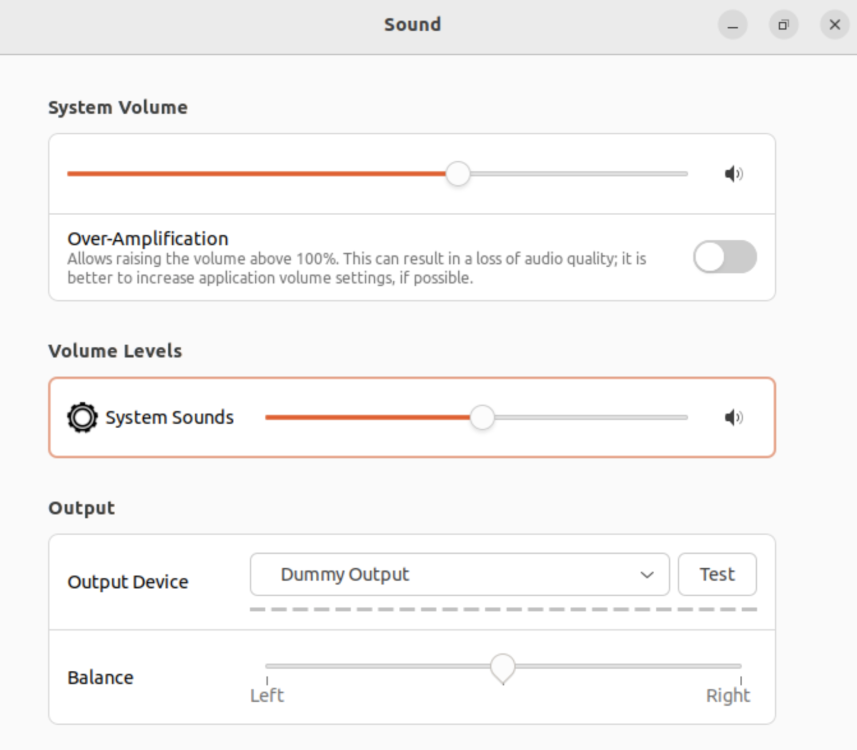
Hi All! Recently, I built my very first computer (which I lovingly call "Mando"), which is the NAS system on which I have Unraid installed. In addition to being a beginning computer builder, I am a total beginner with Unraid. As a result, I have a few problems. Before posting here, I scoured several forums and watched hours of YouTube videos to try to find answers to these problems. The parts I used for this system can be found here. Importantly, this system uses the Jonsbo N1 case, which uses a mini-ITX motherboard. There is one half-height expansion slot on the case, which I am using for a low-profile Sapphire AMD Radeon graphics card. My goals are to use Mando to house and serve media with Plex, serve as a Time Machine backup solution for my Apple computers and to run a Linux VM to play Steam games. So far, I have been able to get both Plex and the Time Machine backup running. Here are the problems I am experiencing: Originally, I had only one NVMe drive installed to one of the M.2 slots on my motherboard, which I used for a cache pool. However, because the case is so small, there was not really any way to cool the drive and temperatures were often well above 140 degrees F/60 degrees C. To the NVMe drive down, I purchased an external NVMe drive enclosure, which I connected to a USB 3.2 port. Additionally, I thought it would be a good idea to purchase an additional NVMe drive so that I could mirror the two drives to add some redundancy to my cache pool. I installed the second NVMe drive in the second slot of the USB adapter and plugged it into another USB 3.2 port. All of this leads me to problem #1. Unraid will not recognize both NVMe drives when they are both plugged in. Unraid will recognize the individual drives when each is plugged in by itself. How can I create a mirrored cache pool if Unraid will not recognize my second NVMe drive? I have been able to get an Ubuntu VM up, but I am having some issues. Specifically, when the VM runs, I get error messages stating that my Log file is at 100% (see the attached screenshots). I can see through the Log file that the same error is spamming the system, but I don't know how to parse the log to understand it. How do I fix this spamming problem? As stated in #2, I have been able to install a desktop version of Ubuntu in a VM. My Radeon graphics card is passed through to this VM and is mostly working well. However, I am unable to pass through any sound signal to the VM. No matter what I try, Ubuntu's Output Device is "Dummy Output" and no sound comes out of the VM. How do I get the audio working in this VM? On some other forums, some people were saying that AMD graphics cards can be a pain in Unraid. I tried installing an NVIDIA GeForce GT 1030 card, but the Jonsbo N1 case blocked the HDMI port on the card, so I was going to try a PNY Quadro card because it looks like it has better clearances for my case. Would this PNY card allow me to play Steam games in the Ubuntu VM? I would greatly appreciate any help you all could provide. Thank you all for your time! mando-diagnostics-20230503-1032.zip Mando_UbuntuVM.xml