Dgur
Members
-
Joined
-
Last visited
-
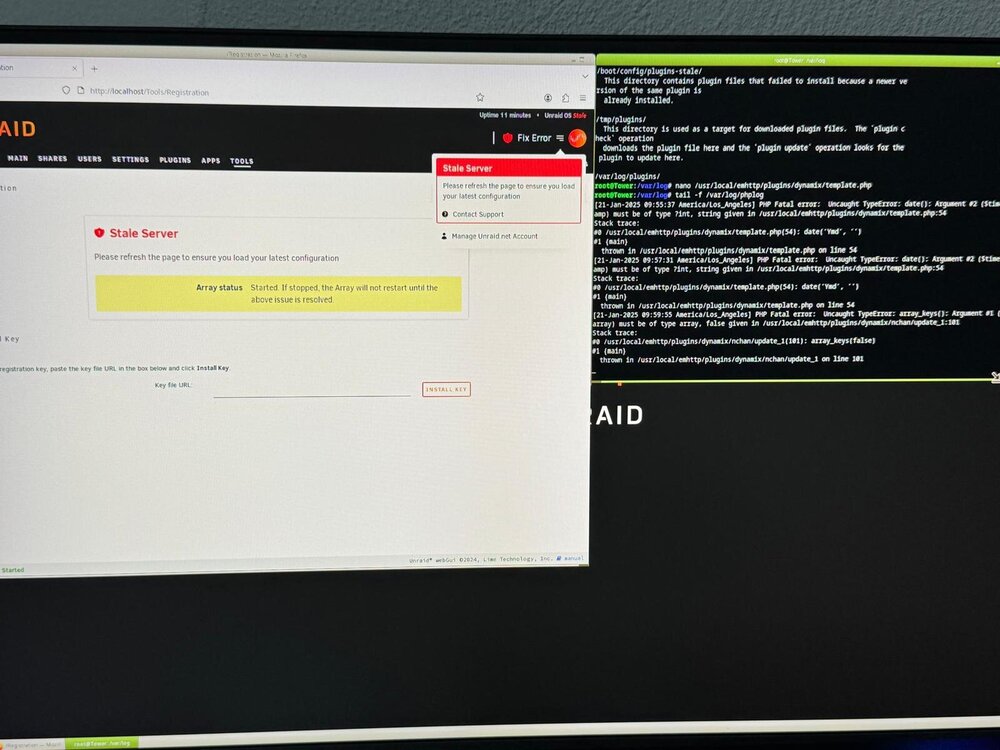
Hello, Recently I had a power loss and since then I have no web ui. To get UI I have to do /etc/rc.d/rc.nginx start /etc/rc.d/rc.php-fpm start As they are not doing autostart For a moment this works fine for login but then I get php errors when I login, I get : tail -f /var/log/phplog PHP Fatal error: Uncaught TypeError: date(): Argument #2 (Stimest amp) must be of type ?int, string given in /ust/local/enhttp/plugins/dynamix/template.php:54 Stack trace: #0 /ust/local/enhttp/plugins/dynamix/template.php(54): date("Yd', "') #1 (main) thrown in /us/local/enhttp/plugins/dynamix/template.php on line 54 And if I replace that code with 0, I get PHP Fatal error: Uncaught TypeError: array_keys(): Argument #1 ($ array) must be of type array, false given in /usr/local/emhttp/plugins/dynamix/nchan/update_1:101 Stack trace: #0 /usT/local/emhttp/plugins/dynamix/nchan/update_1(101): array_keys (false) #1 (main) thrown in /usi/local/enhttp/plugins/dynamix/nchan/update_1 on line 101 Here's what I tried; several restarts safe mod both with and without gui powerdown just to be sure about clean shutdown restore backup of the usb As soon as Unraid become unresponsive, I physically removed all the disks from array in the hopes for not losing data. I have no idea what/where to look at in the logs so I'm at my wits end. And yes I ordered a UPS... tower-diagnostics-20250121-0941.zip tower-diagnostics-20250121-0946.zip tower-diagnostics-20250121-0948.zip