





mason.dale
Members
-
Joined
-
Last visited
Everything posted by mason.dale
-
Hi, Just for reference here is Disk Speed running on 7.5.2. Thanks!
.thumb.png.3ff67b6ed002f4e0f2f508fa80cf0066.png)
-
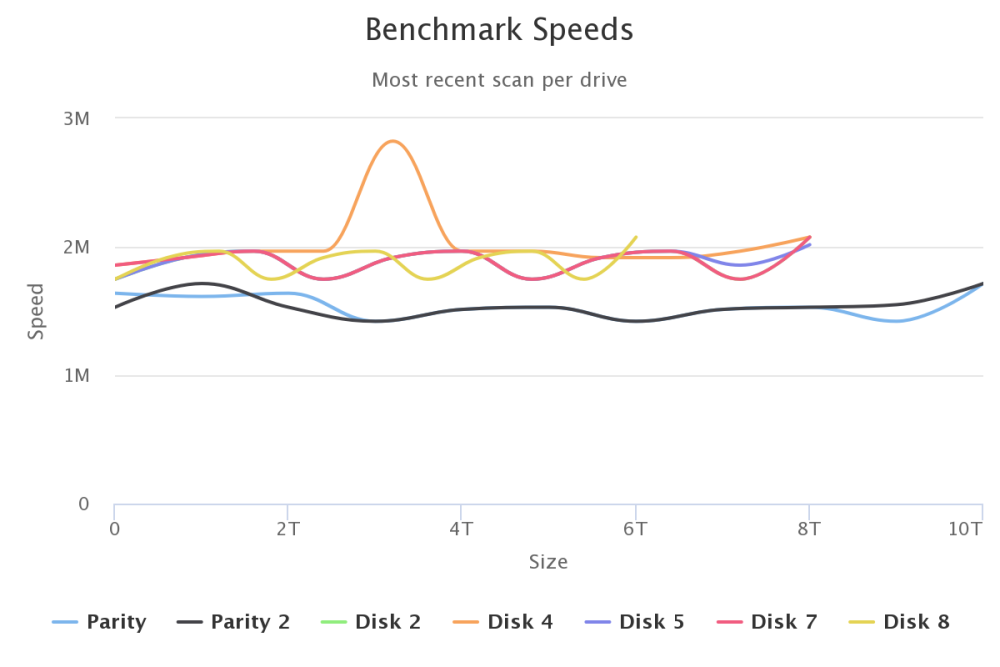
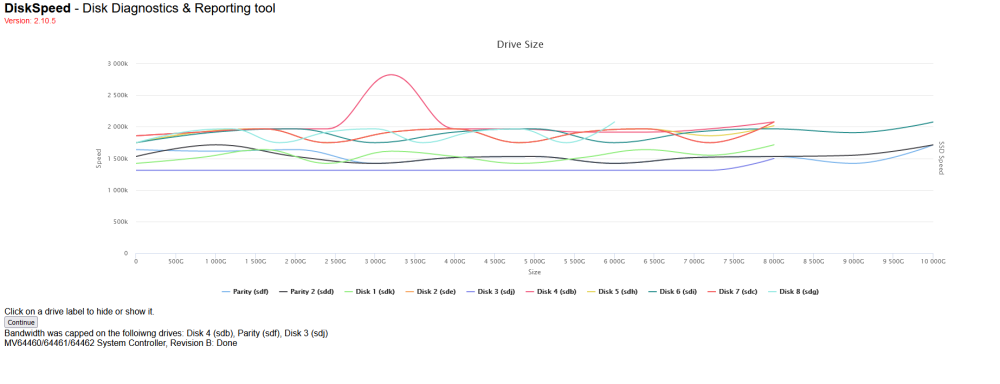
Hi, Apologies, attached the results. All drives are around 1.5 - 2MB/s. Not sure why, could it be a driver thing since on 6.7.5 it is significantly faster? Thanks!
-
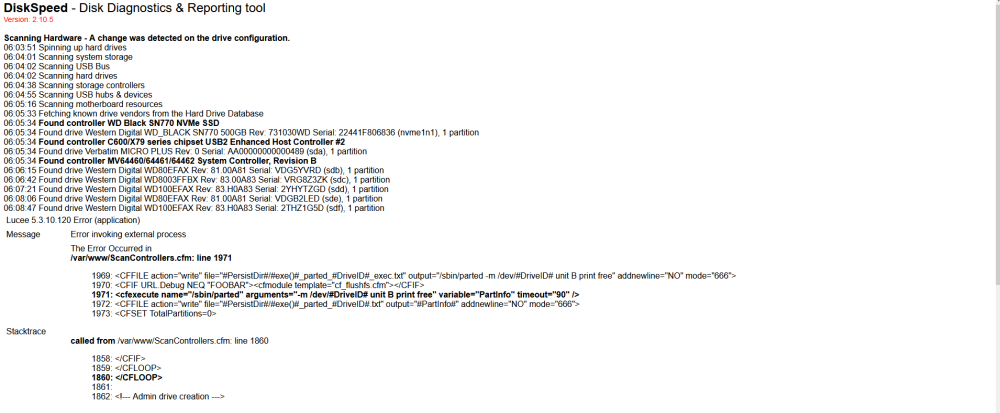
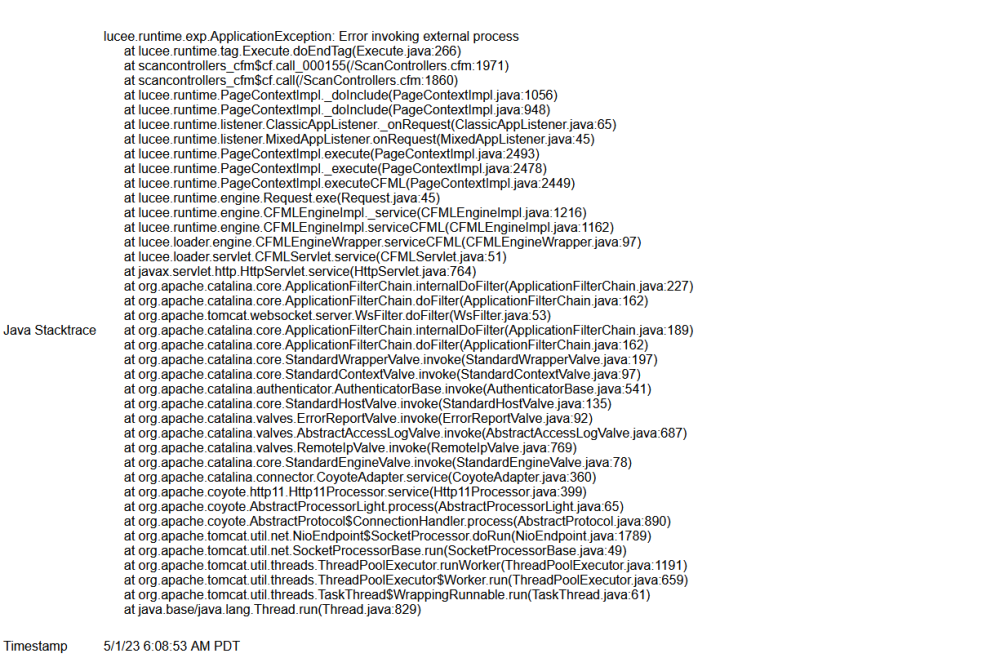
Hi, Ran it see attached screen shots, there is an error but not knowing the docker, I'm not sure what it all means. Thanks!
-
Hello, Apologies, disk disabled in BIOS (its remote server). Weirdly that disk has no issues in 6.7.5, its only in 6.11.5 that it starts flagging up errors, not sure if that means anything. Diagnostics attached. Again, Server started in safe mode and array mounted in maintenance mode. Parity check still only averaging out at 1 - 2 MB/s, and normal array disk mounting takes about 20-25 minutes. Let me know if you see anything. Thanks for all the help. timothy-server-diagnostics-20230430-1703.zip
-
Hi, Attached. This is the server in version 6.11.5 running in safe mode and the array mounted in maintenance mode running a parity check. Parity check is still only running at 1MB/S. Let me know if you see anything. Thanks! timothy-server-diagnostics-20230428-1626 - 6.11.5.zip
-
Hi, It's attached above. It's parity check running in 6.11.5 for about an hour in safe mode. Thanks.
-
Hi, some more developments on this. I was wondering if it was a new install thing so I let it sit for a few days just to see if that did anything, it didn't. I decided to start up the server in Safe mode with nothing running. First i did a file system check and repair on every drive including the cache drives. Same thing was happening Parity checks would average out at about 2 MB/s and pre-clear was about the same, it would also take about 30 minutes to mount all of the disks to the array. At this point I was pretty stumped so i decided to restore the whole installation to 6.7.2. Works completely fine now. Parity is now averaging at around 90 MB/s and Pre Clear is also faster. I am not sure of the changes between 6.7.2 to 6.11.5 but i am sure its alot. I'm not very experienced with Linux/Unraid, but could it be a driver incapability with my HBA cards? I know they are older, how easy is it to check driver versions and such? I have attached two diagnostics. One for 6.11.5 in safe mode with parity check running for about an hour, and one in 6.7.2 started up normally with parity check running. If anyone has any ideas they would be much appreciated as I would like to update to the newest OS version. Thank you in advanced. timothy-server-diagnostics-20230425-2109 - 6.7.2.zip timothy-server-diagnostics-20230425-1249- 6.11.5.zip
-
Okay cool will do, thank you for the help. Does that also explain the 1mb/s pre clear speed? Thanks!
-
timothy-server-diagnostics-20230416-1520.zip
-
Hi, I have recently realized my unraid was massively out of date. I upgraded from 6.7 to 6.11.5. At first it was quite slow, but as it did if first start up and restart, everything sped up to normal. For some reason the initial drive mounting on start up, Parity Check and disk pre clearing take an awful long time. Originally parity check was taking about 1000 days, since checking the file systems of each disk, it has come down to about 60 days, which is still quite a long time. There are two parity drives @ 10TB. Pre clear on a new 6tb has been running for about 24hrs and it is only at 1%. Have attached system logs. If anyone has any ideas, they would be much appreciated. Thanks! timothy-server-diagnostics-20230416-1520.zip
.png.6039e7643d48b8250f566b25084fef0c.png)


