CAMBO
Members
-
Joined
-
Last visited
-
It's been couple of days now, and the "pci=noaer" is working so far. Thank you!!
-
Okay, I'll try that tonight and report back. Thanks!
-
The Unraid OS. My last screenshot shows it. Not sure if I did it correctly. Please let me know. Thank you!
-
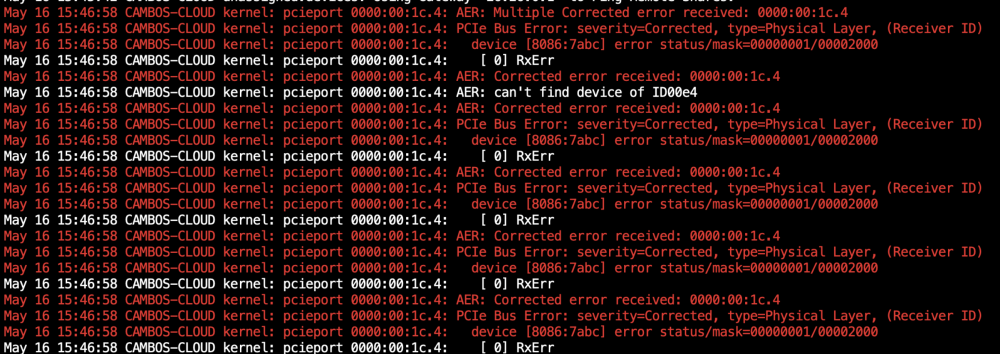
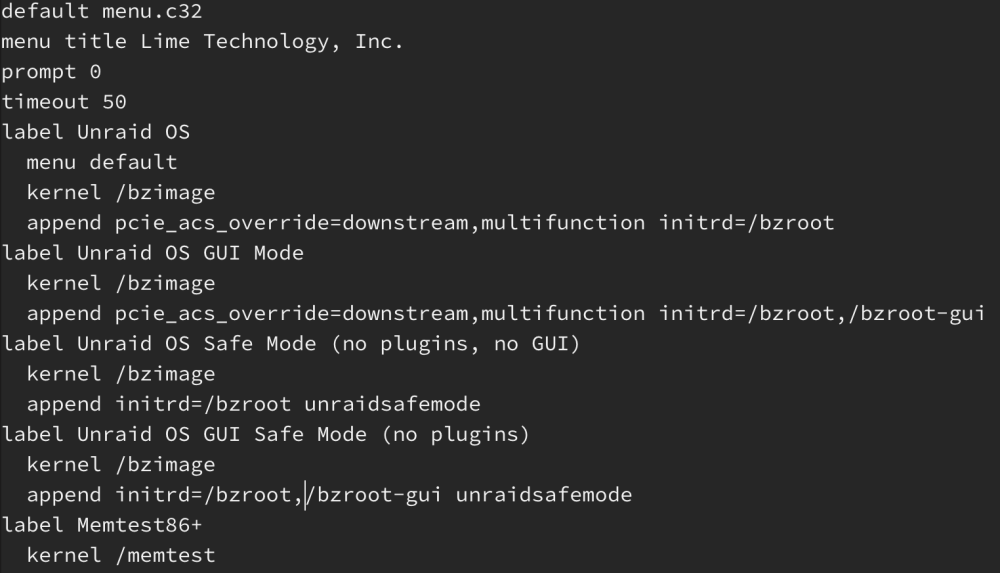
I added in the Unraid OS, but still having the errors, I rebooted severals times as well. I'll post the screenshots. Let me know if I did something wrong. Thanks! I am running on Version: 6.12.0-rc5

-
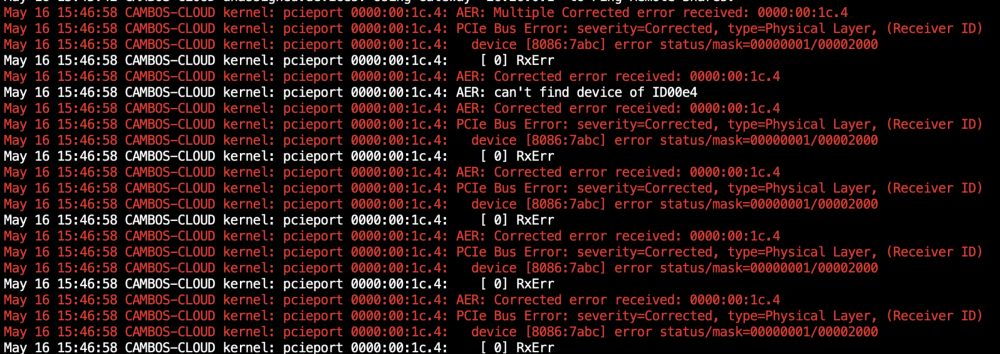
Hello, I added the "pcie_aspm=off" as instructed and rebooted, done it several times, but the errors are still present. Am I doing something wrong? Thank you for your help. I am on Version: 6.12.0-rc5.

-
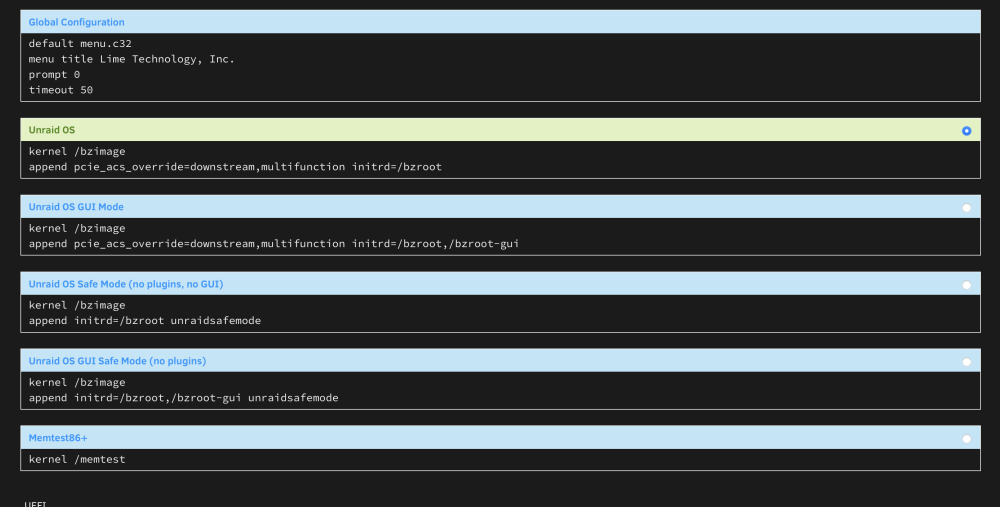
Where exactly do I input “"pcie_aspm=off "? Please see screenshot. Thanks!
-
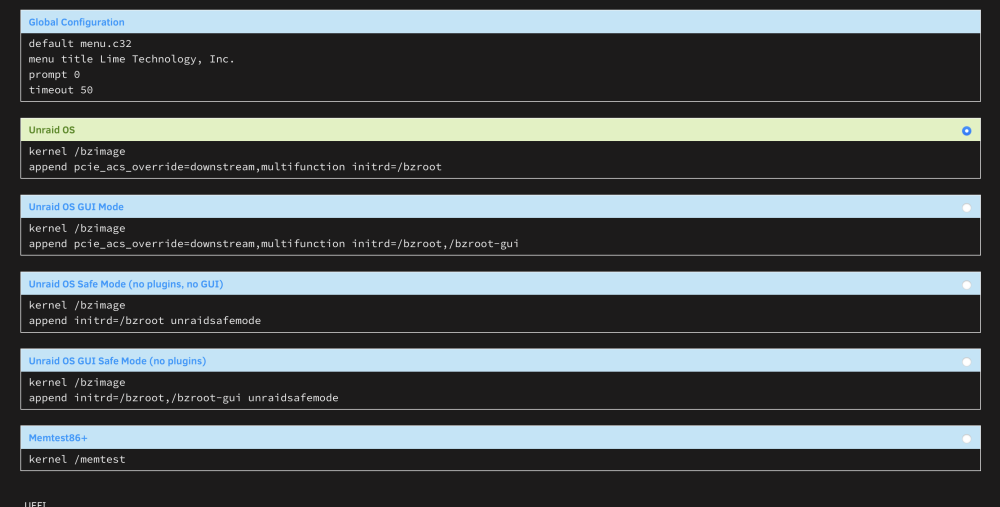
Sorry, I seen the menu view button and click it. I now see what you're talking about. Here's the screenshot, under what which "append initrd=/bzroot" should I input the new command? Thanks!
-
Yes, I used the menu view button and it brought me to the screenshot I posted. I have couple of "append initrd=/bzroot", which one should I use to input "pcie_aspm=off "?
-
I have couple of "append initrd=/bzroot", which one should I use to input "pcie_aspm=off "? Thanks!
-
Thank you! I will try this and report later. My server is currently at 90% parity check- once it’s done I’ll report back. This should effect any performance to the hard drives, correct?
-
Thank you! I just reviewed it. Where do I add it to, is it a file on the flash drive? Thanks!
-
I am having the same issue. How do you add this to the config area, and where is it? Thanks
-
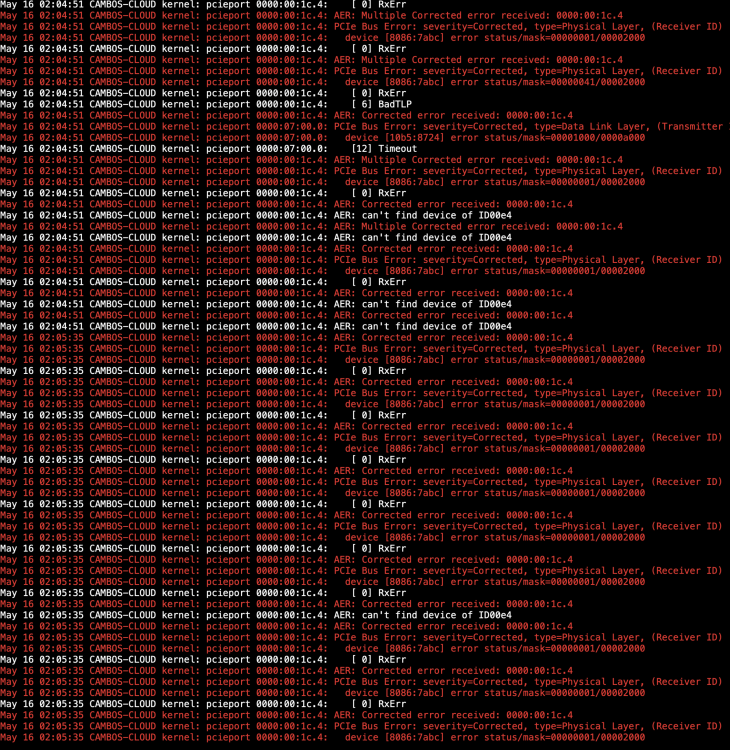
Hello, I started getting these errors in my logs (see picture), but it's being corrected. The only thing I have plugged into a PCIe slot is a LSI HBA and it is attached to all my SAS drives. I had no issues in the past, and all hard drives are working fine. But this is bothering me, seeing this in the logs. Can anyone please tell me what this is and how to fix it? I would greatly appreciate it!