





asjk169
Members
-
Joined
-
Last visited
-
Problem solved. It needs enable "Above 4G MMIO BIOS assignment" in BIOS.
-
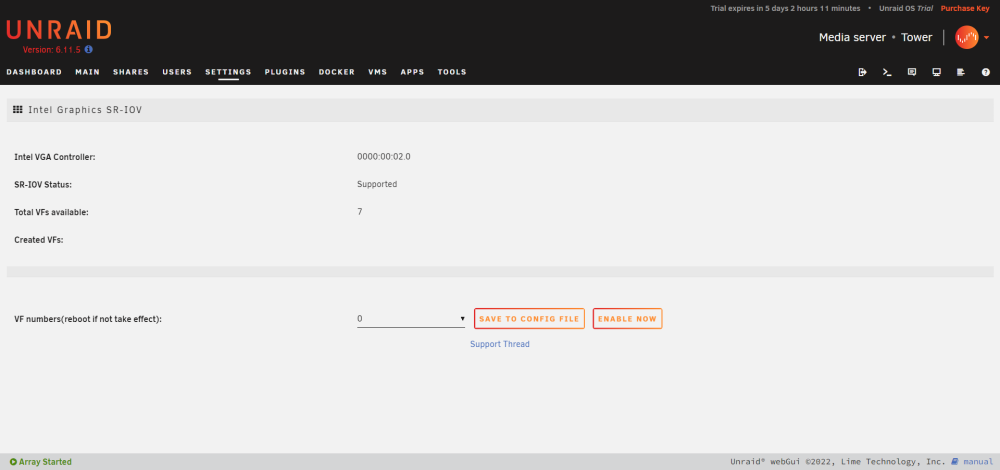
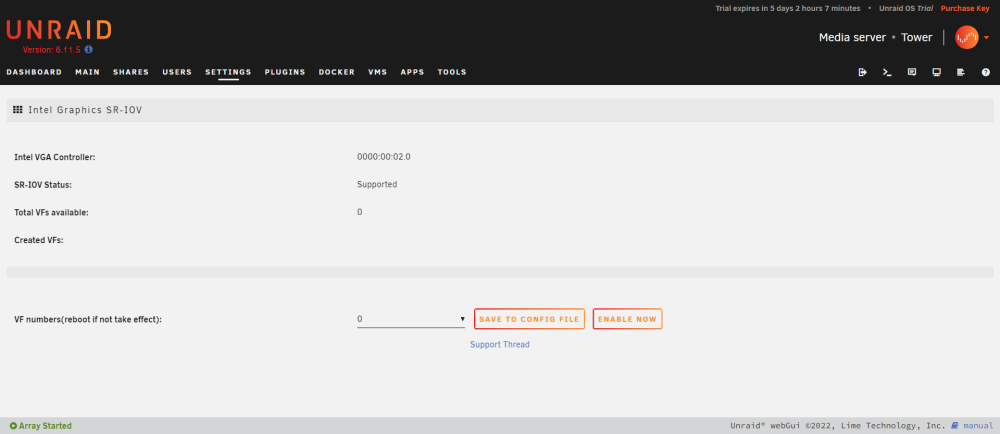
My hardware platform is ERYING 12500H+G660, and the plugin isn't working on my platform. During the installation, the system log shows May 10 19:53:33 Tower root: plugin: creating: /boot/config/plugins/i915-sriov//unraid-i915-sriov-2023.04.06.txz - downloading from URL https://raw.githubusercontent.com/zhtengw/unraid-i915-sriov/master/packages/unraid-i915-sriov-2023.04.06.txz May 10 19:53:34 Tower root: plugin: running: /boot/config/plugins/i915-sriov//unraid-i915-sriov-2023.04.06.txz May 10 19:53:34 Tower root: plugin: running: anonymous May 10 19:53:34 Tower root: plugin: running: anonymous May 10 19:53:40 Tower kernel: i915 0000:00:02.0: driver does not support SR-IOV configuration via sysfs May 10 19:53:40 Tower root: plugin: i915-sriov.plg installed before reboot, the plugin page shows after reboot, the plugin page shows I paste the system diagnostics before reboot and after reboot here. Does this is the problem of drive not supporting my devices?However, hardware decode works fine in jellyfin docker container. Thanks for paying attention. tower-diagnostics-20230511-1451.zip tower-diagnostics-20230511-1455.zip


