grolo
Members
-
Joined
-
Last visited
-
I was wondering if I needed these: https://help.steampowered.com/en/faqs/view/2EA8-4D75-DA21-31EB. I realise that's not documented, but with the steam network sockets errors I thought I'd try Yes, sorry! I read that after posting, my bad. Ok, understood. Thanks for your help, and work in general. Cheers
-
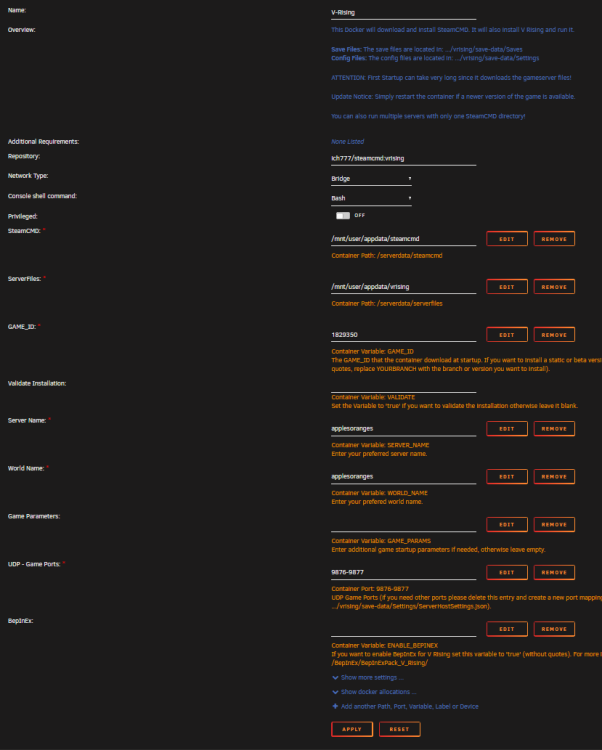
Hi, Hopefully someone can point me in the right direction here... I've got the V-Rising container running. UDP ports 9876 and 9877 are open on my router. First time I fired it up ListOnSteam was false, no password was set and I could direct connect into the server fine. I edited ../vrising/save-data/SettingsServerHostSettings to register to steam, secure=true, and require a password: { "Name": "applesoranges", "Description": "Fruit", "Port": 9876, "QueryPort": 9877, "MaxConnectedUsers": 60, "MaxConnectedAdmins": 4, "ServerFps": 30, "SaveName": "world1", "Password": "test1pass", "Secure": true, "ListOnSteam": true, "ListOnEOS": false, "AutoSaveCount": 30, "AutoSaveInterval": 60, "CompressSaveFiles": true, "GameSettingsPreset": "", "AdminOnlyDebugEvents": true, "DisableDebugEvents": false, "API": { "Enabled": false }, "Rcon": { "Enabled": false, "Port": 25575, "Password": "" } } I restarted the server, it appeared in the steam list, the client connected to the server and the password prompt appeared. However, no password is accepted, it just loops back to the prompt dialogue. I've tried multiple passwords and now, oddly, it no longer works with the security off and password blank (and ListOnSteam=false). The logs do have: SteamNetworking - SteamNetConnections.ConnectionUpdate: k_ESteamNetworkingConnectionState_Connected, 359621878, 131073 SteamServerTransport - Update 359621878 - k_ESteamNetworkingConnectionState_Connected NetConnection '{Steam 359621878}' connection was denied. Message: 'Incorrect Password!' Version: 4 PlatformId: 76561197976002782 SteamLog [SDR k_ESteamNetworkingSocketsDebugOutputType_Msg] [#359621878 UDP steamid:76561197976002782@MYIPADDRESS] closed by app, entering linger state (1017) Application closed connection src\steamnetworkingsockets\clientlib\steamnetworkingsockets_lowlevel.cpp (774) : Assertion Failed: GetBestInterfaceEx failed with result 3 for address 'MYIPADRESS' At first I thought this suggested I needed the all the usual Steam ports open but doing so didn't stop the error. Googling around the problem has illuminated anything, nor am I sure the error is related to the password problem. Oh, and I've tried copying the settings to StreamingAssets config location too. Any advice gratefully received! Thanks