Benji7790
Members
-
Joined
-
Last visited
-
Hi, I can't make it work. At first, I had this message: origin not allowed (open the Control UI from the gateway host or allow it in gateway.controlUi.allowedOrigins) So, I added my unRaid IP to the allowedOrigins in the openclaw.json. But now, when I go the the URL http://[unRaid IP]:18789/?token=[token], it redirects me to http://[unRaid IP]:18789/chat?session=main with this error: control ui requires device identity (use HTTPS or localhost secure context) What can I do ?
-
Hi, okay, it works. Well, if I click on webui, it still goes to port 8000, but at least if I manually go to port 8001, it works. Thank you!
-
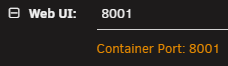
Hi, this application seems great, but there is one problem: it does not take port allocation into account in the settings. Actually, I set port 8001 (port 8000 is already in use): Except that when I click on the app icon to open the webui, it opens port 8000. If I type in port 8001, nothing responds, and in the logs I have: INFO: Application startup complete. ERROR: [Errno 98] error while attempting to bind on address ('0.0.0.0', 8000): [errno 98] address already in use INFO: Waiting for application shutdown.
-
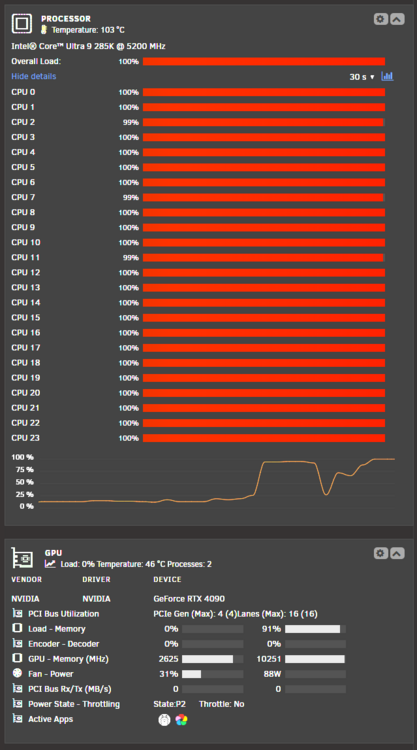
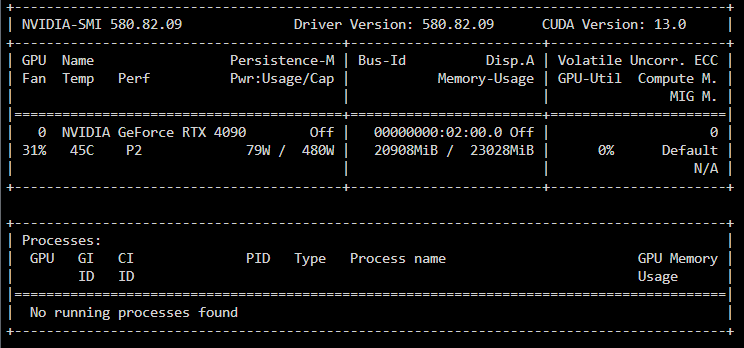
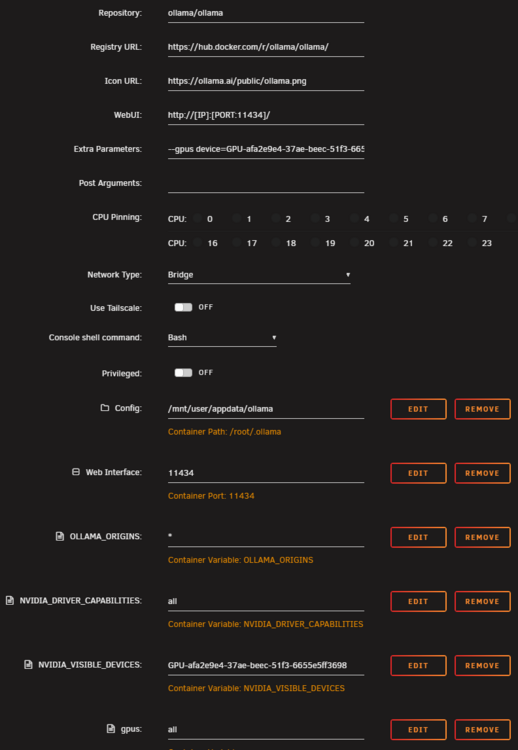
Hello, I installed the Ollama container a while ago and have been using it from time to time for a few questions, and it works very well. However, I wanted to use image analysis (with qwen2.5vl:32b) and there was a problem: my CPU usage went up to 100%. (EDIT: in fact even with normal text requests with deepseek-r1 I have the same problem). However, in unRAID dashboard, in the GPU section, I can see the Ollama logo in the active apps... If I run nvidia-smi in the Ollama container, it recognizes the card but says "No running processes found." Here are some screenshots: I tested everything: I added the environment variables "NVIDIA_DRIVER_CAPABILITIES: all," "NVIDIA_VISIBLE_DEVICES: GPU-afa2e9e4-37ae-beec-51f3-6655e5ff3698", I added "--gpus device=GPU-afa2e9e4-37ae-beec-51f3-6655e5ff3698" to the Extra parameters, etc. Here is my config: When I start Ollama and read logs, it seems to see the GPU: time=2025-10-09T09:42:59.736Z level=INFO source=gpu.go:217 msg="looking for compatible GPUs" time=2025-10-09T09:42:59.909Z level=INFO source=types.go:131 msg="inference compute" id=GPU-afa2e9e4-37ae-beec-51f3-6655e5ff3698 library=cuda variant=v13 compute=8.9 driver=13.0 name="NVIDIA GeForce RTX 4090" total="22.0 GiB" available="18.5 GiB" Did I make a mistake somewhere? How can I make the GPU handle everything?
-
Hi, thanks for the answer. In fact my goal was to pass the NPU to my Scrypted container, and after doing some research on the internet I succeeded by passing these extra parameters --device=/dev/dri --device=/dev/accel. Now the NPU is recognized and used by Scrypted. This NPU replaces my Coral USB which tends to freeze from time to times.
-
Hi, I bought a Core Ultra 9 for it's NPU. So you are telling me that at the moment this is not possible to make it works in unRAID ?
-
Hi @generalkenobi and thank's, I was struggling a bit since I try to pass my NVidia GPU to the Scrypted container, dropping --runtime=nvidia was the key to make Scrypted my Coral TPU again ! So, it means that I have to choose between my GPU ou my Coral...
-
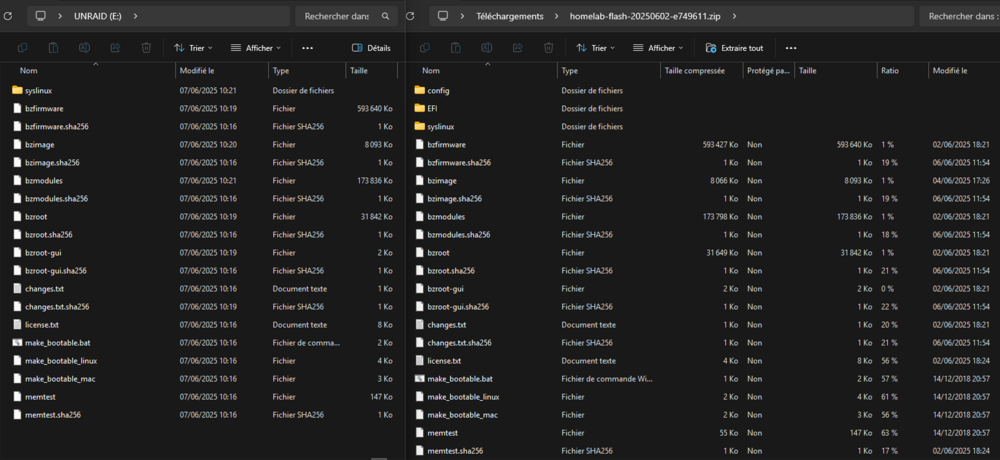
@JorgeB I have just tried to restore the same ZIP to another flash drive and same problem here, as you can see on my screenshot (at left the new flash drive, at right the content of the backup ZIP file): /config and /EFI are missing, and those folders are not empty on the backup ZIP file. Unraid USB Creator told me that the restoration was complete. My key is 4GB, the backup is only 719MB. The other key is 256GB. So free space isn't the problem here.
-
@JorgeB Ok, I've come a long way... The server wasn't booting with the backup file installed via Unraid USB Creator, so I didn't have access to the CLI either. In fact, when I explored the drive on my PC, a lot of things were missing (for example, there was only one folder)... I tried several times, same problem. So I created a new key via Unraid USB Creator by putting the key file in it but I had the fright of my life when I started up and saw on the web interface that there was nothing left: no disk, no application, no VM, nothing. I plugged the drive back into my PC and tried something else: I opened the backup zip (which does contain all the folders), copied/pasted it onto my key, overwriting the files created by Unraid USB Creator, put it back into the server and... it works! I've got everything back and no more key errors. Could there be a problem with Unraid USB Creator? Thanks for your help.
-
@JorgeB OK, I put the key on the drive, put it back on the server, restarted the server about ten minutes ago, but no access to the web interface...
-
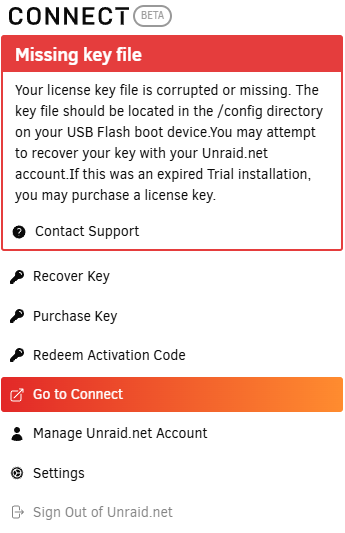
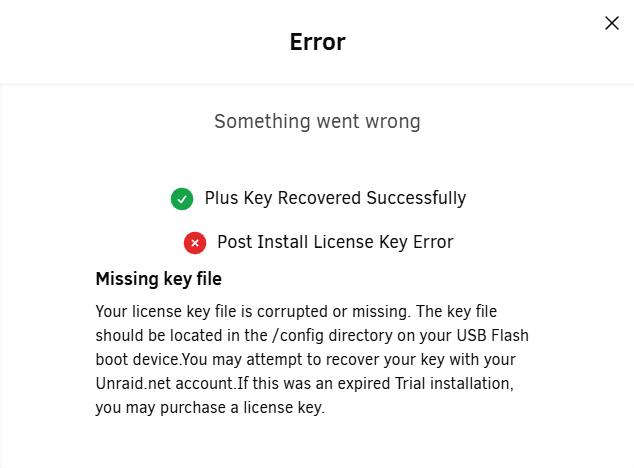
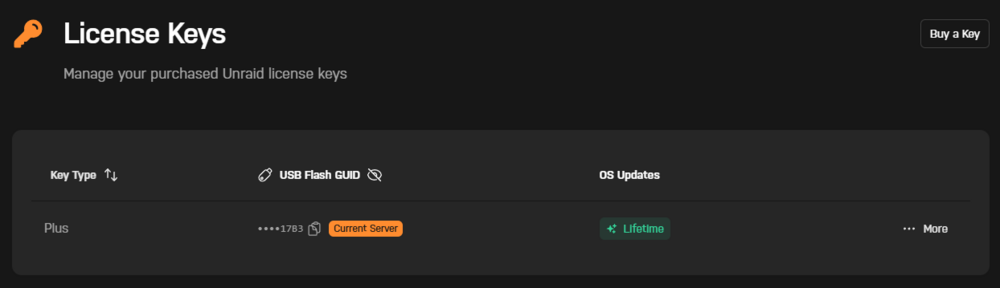
Hi, I turned off my server for a few hours and then turned it back on. Since I turned my server back on, I've had this alert: I tried to recover the key, but I got this error: I have a valid key, I recently upgraded from Basic to Plus a few days ago and I had upgraded my key. I've looked at the flash drive on my PC and I've got the /config folder with the key files in it. What can I do? I've tried to restore my key using Unraid USB Creator and the backup file generated in Unraid Connect but I don't see a /config folder in it and I haven't dared restart my server because at the moment there's the Home Assistant VM and several Docker containers running and I don't want to take the risk of them not restarting...
-
Hello, My n8n container does not take into account the timezone I set ("Europe/Paris"), it is still two hours late... How can I do ?
-
Hi, it works. No preference here.
-
It works here, thanks ! I have a suggestion for later: add the possibility to filter by quality. Personnaly I only take 4K contents so I don't need to have HD or FullHD content in the list.
-
Hi, I see on my dashboard that my memory log is full after 2 days running. With the command du -sm /var/log/* I see that this is syslog.1 and syslog.2 that takes the most space. When I open it, there is a ton of these lines: Here are my Nvidia settings: And my diagnostic dump: homelab-diagnostics-20230605-1124.zip How can I solve this problem ?