TheJD
Members
-
Joined
-
Last visited
-
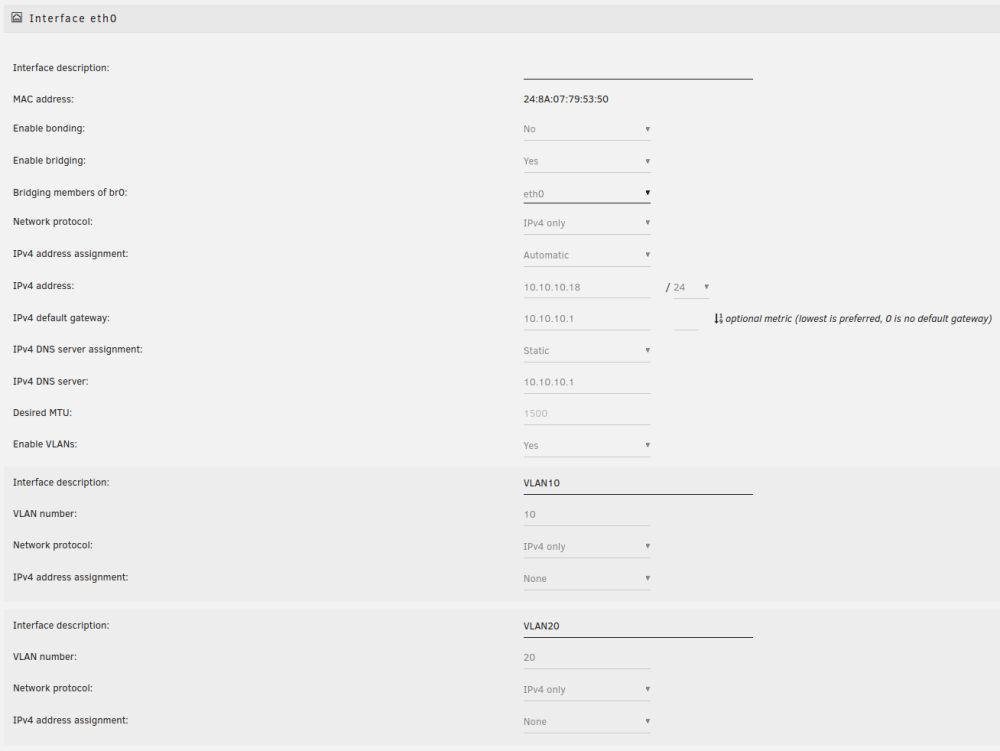
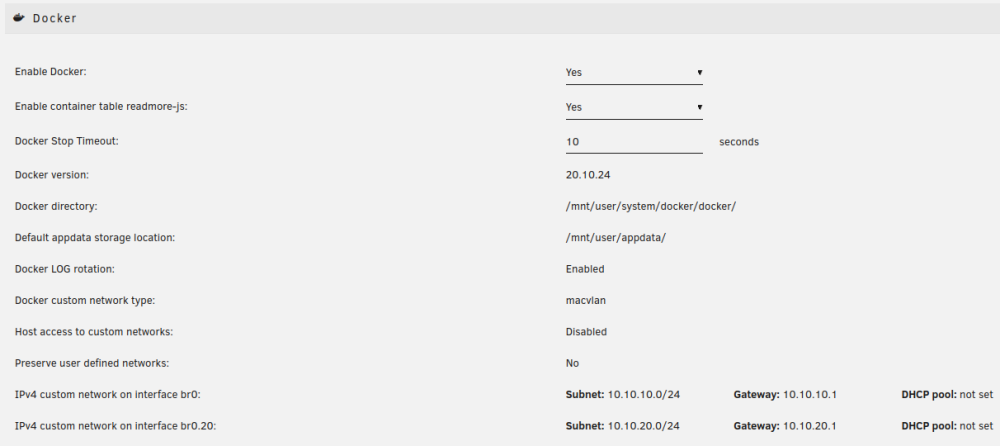
UPDATE: I managed to fix the issue. Since I mainly wanted to use the container to route other containers through the VPN, I didn't configure everything for port forwarding (no username with '+pmp', no WireGuard configuration for P2P servers, ...). Turns out, that having port forwarding enabled is required for the webserver to start. So the issue wasn't with the network but rather the webserver not starting. Hey! I want to set up Deluge with ProtonVPN and have issues connecting to the WebUI. I have already read the FAQ but couldn't find a suiting answer there, since there is no error logged anywhere. Here are the only entries I changed from default when creating the container: Host Path 2: Set to a path within another share Key 4 (VPN_PROV): protonvpn Key 5 (VPN_CLIENT): wireguard Key 9 (LAN_NETWORK): 10.10.10.0/24 Key 16 (DEBUG): true The WireGuard configuration obtained from ProtonVPN was placed in /mnt/user/appdata/binhex-delugevpn/wireguard/wg0.conf I was able to confirm that the VPN-connection works by using 'curl ifconfig.io' from within the container, which shows the VPN-IP-Address. However, when connecting to the WebUI, Firefox just displays: “Unable to connect”. I suspect that the issue has to do with the interaction between the iptables ruleset and my network setup, since I am able to connect to the WebUI when VPN_ENABLED is set to false (which disables a lot of the iptables rules if I understand the log correctly). Additionally, I am unable to access any other container I route through deluge (of course with the correct ports added to VPN_INPUT_PORTS). Here is the log: supervisord.log My network setup: I have two VLANs (VLAN 10: 10.10.10.0/24 and VLAN 20: 10.10.20.0/24), although all machines relevant to my problem are inside VLAN 10. The computer I am trying to access the WebUI from has the IP 10.10.10.10 and Unraid has the IP 10.10.10.18. Here is the Unraid network and docker configuration: