Skip to content
View in the app

A better way to browse. Learn more.

Unraid

A full-screen app on your home screen with push notifications, badges and more.

To install this app on iOS and iPadOS
  1. Tap the Share icon in Safari
  2. Scroll the menu and tap Add to Home Screen.
  3. Tap Add in the top-right corner.
To install this app on Android
  1. Tap the 3-dot menu (⋮) in the top-right corner of the browser.
  2. Tap Add to Home screen or Install app.
  3. Confirm by tapping Install.

ummz

Members
  • Joined

  • Last visited

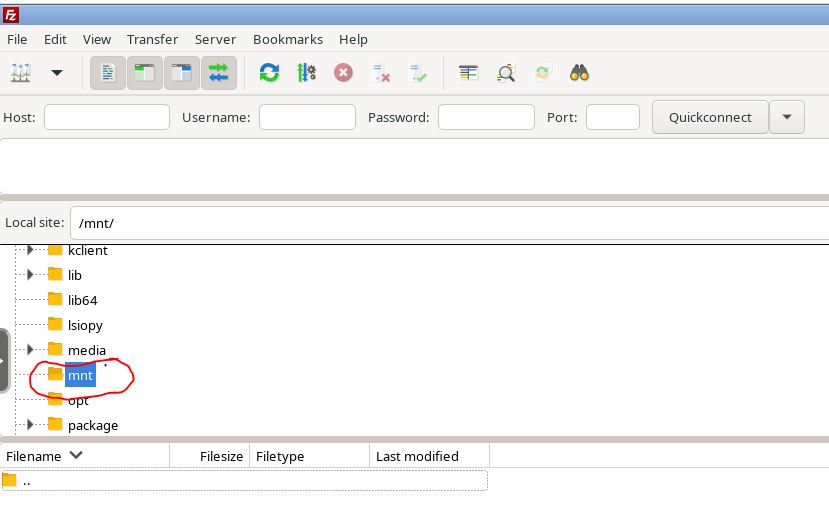
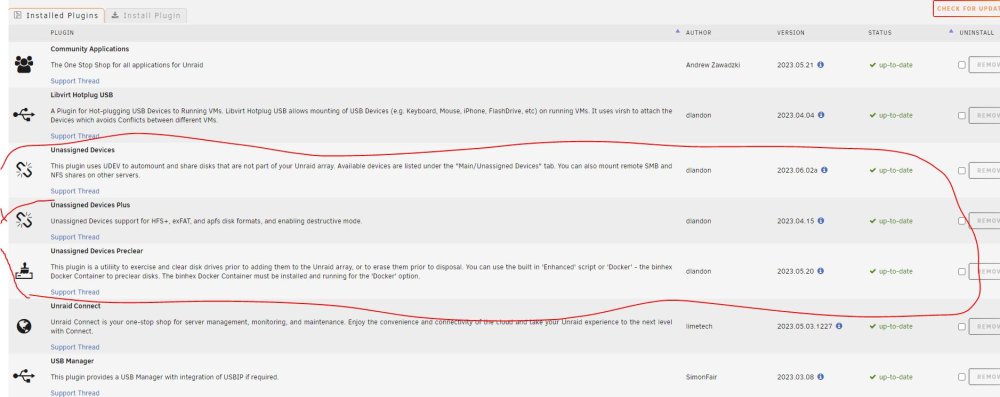
  1. Hi Unraid Community. Im new to unraid just built my first nas the other day and having issues in getting access to an external hard drive I've plugged into my Nas. I can confirm all my plug-ins are up to date, I've got unassigned devices plugins installed, the external drive is mounted and visible in my main tab however i cant access the hard drive from kruasder or filzilla, there is nothing coming up in my /mnt/ folder ( i believe i should be seeing a folder called disks. This is really killing me guys as i cant bring over any of my data quickly via USB without access to my external hard drives. Can someone please provide some guidance / assistance for a newby please.

Account

Navigation

Search

Search

Configure browser push notifications

Chrome (Android)
  1. Tap the lock icon next to the address bar.
  2. Tap Permissions → Notifications.
  3. Adjust your preference.
Chrome (Desktop)
  1. Click the padlock icon in the address bar.
  2. Select Site settings.
  3. Find Notifications and adjust your preference.