4teazn
Members
-
Joined
-
Last visited
Everything posted by 4teazn
-
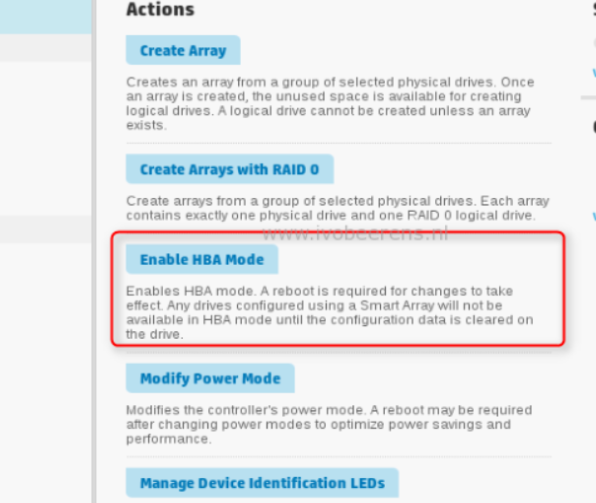
Incase OP is still trying to work this out. I have unraid up and running on 3 x DL380 G9's. Note: This will only work if you have the correct Raid Controller installed. My ones have the Smart Array P840 Controller and it worked. Your milage will vary depending on what configuration the server has. - You need to get a hold of the SPP iso, boot into it and go to the Smart Array Configurator. (I don't know if you can do this via the CLI menu) - Erase all RAID arrays or (you can choose "Clear configuration" option) - Choose "Enable HBA Mode" under the device - Reboot server. - Profit...I mean, install Unraid and do what you want from here Main thing that caught me out before was not deleting and/or clearing the arrays configured first as the Enable HBA mode is not there until you've done this.