





delugevpnuser
Members
-
Joined
-
Last visited
-
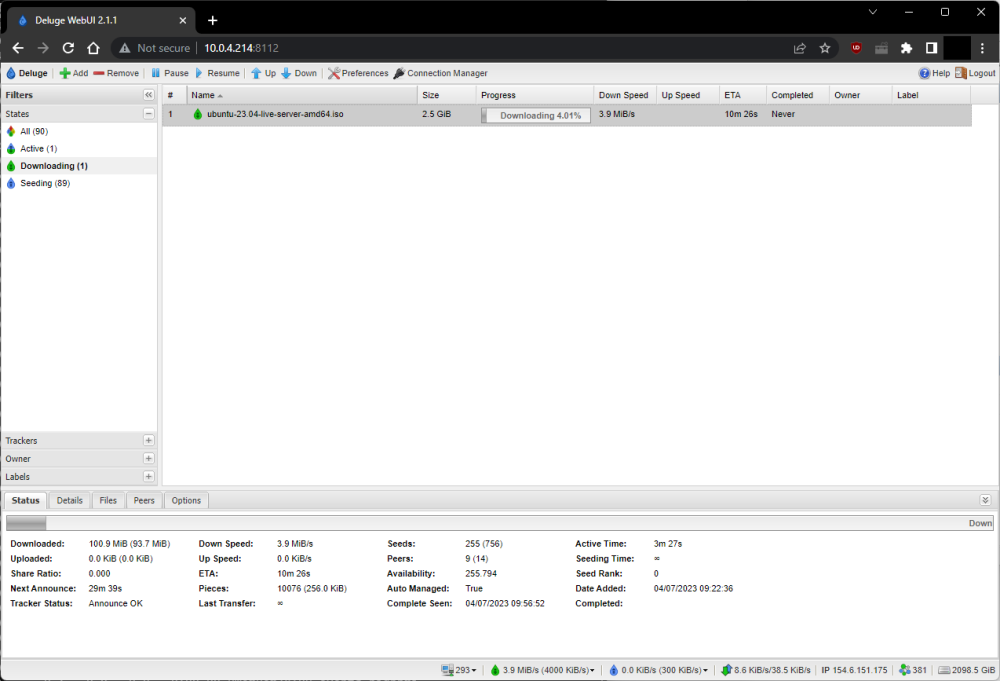
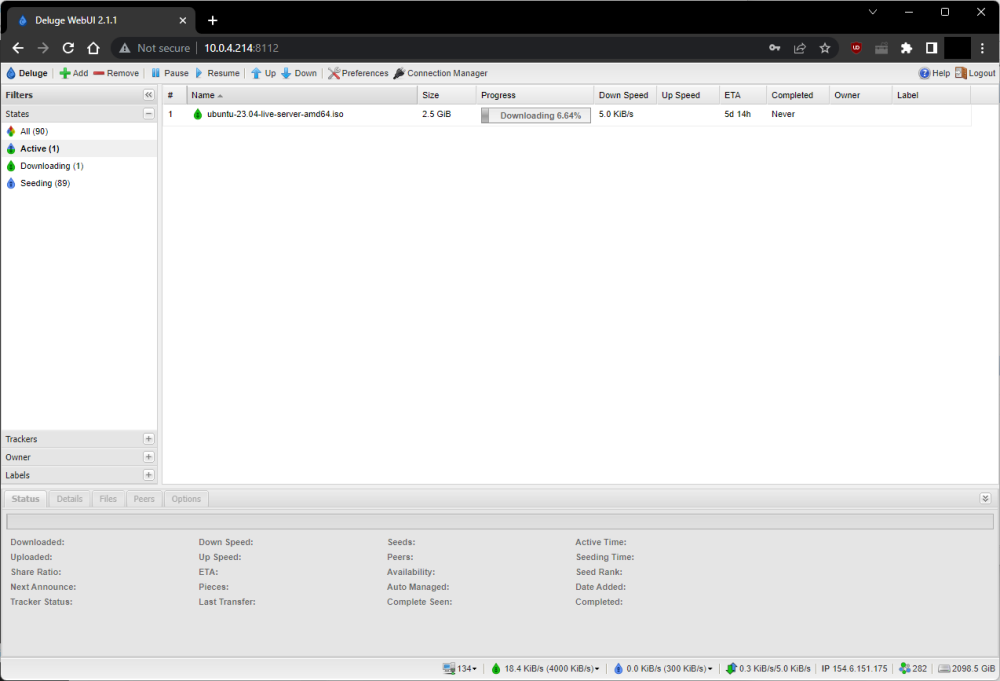
I copied across all the files from my old host to my new one (the data dir, the config dir, the shell script I used to start the docker instance), then ran the same shell script to start it up (see below) It grabbed the latest docker image successfully and it all came up: the same torrents, the same configuration. But it wouldn't download at more than 5k, and even that was sporadic. Then i killed that docker instance, and reran the docker run command, but instead of just the bare image name, I specified the old 2.0.5 version and it worked fine. Then I skipped forward through the release versions until it stopped working and went back one, so I have the most recent version that works for me: docker run -d \ --cap-add=NET_ADMIN \ -p 8112:8112 \ -p 8118:8118 \ -p 58846:58846 \ -p 58946:58946 \ --name=delugevpn \ -v /media/storage/fileshare:/data \ -v /home/delugevpnuser/docker/delugevpn/config:/config \ -v /etc/localtime:/etc/localtime:ro \ -e VPN_ENABLED=yes \ -e VPN_USER=xxxxxxxxxxxx \ -e VPN_PASS=yyyyyyyyyy \ -e VPN_PROV=pia \ -e VPN_CLIENT=openvpn \ -e STRICT_PORT_FORWARD=yes \ -e ENABLE_PRIVOXY=yes \ -e LAN_NETWORK=192.168.1.100/24,172.17.0.0/24,192.168.3.0/24 \ -e NAME_SERVERS=84.200.69.80,37.235.1.174,1.1.1.1,37.235.1.177,84.200.70.40,1.0.0.1 \ -e DELUGE_DAEMON_LOG_LEVEL=info \ -e DELUGE_WEB_LOG_LEVEL=info \ -e VPN_INPUT_PORTS=1234 \ -e VPN_OUTPUT_PORTS=5678 \ -e DEBUG=false \ -e UMASK=000 \ -e PUID=0 \ -e PGID=0 \ --restart=unless-stopped \ binhex/arch-delugevpn:2.1.1-1-02 I'm prepared to believe this is a ovpn config issue, but I've grabbed the latest files from PIA and compared it, there's no discernable change. Edit to expand on this: Version 2.1.1-1-02: Version 2.1.1-4-01:
-
I had this exact issue recently, when I recreated my setup at a new host. Considering I was using exactly the same configs, I eventually worked out that the only difference was the release of delugeVPN I was using. I rolled back to release 2.1.1-1-02 and it's working for me, full speed again.

