Russec
Members
-
Joined
-
Last visited
-
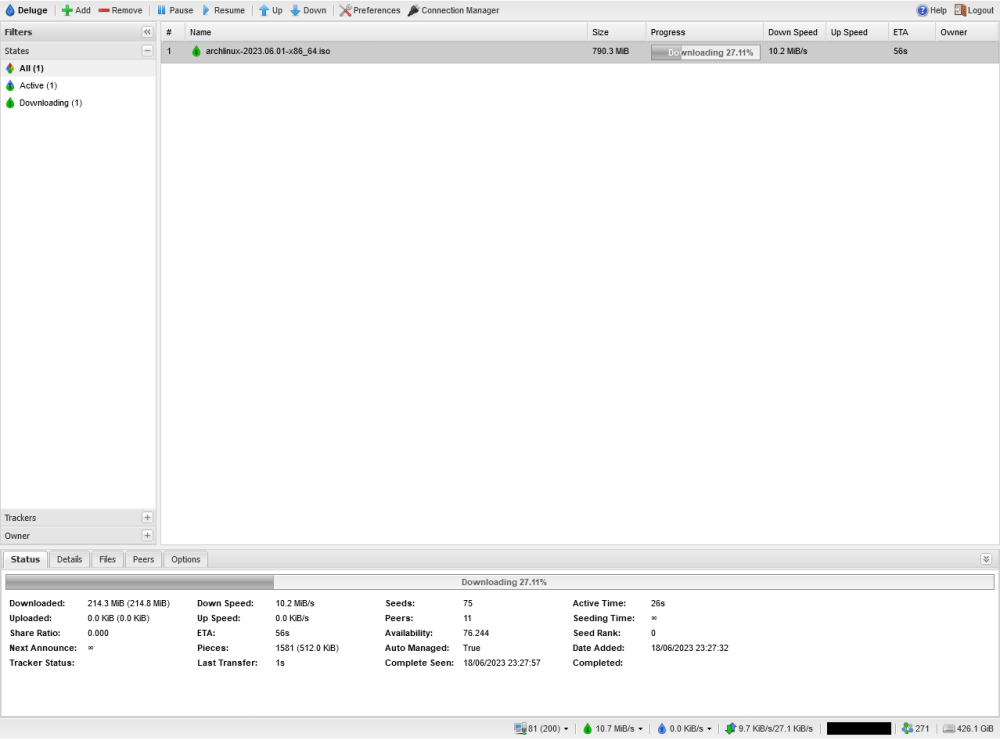
Hey all! Thank you binhex for this really useful tool. I had a problem with setup that I managed to solve, and its a bit esoteric but I thought I'd put it here for posterity. Here's the setup: arch-delugevpn on a fresh linux install. The storage layout is one 512GB NvME drive, with about 20TB of storage in a bulk ZFS pool (raid 1+0). I set up the container, hook in into my various tools, and should be PRESTO! Off to the races. Except... deluge picks up and drops peers almost instantaneously, and my downloads are abysmal - uploads are non-existent. I tested with the current Arch linux ISO torrent to be sure it wasn't just a case of no seeders, and yeah... no dice. I have over 200 peers connected, but I'm only pulling down 0.1-0.5 KiB/s from anyone, for an anemic total of about 6 KiB/s. I figure, must be a VPN thing. I had previously set this exact system up on Mullvad, like I am today. I read through the FAQs and noticed a strong recommendation that a static incoming port is set. First of all: Mullvad is no longer supporting port-forwarding. However, as I was able to determine, that is not a limiting factor for bitTorrent. It can definitely be an issue for some setups, but P2P is not one of them. The bitTorrent protocol is already designed with NAT-punchthrough in mind; that's how it works. I'd be careful pointing users to that as it can lead on a wild goose chase. Second, I decided to toggle the VPN off in the docker launch settings, just to see... and lo and behold the download speeds were still slow! Aha! This is when I had my epiphany: I had set up the docker file mappings for both data and config to be in the bulk ZFS pool! I set the config directory to a folder on the NVME and, yep: 10+ MiB/s down through Mullvad: Go figure: when you try to write both all of your logs and transfer files to the same storage pool, you end up thrashing your storage and everything locks up. So - if you are using a JBOD with a filesystem layer like ZFS, BtrFS, or LVM... keep the logging on a separate block storage device.