pethuel03
Members
-
Joined
-
Last visited
Everything posted by pethuel03
-
thanks. this is solved.
-
Hello, Yes there was a lost+found folder. Seemed like the xfs_repair did its thing. When you mean "rebuild to clear a disabled state", can you link me to guides to achieve this. Thanks.
-
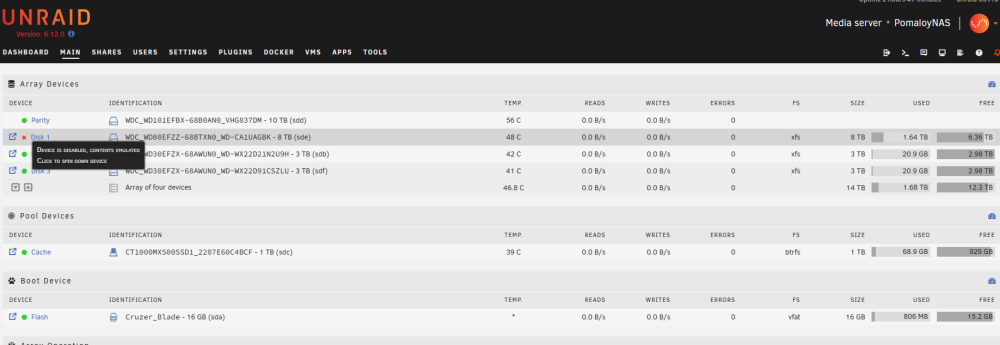
Thanks. Ran a -L repair and seems like the user shares have come back. I can also access most files though I am not sure yet if there were any data loss. Still, the disk 1 shows an x in the array. and when hovered on shows (device is disabled, contents emulated).
-
Am lost. Don't know what to do next. -nv check yielded a lengthy log. Showing here end of log. What am I supposed to do next?

-
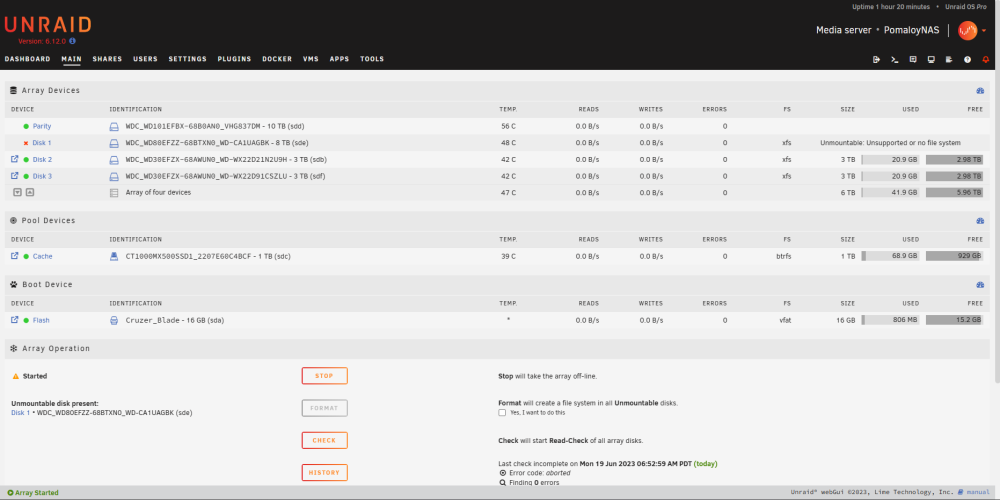
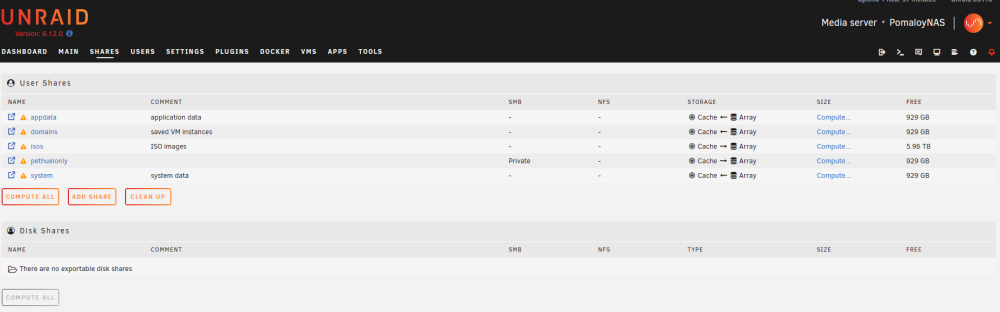
**first time posting here. newbie-level knowledge.** Unraid version: 6.12.0 Hardware: MB: ECS H87H3-M , Version 1.0, 8 GiB DDR3 -- Was dumping some files to server then transfer stopped. Network drive icons in windows file manager suddenly showed (x) mark. Checked Unraid web interface and found that user shares are gone (except for 1). Array also shows Disk 1 unmountable. -- Actions taken: 1. Rebooted 2. Updated from 6.11.5 to 6.12. Recognized that actions taken may be inappropriate for ease of problem resolution. Agaim, forgive my zero-level knowledge. Worrying about potential data loss as utilization/used indicator is not reflective of actual size prior to event. pomaloynas-diagnostics-20230619-2153.zip