




Skip to content
View in the app

A better way to browse. Learn more.

Unraid

A full-screen app on your home screen with push notifications, badges and more.

To install this app on iOS and iPadOS
  1. Tap the Share icon in Safari
  2. Scroll the menu and tap Add to Home Screen.
  3. Tap Add in the top-right corner.
To install this app on Android
  1. Tap the 3-dot menu (⋮) in the top-right corner of the browser.
  2. Tap Add to Home screen or Install app.
  3. Confirm by tapping Install.

jwise

Members
  • Joined

  • Last visited

  1. I immediately hit this screen upon boot.
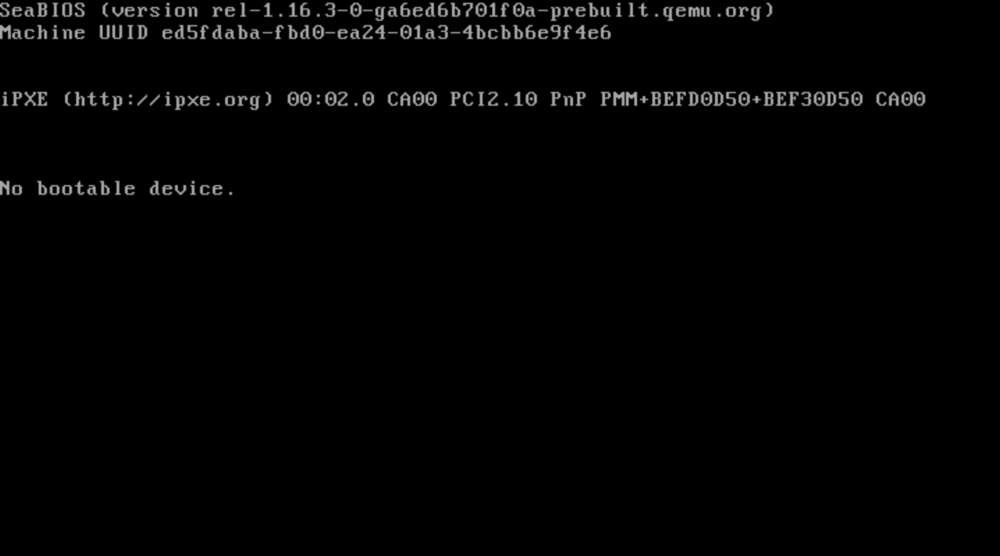
  2. Logs attached. tower-diagnostics-20250110-1048.zip
  3. Posted lspci, I'll try to grab diags when I have a second.
  4. Here is the screenshot and lspci. https://pastebin.com/C6yXCRpG
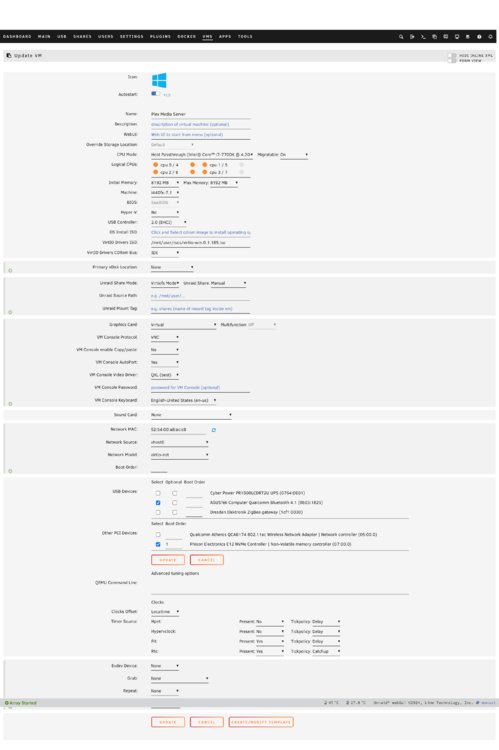
  5. Upgraded to 7.0.0, a bit risky I suppose. I have a VM that uses NVME passthrough, after the update I'm getting 'No bootable device.' It's been years since I've configured this, trying to refresh my memory but currently don't see any issues. XML: https://pastebin.com/WsrRkkQs Any ideas? Or anyone aware of an issue with 7.0.0 that would prevent this from working?

Account

Navigation

Search

Search

Configure browser push notifications

Chrome (Android)
  1. Tap the lock icon next to the address bar.
  2. Tap Permissions → Notifications.
  3. Adjust your preference.
Chrome (Desktop)
  1. Click the padlock icon in the address bar.
  2. Select Site settings.
  3. Find Notifications and adjust your preference.