marvelous-marv
Members
-
Joined
-
Last visited
Everything posted by marvelous-marv
-
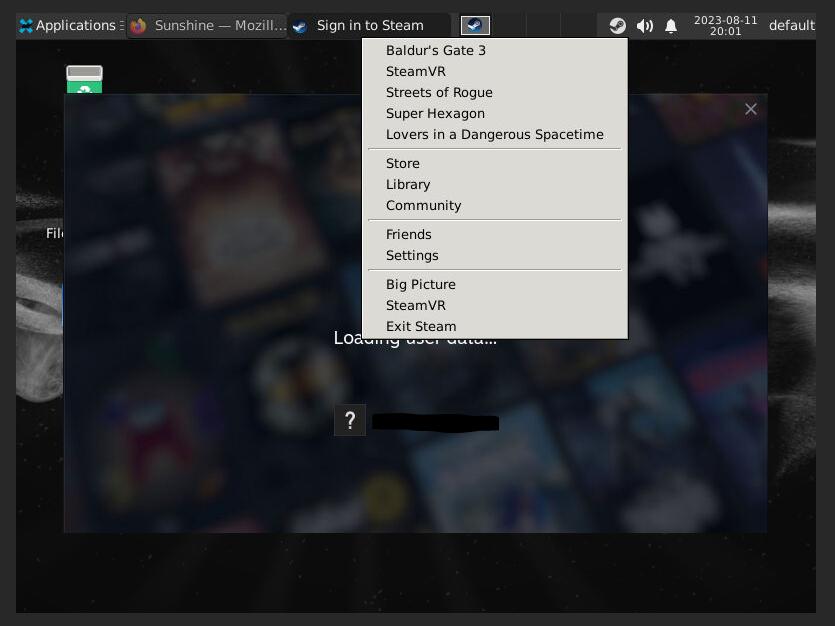
Hey, I have a very similar issue. I tried almost all the troubleshooting advice from the previous pages, but they didn't help. The main loading freezes directly after it says "Loading user data...". The loading animation freezes completely. Sometimes I can click on on the steam icon and it shows me the context menu, but selecting anything does nothing. I have installed the suggested older nvidia driver, reinstalled the container, deleted the .steam folder and rebooted. Nothing helped. Might try to rollback the Unraid Version as this is just a test before I decide to migrate completely. Are there any relevant logs or other infos that might help narrowing it down? //edit: Turn it I'm dumb. As this was a test system I hadn't the advanced settings view enabled and therefore didn't set the extra parameter to enable the GPU. It works now as expected... Leaving this in case someone else was on autopilot while setting this up...