





javazwz123
Members
-
Joined
-
Last visited
Everything posted by javazwz123
-
如题,我的系统更新点进去,没有系统版本更新这些,我的版本是plus,买的终身版,另外我连接账户时,也一直显示这个错误:Communication with Unraid webgui timed out after 30 seconds
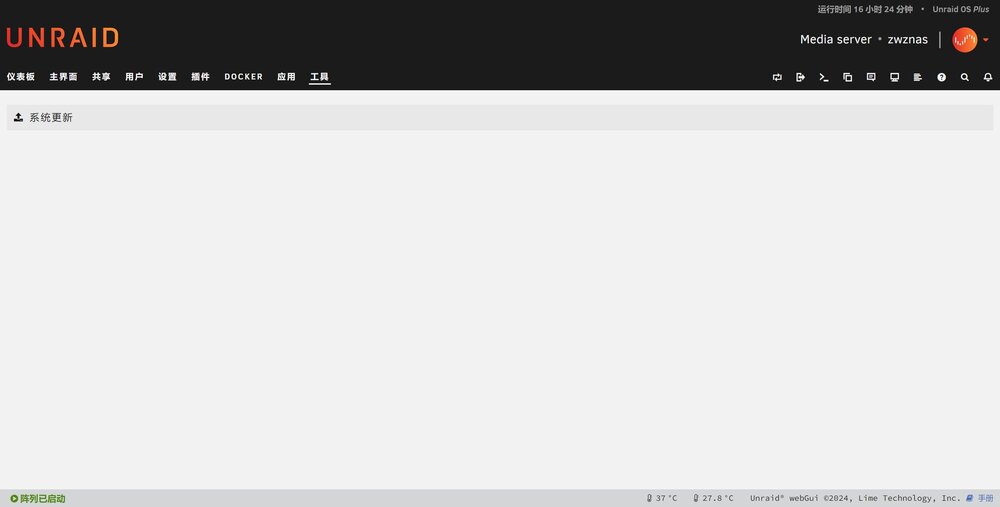
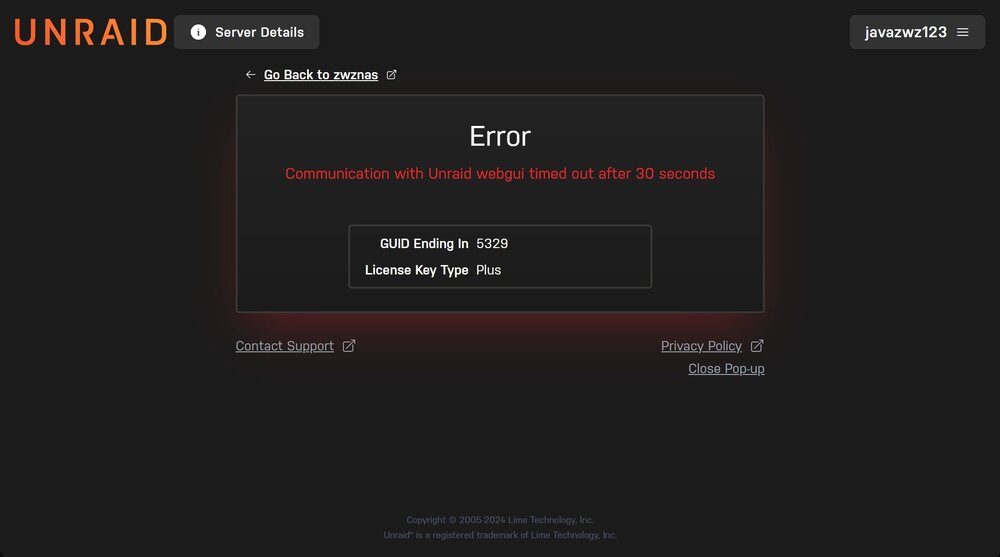
-
-
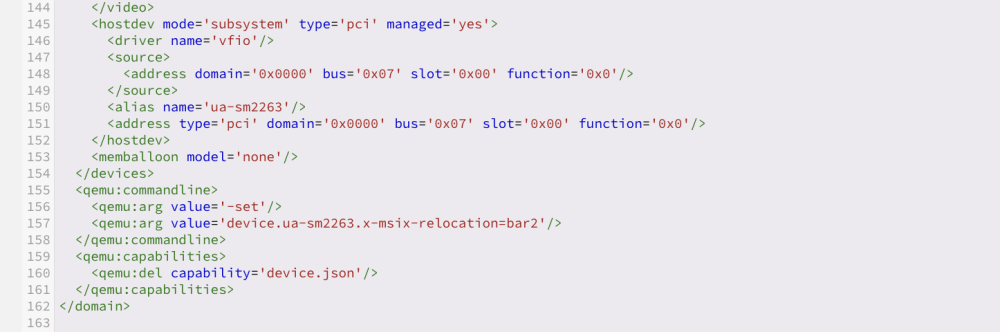
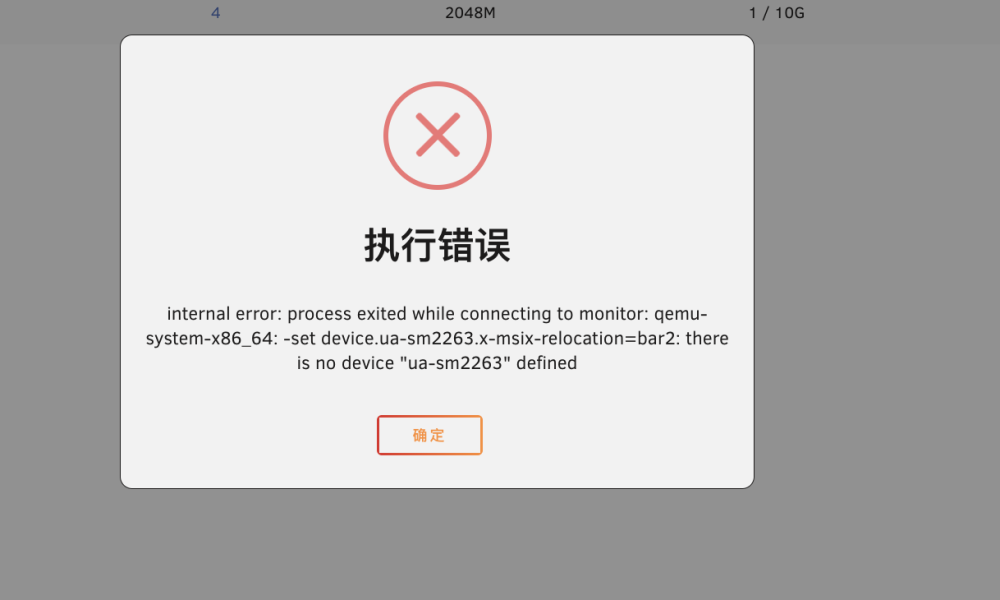
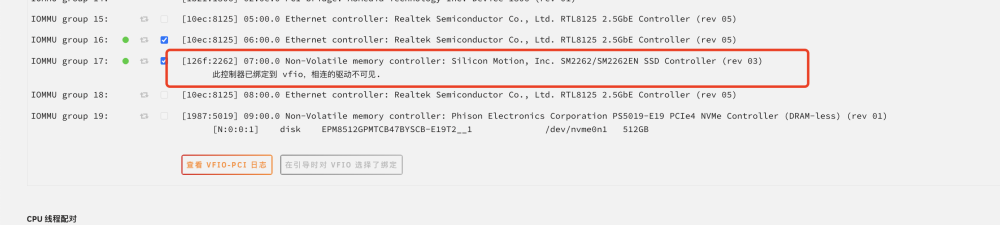
设备是b660i,有两块m.2nvme固态,一块分配了做cache盘,另一块准备用来直通给虚拟机,我在vfio绑定了这块硬盘控制器,在启动虚拟机的时候出现错误,所有的虚拟机只要添加了这个硬盘都会出现错误。 internal error: qemu unexpectedly closed the monitor: qxl_send_events: spice-server bug: guest stopped, ignoring 2023-08-03T06:57:05.327339Z qemu-system-x86_64: -device {"driver":"vfio-pci","host":"0000:07:00.0","id":"hostdev0","bus":"pci.4","addr":"0x0"}: vfio 0000:07:00.0: failed to add PCI capability 0x11[0x50]@0xb0: table & pba overlap, or they don't fit in BARs, or don't align 论坛里有相似的帖子,说控制器冲突什么的,没搞懂原理,按照操作修改了xml文件,但是显示还是另一种错误,设备名没定义之类的,我重新进xml编辑,确实看见那个‘alias name=xxx’ 这串代码更新了就会自动消失,请问大家有办法能解决这个问题吗,谢谢大家
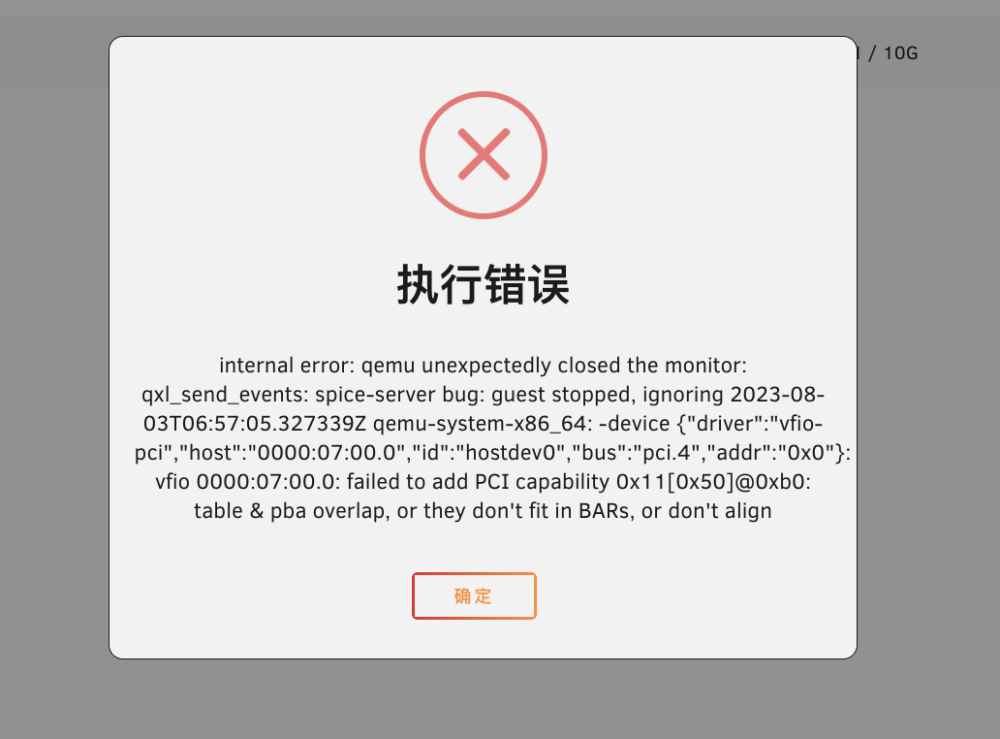

-
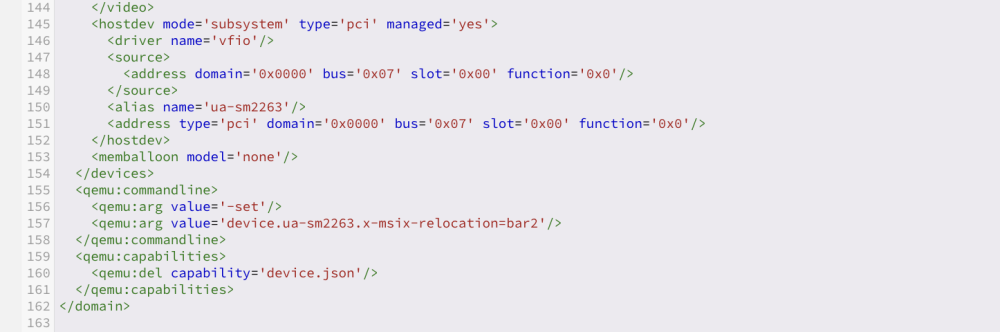
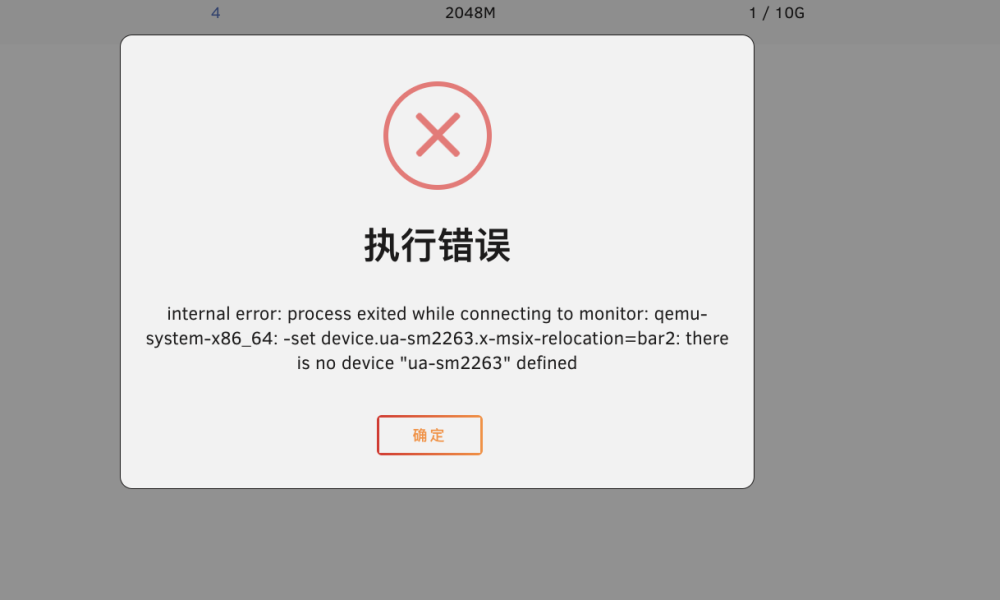
你好,我这边也遇到了相同情况,系统是6.12.2,我将你的代码原封不动的套进去了,但是显示的是2263 不存在,请问这是什么问题,谢谢啦
-
搞不清楚,幸好数据不多,要是之后数据多了还这样就麻烦了
-
已经自行解决,工具》新配置》保存原配置就可以了,错误磁盘重新格式化就好了,但是还是不知道为什么会莫名其妙错误
-
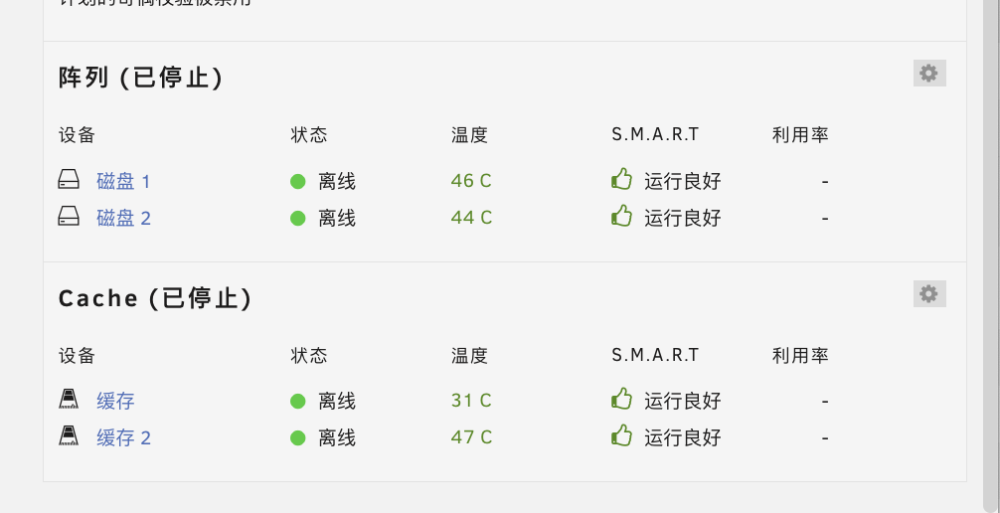
smart都是正常的
-
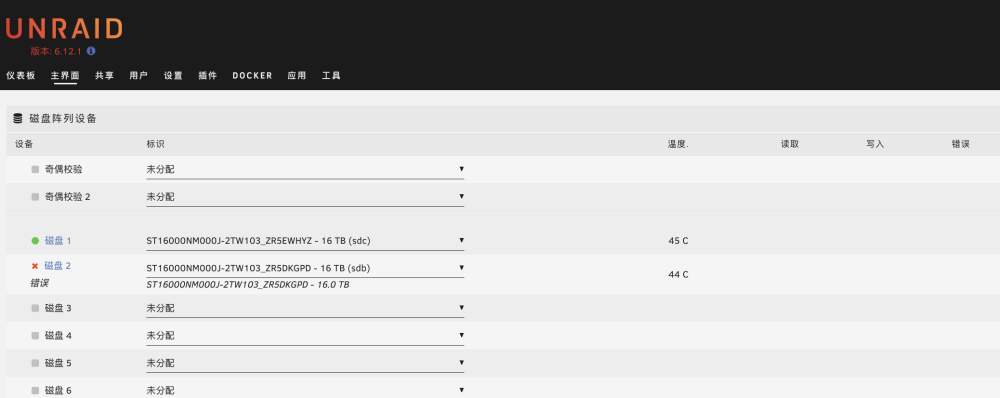
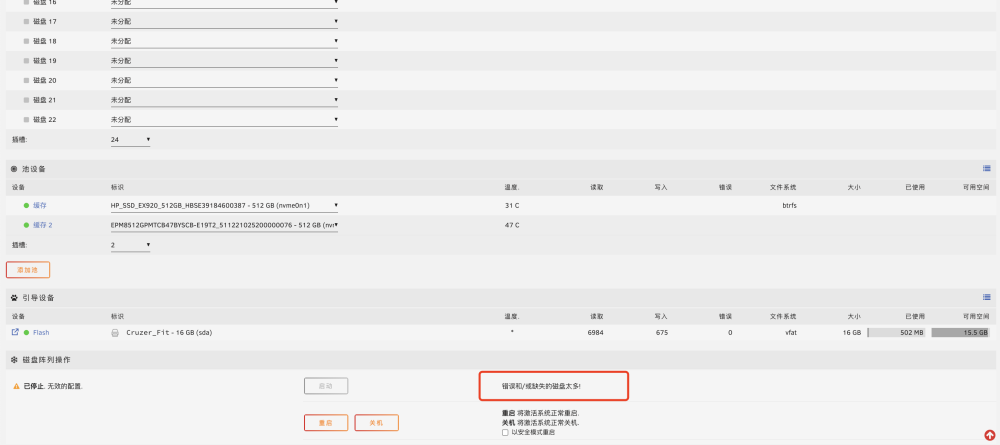
如题,家里有个nas装了unraid,今天重启突然发现,有一块磁盘显示错误,我取消分配了之后,还是显示错误太多不能启动阵列,因为在外地,想问问有没有办法,能够不用那块磁盘,网上直接操作启动阵列,那块磁盘基本没有重要数据在里面,我没有做奇偶校验盘,有两块固态做缓存盘用,我把诊断也发上来,大佬们帮忙看看啥情况,谢谢啦 zwznas-diagnostics-20230704-1429.zip
-
-
是的,主要是容量感觉重要一些,新固态稳定性还是有的,应该没啥太大问题
-
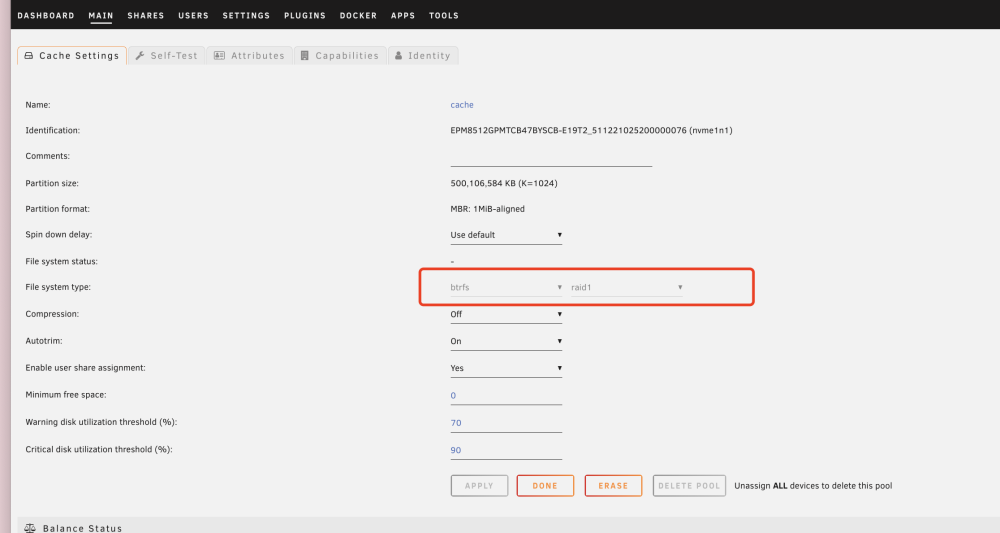
需要擦除重新格式化,就可以raid0了
-
谢谢,应该是有数据了不能改了,停止阵列了,但是还是不能改,我删了重建试试吧
-
你好,谢谢,但是cache pool我没有看到raid0和raid1的设置诶,只有slot插槽选几块而已

-
挂载后的容量情况

-
如图,我添加了一个缓存池,插槽2,然后将两块512G的固态放进去启动阵列,然后我lsblk命令查看,cache的容量只有512G,我其实是想增大缓存池的容量,到1G,有办法吗,还是两块缓存盘512G互作备份了

-
大佬太牛了了!请问下我用docker的v2raya,然后用这个proxy连接,是可以的吼,虚拟机软路由一直安装不了,img镜像路径对的但是还是进的efi shell界面


