





neilpatel1991x
Members
-
Joined
-
Last visited
-
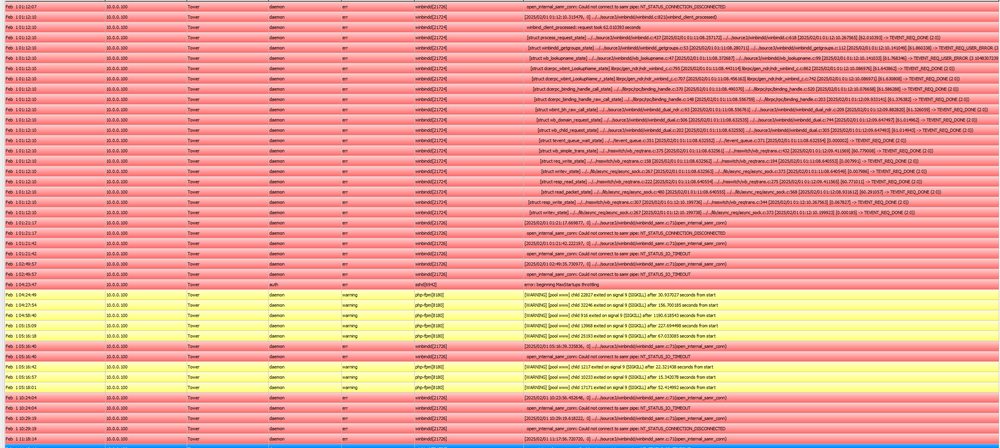
Hello, thans for the response @JorgeB, my system has crashed again but i have the syslog now. Theres a lot of noise in here due to my connectign my unrair server to my home assistant for monitoring. Filtering out only for Errors I see this but not sure what to do to fix it syslog
-
hey everyone, had this same issue come up a few times and i was told to switch the usb drive and that worked for a while but wondering if someone could help me figure out why my system crashed today tower-diagnostics-20250119-2318.zip
-
thank you will order a new one, can i just restore from my back up or will my back up also be corrupted?
-
So ive run into a really weird issue, where my server will "half hang" when i go to the web interface, it says docker is turned off. Everything on the webinterface runs super slow, including downloading the diagnostics. I cant even shutdown cleanly, any help would be appreciated tower-diagnostics-20241119-0858.zip
-
Thank you for the quick response and the info! when you say disk share that is /mnt/diskX/movies and just pick which disk i want to write too? will it auto combine at the top level? ie mnt/user/Media/Movies
-
hey everyone, so i have a new unraid server and im moving 40+ TiB of movies/shows from my old server via 10gbe connection (iperf3 says 9.23gb/s). i do not have a parity disk instilled right now as i do the big transfer my bottle neck right now is that it is only writing to one drive at a time. i would like to write to all the disks so increase the bandwidth, which as i understand it is to use turbo write mode. i have turned it on in the disk settings, got the plug in, disabled docker and VMs and i cant figure it out. am i misunderstanding how turbo write works? is there a way to enable this? minitower-diagnostics-20240331-1848.zip
-
i ended up formatting the flash drive and my HDDs, and it works without crashing now. can sustain 200M/b+ consistently
-
hey everyone so i build a new unraid server (mini tower), so now i have two. tower and minitower i am in the process of transfering the files from tower to mini towers, have a few TiB i need to move over using rclone. Both are connected via 10gbe rj45 to a 10gbe switch. when i try to do this transfer, on mini tower my networking stack crashes. i boot with gui access so i can still see the interface on there via monitor but cant access via google.com on that instance, cant ping local or wan stuff, cant access gui on another device on the network etc. i have three nics on my mini tower and its in fail over mode and some how they all 3 crash despite being totally isolated (2.5 usb nic, 1 gb mobo nic, 10 gbe pcie nic) i have uploaded syslogs from mini tower and diagnostics syslog-10.0.0.100.log minitower-diagnostics-20240330-2313.zip
-
Thank you! Your tip was super helpful. I booted into the BIOS and I saw the NVME still there. So I went into the system profiler in unraid, it says it was bound to a VFIO but there was no check marks. Then I realized I had tried a GPU to my VM and removed the GPU without unbinding it. I figured it was specific to the GPU itself. So I put the GPU back and it all works now. Ill work on unbinding again in the future. Thank you for your help. RE: docker img being 100gb, when i first started i accdently downloaded content to the folder, so i increased it to move content off of it and never made it 20gb again. is it imporatnt to do that? thank you i know im anxiously waiting for that plugin to come back, i have so many containers!
-
hey everyone, after upgrading my docker containers stopped working and the system became unstable. i switched to iplan but no luck. getting input /output errors. i attached the diagnostics tower-diagnostics-20230701-1129.zip
