dwayneh
Members
-
Joined
-
Last visited
-
Indeed, I had hope when I saw that. However tools I've tried like xfs_repair don't seem to be able to restore it despite finding the alternate superblocks
-
Thanks for the input! I am using exactly that, thanks for the support!
-
It's worse then I thought, all drives have had their first 1024 MB removed with this script. So the superblock is gone. Going to see what I can salvage and likely rebuild from there...
-
I used a script powered by dd: https://gist.github.com/dwaynehulsman/4b98d630a3e86c18a1805d1808e527aa
-
Thank you going to try and follow these steps!
-
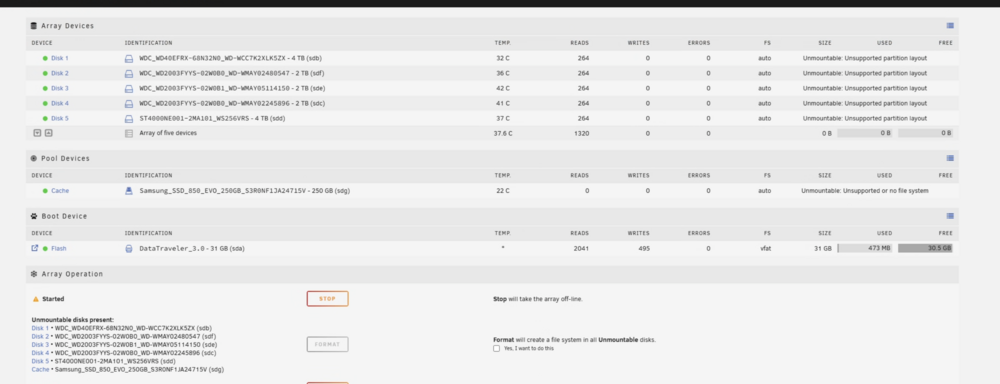
Hi everyone, I'm in a bit of a tough situation and could use some guidance. Here's what happened: One of my 2TB drives failed, so I decided to run some disk benchmarks to check if any other disks were showing performance issues (beyond SMART reports) to determine if I should replace additional drives. I know this wasn't the smartest move, but what's done is done. During this process, the benchmarking tool somehow accessed my Unraid USB drive and corrupted it. When Unraid reported the USB failure, I made the mistake of rebooting the system, and it wouldn't come back online. All of this sounds very silly, I know I tried various recovery tools to retrieve my configuration but had no luck. While I do have a backup from a few months ago, it's not usable since I've both switched parity drives and added a disk to the array since then. I'm now working with a fresh Unraid install and following the data recovery guide from the docs (https://docs.unraid.net/unraid-os/troubleshooting/data-recovery/). However, I'm stuck at step 3 because I can't remember my exact array configuration. Here's what I know for certain: One of my 4TB drives was the parity drive One of my 2TB drives had failed Current disk listing from my system: Disk 1: WDC_WD40EFRX-68N32N0_WD-WCC7K2XLK5ZX - 4 TB Disk 2: WDC_WD2003FYYS-02W0B0_WD-WMAY02480547 - 2 TB Disk 3: WDC_WD2003FYYS-02W0B1_WD-WMAY05114150 - 2 TB Disk 4: WDC_WD2003FYYS-02W0B0_WD-WMAY02245896 - 2 TB Disk 5: ST4000NE001-2MA101_WS25GVRS - 4 TB I've attached a screenshot of my current array status. Can anyone help me determine which 4TB drive was my parity and which 2TB drive was the one that failed? I don't have any pictures of my previous array configuration to reference. Any help would be greatly appreciated - I really want to avoid any potential data loss from incorrect array reconstruction.
-
After much trial and error, I discovered that the disks in my array needed to be formatted, which wasn't clearly communicated in the process. Once I took this step, everything began functioning as expected. However, I believe there's an opportunity here to enhance the user experience by incorporating more clear, user-friendly warnings or guidance when certain necessary steps have not been completed. Understanding that the software is complex and caters to users with varying degrees of technical expertise, improvements like these can significantly reduce the learning curve and potential frustration for newer users.
-
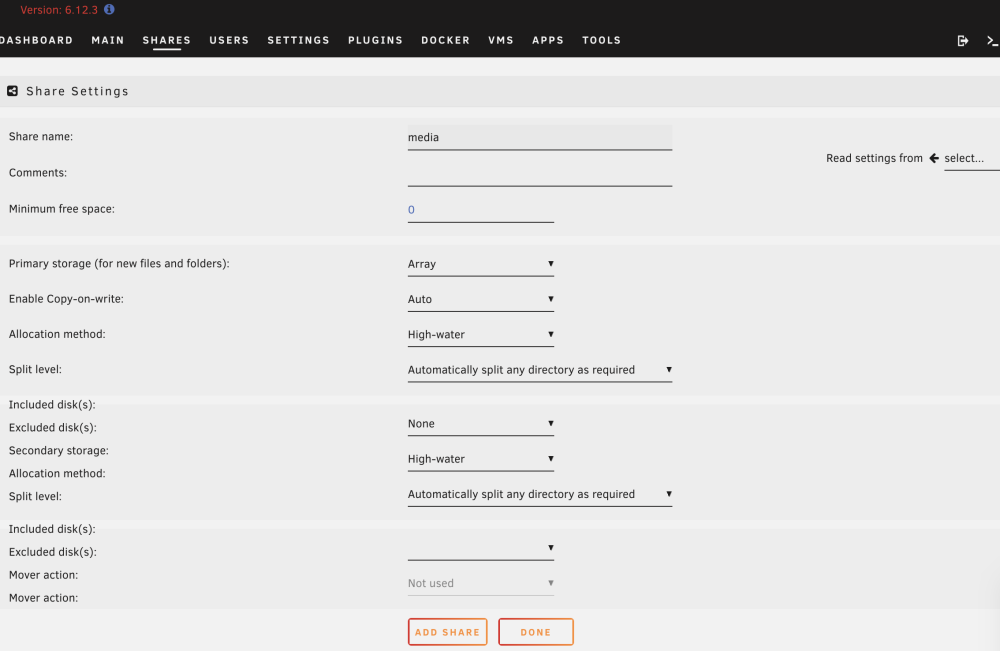
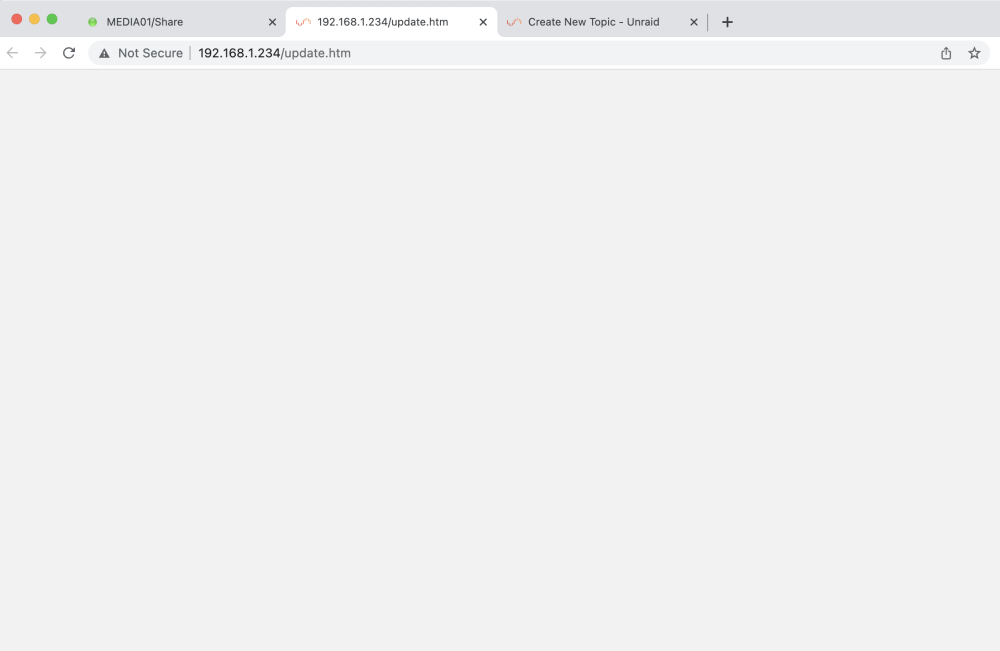
Hello everyone, I've recently begun testing out Unraid as a possible solution for my needs. While the software shows promise, I've unfortunately run into a stumbling block soon after setting up my array. The issue occurs when I attempt to create a share - upon clicking the 'Add Share' button, I'm redirected to an empty update.htm page. This page appears in a new tab, and contains no content or error messages. I've attached an image illustrating this phenomenon at the end of this thread for your reference. For context, I'm operating on a Macbook Pro (M2) with Google Chrome, specifically Version 114.0.5735.198 (Official Build) (arm64). However, to rule out any device-specific issues, I also tested the process on a Windows 11 machine using the same version of Chrome. Unfortunately, I encountered the same results. Upon reviewing the logs to get some insight, I was only able to extract minimal information. The logs referenced something about a "crf token", but without more detailed information, it's hard for me to understand the issue I'm having. Log: Jul 25 09:43:30 MEDIA01 ool www[27456]: Successful logout user root from 192.168.1.175 Jul 25 09:43:32 MEDIA01 webGUI: Successful login user root from 192.168.1.175 Jul 25 09:43:58 MEDIA01 emhttpd: error: cmdEditShare: missing csrf_token Any insights or suggestions to navigate this issue would be highly appreciated. Thank you in advance for your help! media01-diagnostics-20230725-1909.zip