




Skip to content
View in the app

A better way to browse. Learn more.

Unraid

A full-screen app on your home screen with push notifications, badges and more.

To install this app on iOS and iPadOS
  1. Tap the Share icon in Safari
  2. Scroll the menu and tap Add to Home Screen.
  3. Tap Add in the top-right corner.
To install this app on Android
  1. Tap the 3-dot menu (⋮) in the top-right corner of the browser.
  2. Tap Add to Home screen or Install app.
  3. Confirm by tapping Install.

Cadwal

Members
  • Joined

  • Last visited

  1. Merci pasqual51 pour ton aide. J'ai recommencé depuis le début mais cette fois avec mariadb. Et tout fonctionne pour le moment :).
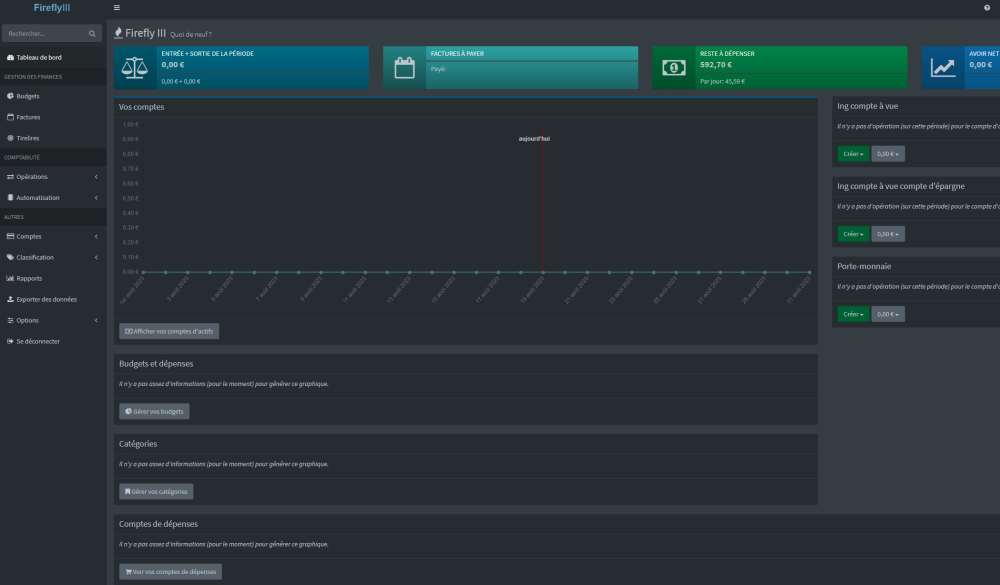
  2. Bonjour, Merci pour votre réponse. J'avais mis une autre adresse ip et je viens de changer mais sans résultat. Dans type de réseau j'utilise lequel? Bridge, host, custom?
  3. Bonjour, Je débute avec le nas et unraid forcément . Depuis 15 jours je galère à installer fireflyiii. J’ai ma base de donnée et je sais me connecter sur phpmyadmin, mais ma base de donnée est vide et la je bloque Ou alors, je me trompe depuis le début. Pouvez-vous m’aider? D’avance merci.


Account

Navigation

Search

Search

Configure browser push notifications

Chrome (Android)
  1. Tap the lock icon next to the address bar.
  2. Tap Permissions → Notifications.
  3. Adjust your preference.
Chrome (Desktop)
  1. Click the padlock icon in the address bar.
  2. Select Site settings.
  3. Find Notifications and adjust your preference.