Skip to content
View in the app

A better way to browse. Learn more.

Unraid

A full-screen app on your home screen with push notifications, badges and more.

To install this app on iOS and iPadOS
  1. Tap the Share icon in Safari
  2. Scroll the menu and tap Add to Home Screen.
  3. Tap Add in the top-right corner.
To install this app on Android
  1. Tap the 3-dot menu (⋮) in the top-right corner of the browser.
  2. Tap Add to Home screen or Install app.
  3. Confirm by tapping Install.

erfie

Members
  • Joined

  • Last visited

  1. Thank you so much! This fixed my issue.
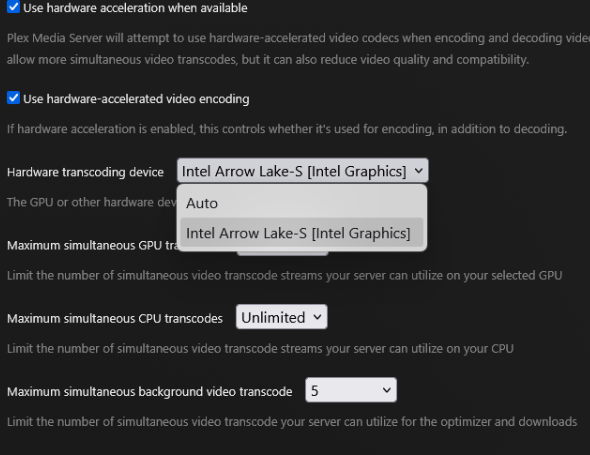
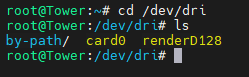
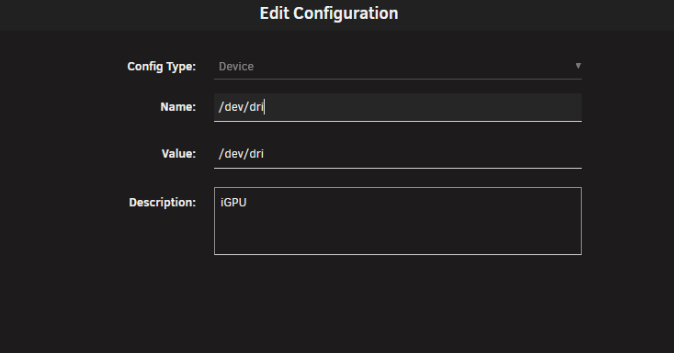
  2. Hi, After upgrading from a i5 11400 CPU to the Intel 245k i can no longer get plex to transcode video via the iGPU. Running Unraid 7.2.2 /dev/dri output: Plex docker device (I've also tried ---device /dev/dri under Extra Parameters ): Plex transcode settings: Forcing i915 ( I've also tried to force the XE driver instead ) Plex logs: Apr 15, 2026 00:45:55.419 [23074275515192] DEBUG - [Req#11c/Transcode] TPU: hardware transcoding: enabled, but no hardware decode accelerator found Unraid diagnostics: tower-diagnostics-20260415-0048.zip
Account

Navigation

Search

Search

Configure browser push notifications

Chrome (Android)
  1. Tap the lock icon next to the address bar.
  2. Tap Permissions → Notifications.
  3. Adjust your preference.
Chrome (Desktop)
  1. Click the padlock icon in the address bar.
  2. Select Site settings.
  3. Find Notifications and adjust your preference.