resolute-clearance8449
Members
-
Joined
-
Last visited
Everything posted by resolute-clearance8449
-
Update 1 week later: it seems that the Lian Li resolved everything. Even the disks that seemed to be dead passed the extended SMART test without any problem, they handled a 15 TB copy without a flinch, sooooo... Might have found the solution with this PSU! Thanks a lot for your help Jorge <3
-
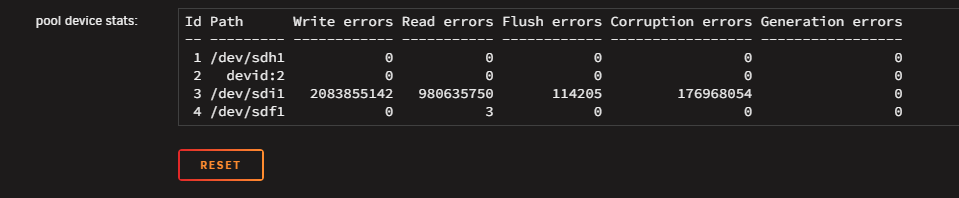
Hey! Few days later, happened a lot, but I think we are on a good way: unpluged the disk that "was faulty" removed the pool, recreated it with the 2 others disks in Raid1 ran 4 passes of memtest with 0 error But I saw a few errors and corruptions coming back from another disk, as soon as I copied more than 1 TB of data from the "save" disk to the pool. So I : changed 3 SATA cables (all the disks were plugged on the LSI), and plugged the disks directly to the motherboard updated the LSI 9300-16i from 07.00.01.00 to 16.00.12.00 plugged back the "faulty" disk ran a long SMART on each of the 3 disks, and all ended with no error But still errors on the syslog, so I thought about the first chan I created here, where I was talking about the infamous Cooler Master G650M that was powering the server. Sooooo I : bought a Lian Li Edge Gold in 750W, that comes natively with 12 SATA added again the 3rd disk to the pool Ran a balance on the pool (still in Raid1) am running a scrub to fix the few errors that appeared will try to copy 2 TB to see what happens Will keep you updated, even if it is purely to potentially help others who might have the same problem in the future (👋)
-
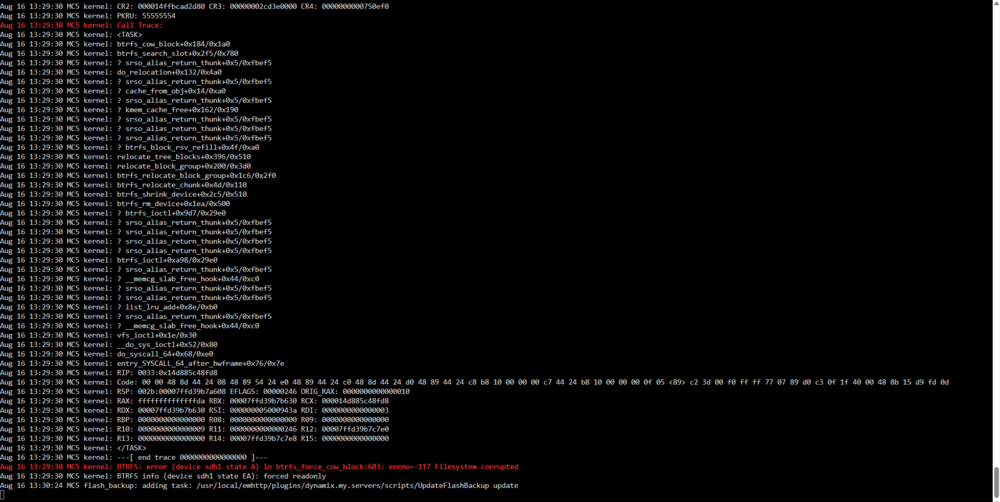
Ouch, 3rd time it happens... Would you know why, even in Raid1, each time a disk fails I have to loose (or save if possible) everything? Is it possible that, if I RMA the disk that fails and replace it by a new one, the system can re-operate smoothly? Or is it def corrupted? Thanks!
-
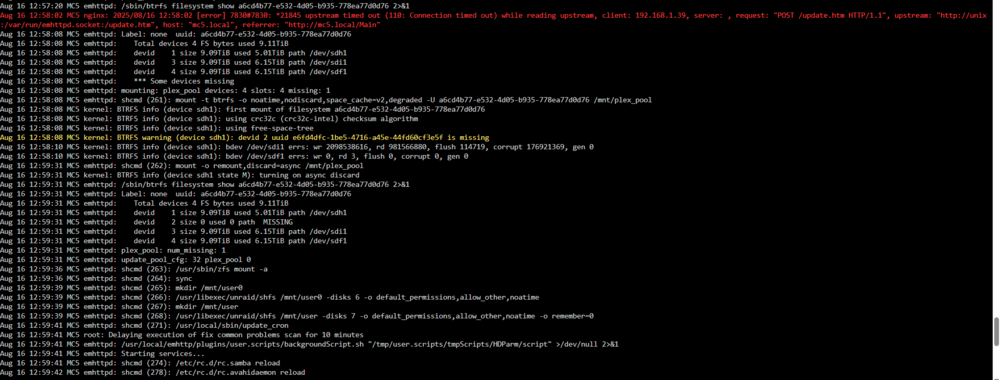
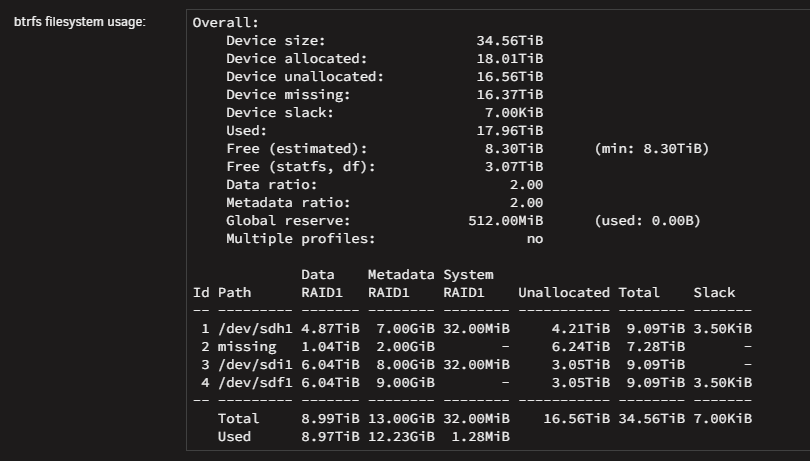
No change unfortunately :/ Here are a few lines that I was able to see in the logs, if it can help: Aug 16 13:15:25 MC5 emhttpd: plex_pool: btrfs recover profile: raid1 Aug 16 13:15:25 MC5 emhttpd: plex_pool: btrfs assign devices Aug 16 13:15:25 MC5 emhttpd: /sbin/btrfs filesystem show a6cd4b77-e532-4d05-b935-778ea77d0d76 2>&1 Aug 16 13:23:27 MC5 kernel: BTRFS info (device sdh1 state M): turning on async discard Aug 16 13:23:27 MC5 emhttpd: /sbin/btrfs filesystem show a6cd4b77-e532-4d05-b935-778ea77d0d76 2>&1 Aug 16 13:23:27 MC5 emhttpd: Label: none uuid: a6cd4b77-e532-4d05-b935-778ea77d0d76 Aug 16 13:23:27 MC5 emhttpd: Total devices 4 FS bytes used 9.11TiB Aug 16 13:23:27 MC5 emhttpd: devid 1 size 9.09TiB used 5.01TiB path /dev/sdh1 Aug 16 13:23:27 MC5 emhttpd: devid 2 size 0 used 0 path MISSING Aug 16 13:23:27 MC5 emhttpd: devid 3 size 9.09TiB used 6.15TiB path /dev/sdi1 Aug 16 13:23:27 MC5 emhttpd: devid 4 size 9.09TiB used 6.15TiB path /dev/sdf1 Aug 16 13:23:27 MC5 emhttpd: plex_pool: num_missing: 1 Aug 16 13:23:27 MC5 emhttpd: update_pool_cfg: 32 plex_pool 0 Aug 16 13:23:29 MC5 emhttpd: shcmd (982): /usr/sbin/zfs mount -a Aug 16 13:23:29 MC5 emhttpd: shcmd (983): sync Maybe the disk that is marked as failing is preventing the "btrfs dev remove missing" command to complete? Attached latest diags also! mc5-diagnostics-20250816-1432.zip
-
Hi Jorge! Oh ok well noted, diag was attached but here is the latest one :) mc5-diagnostics-20250816-0937.zip
-
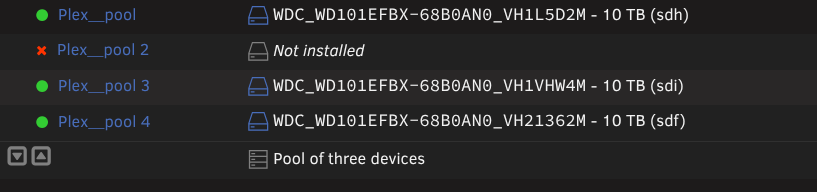
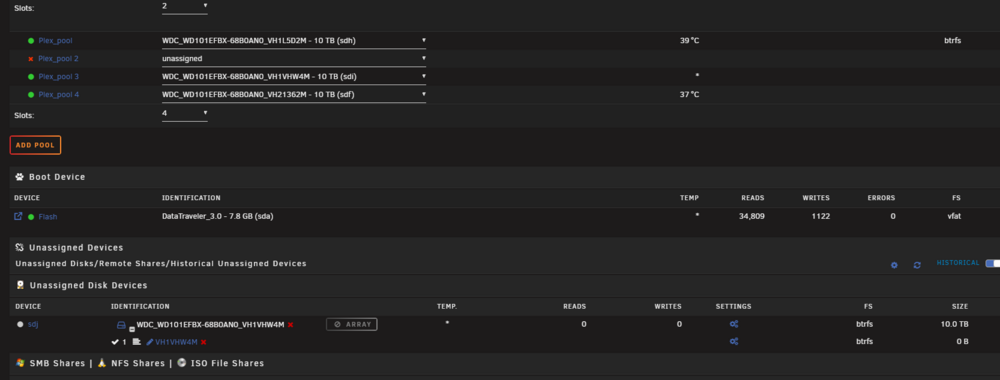
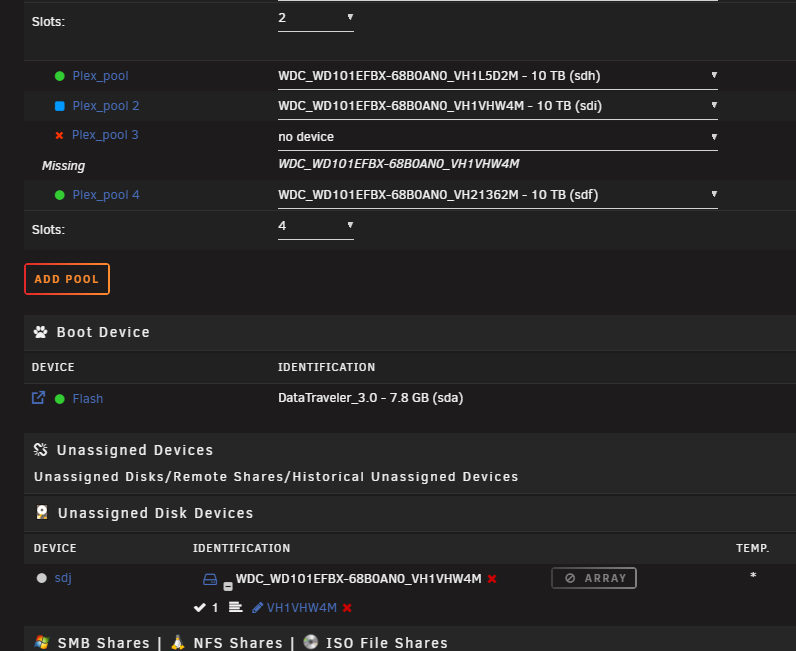
Hi Jorge :) Thanks for the answer, but unfortunately even after following your steps, and tried to reboot, the "P*ex_pool 2" came back to life. I also tried to add another _ and to start in maintenance mode, in order to "bypass" what I thought was a problem of cache somewhere, but it still recreated a 4th "ghost" slot 🤯 Latest Diag attached :) EDIT: Also tried your solution here https://forums.unraid.net/topic/154697-removing-a-cache-pool/#findComment-1374639, with a reboot before creating the pool again, but nothing changed EDIT 2: Tried with all shares (disks & shares) turned off and docker turned off in order to avoid some SMB disruption, but still the same mc5-diagnostics-20250815-2259.zip
-
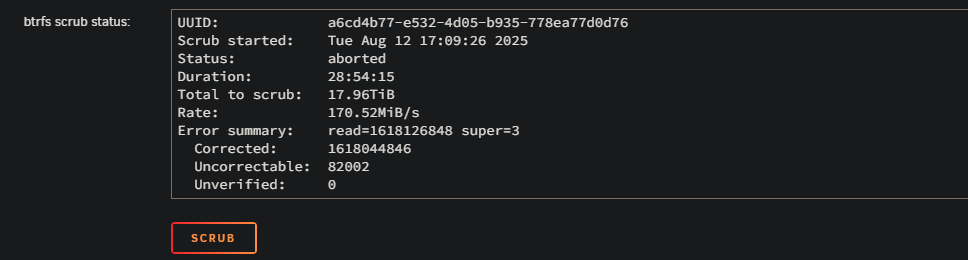
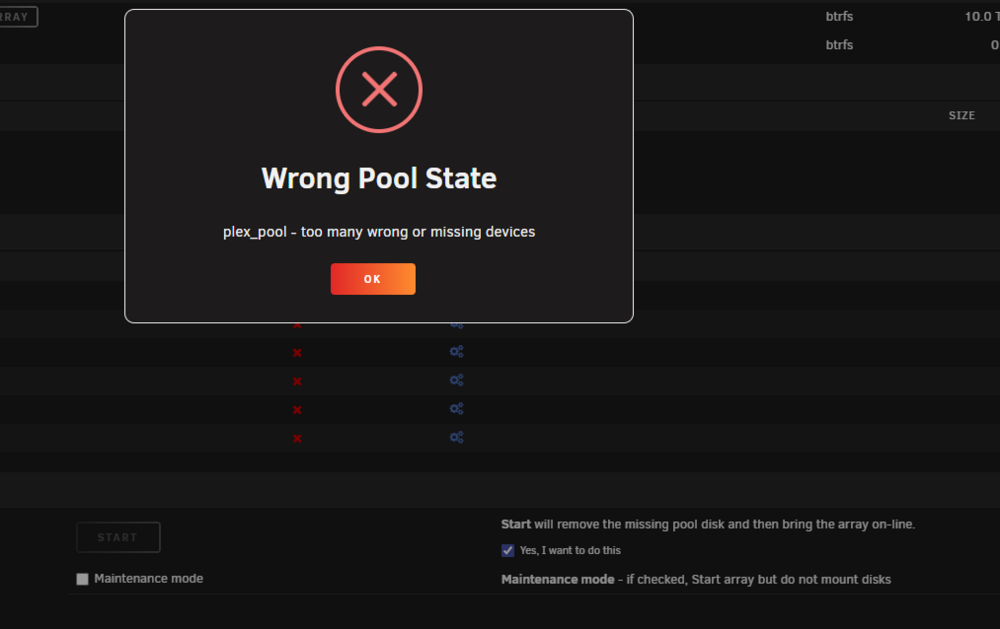
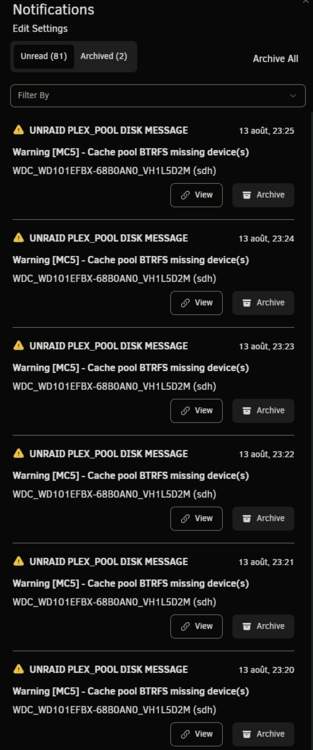
Hi all :) I am writing this today because I am facing a problem I am not able to solve even after checking for previous solutions here. After some 8 TB disk failed, I replaced it with a 10 TB one, but since I have some "Not installed" error on the slot it was. Tried to stop the array, assign a disk to "pool 2" slot, and start the array to begin rebuilding but I have a "Wrong pool state" error when I try to force-start the array. Until a few days ago, it wasn't a real problem: everything worked fine except for errors saying a disk was missing. It changed recently, with a lot of errors from a disk, and scrubs that could never end, and were automatically canceled at 95.14%. Having changed all the cables and stuff, it is possible that one of the disks has actually failed. The problem is that I can't tell which one, since sdh is the disk that is indicated as being absent on the notifications, even though it is properly connected and recognized. "MC5 kernel: BTRFS error (device sdh1): bdev /dev/sdi1 errs" On the rare occasions when P*ex stops working — until I reboot the machine — the sdj drive is the only one listed by Historical Unassigned Devices. Problem is: the SN of sdj corresponds to the drive currently connected to sdi. I suppose the first step is to successfully rebuild the pool to determine which drive is faulty, if it's truly a hardware issue? Thanks for the help <3 mc5-diagnostics-20250815-1357.zip
-
Hi! Last update (I hope), after 2 weeks of testing: all works perfectly - in "btrfs single" configuration, not a single error no matter the disk (new WD Red Plus 10TB or "old" WD Black 8TB, each on their own pool) even while writing / reading intensively for a week - so I copied the ~6TB of data from the 8TB to the 10TB - I then deleted all the content of the 8TB and merged the 2 disks in one pool - Unraid switched from "btrfs single" to "raid 1", and all went smoothly Everything works like a charm since, thanks a lot for your help (and long live Western Digital!) ❤️ mc5-diagnostics-20241024-1041.zip
-
Yes 100% possible too. Will tell in about a week now, but all seems to be resolved thanks to your help Fingers crossed!
-
Hey! Quick update since I recieved the new WD Red Plus saturday: I copied 4TB of data on it and not a single issue. From what I see now, I am stunned that all this mess might only be caused by all the Seagate drives being faulty (4 in total). Next steps to be sure : - relaunch all the apps that were using it, and stress test for a week or so - if still no errors, add the "backup disk" to create a Raid1 and confirm (or not) if the issue came from the disks, or the raid architecture itself! Keeping you updated obviously (and maybe 1 or 2 people to whom the problem could happen in the future, hello to you) mc5-diagnostics-20241007-1331.zip
-
Sure, especially with a G650M, even if the sound of the disks is a bit scary! I will try to go back to my faithful WD and keep you updated, thanks a lot for your time!!
-
Already tried, and swapping PSU cables too, but nothing worked. Would it be possible that, since they all come from the same batch, they might be all faulty? If you think that it might be a possibility, I will buy some Western Digital Gold for example, and try with it! Attached the sound of one of them: Seagate Unraid.mp4
-
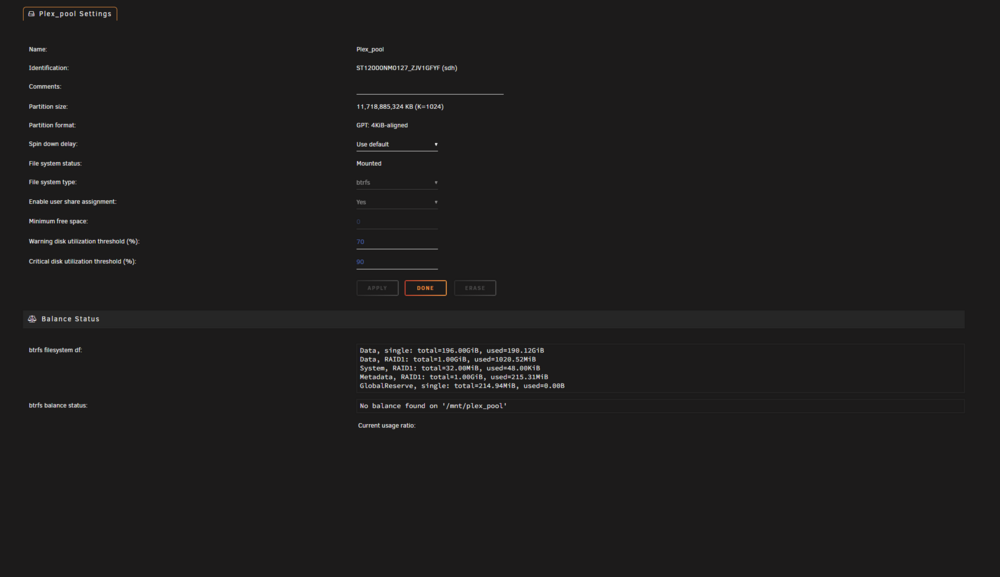
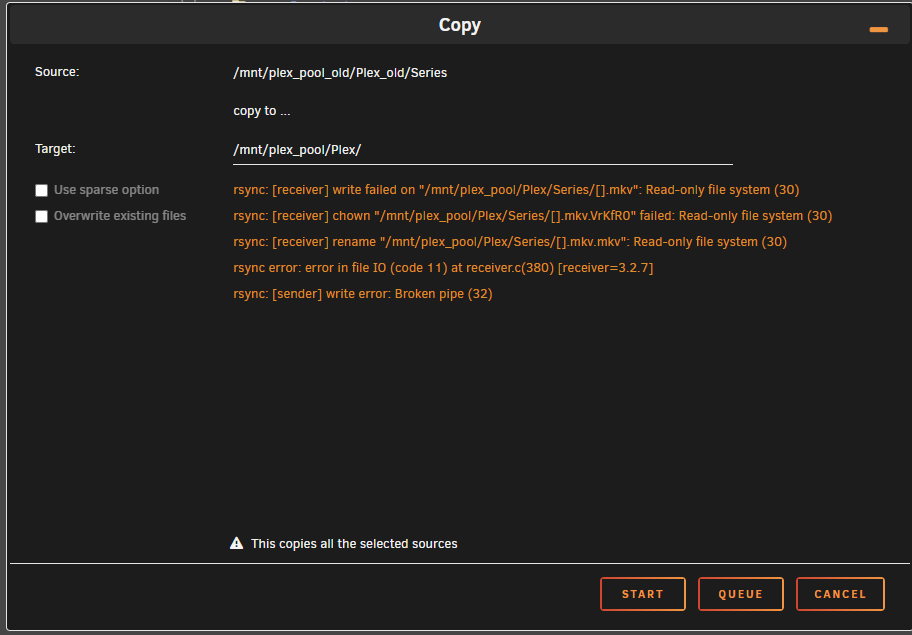
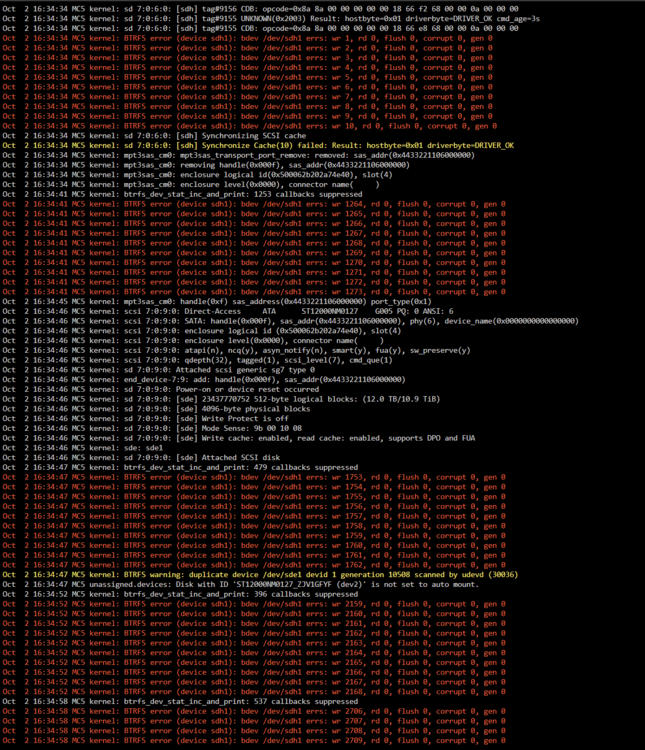
Well, it was faster than I thought 😅 Copy crashed, pool went into read-only, and I had no access to its settings. After a reboot, read-only was gone and I had access to the scrub, so here is the result: UUID: 250fadc9-bf35-4060-aa6d-c030b89bca9a Scrub started: Wed Oct 2 16:47:04 2024 Status: finished Duration: 0:23:22 Total to scrub: 192.16GiB Rate: 140.35MiB/s Error summary: verify=13732 csum=247432 Corrected: 261164 Uncorrectable: 0 Unverified: 0 mc5-diagnostics-20241002-1754.zip

-
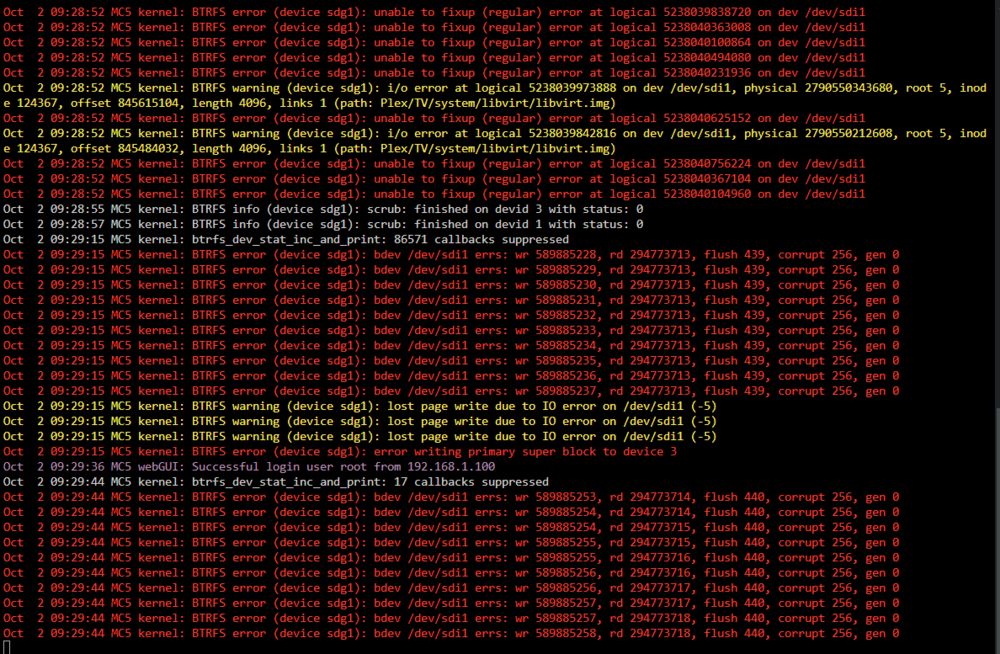
Scrub ended, here are the results: UUID: 250fadc9-bf35-4060-aa6d-c030b89bca9a Scrub started: Wed Oct 2 01:10:44 2024 Status: finished Duration: 8:18:13 Total to scrub: 5.00TiB Rate: 175.37MiB/s Error summary: read=294772105 csum=256 Corrected: 272 Uncorrectable: 294772089 Unverified: 0 In the meantime, if it can help: Since the duration went to 3 to 4 days, I stopped the scrub, and erased the disks (I can afford to loose all the data, it is saved on another disk). I then relaunched a scrub, that found no errors. But I had a lot of lines "kernel: sd 7:0:6:0: Power-on or device reset occurred", so I went to Tools / System Devices to find out that 7:0:6:0 were attributed to one of the disks of the pool. So I changed the disk for another that I just bought: no more "Power-on or device reset occurred", except when really powering the disks on I assume. I tried to copy one season at first, then scrub the pool with the new disk: no error. Tried to copy an entire show then scrub: no error. Tried to copy all of the "show" folder then scrub: 24 uncorrectable errors, but 0 corrected and 0 unverified. Tried to copy some others folders then scrub: 294 772 089 uncorrectable errors, and 272 corrected (the result that it above), and logs that look like a christmas tree! I am starting to think that the disk that keeped disconnecting basically corrupted the data and that I "only" have to retrieve them to remove all the errors Diag attached as usual, if needed Thanks for your help! mc5-diagnostics-20241002-0938.zip
-
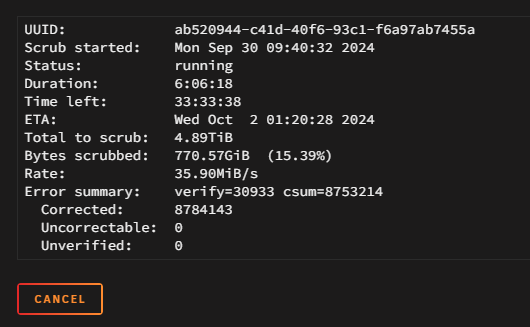
Hi, here are the results: Cache: UUID: dc947b32-2638-4059-927b-d0a51c5d878a Scrub started: Mon Sep 30 09:33:50 2024 Status: finished Duration: 0:02:54 Total to scrub: 178.41GiB Rate: 1.02GiB/s Error summary: no errors found Secondary pool: I'll come back to you when ended! But what is odd is that errors keep going with use, since it had no errors before the copy started.
-
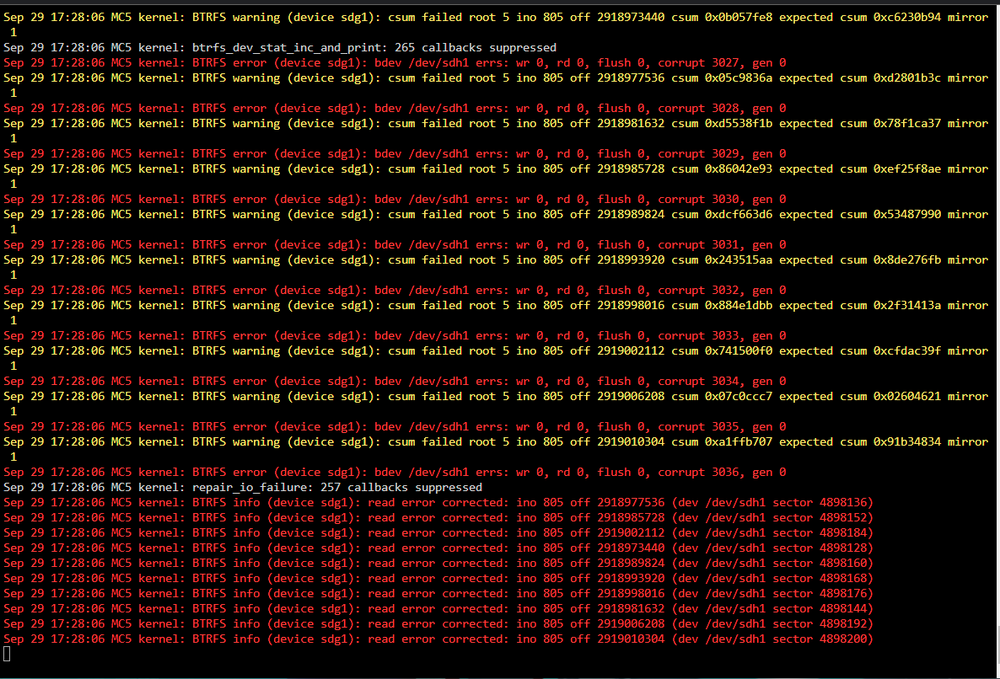
Oopsi, talked too soon... mc5-diagnostics-20240929-1734.zip
-
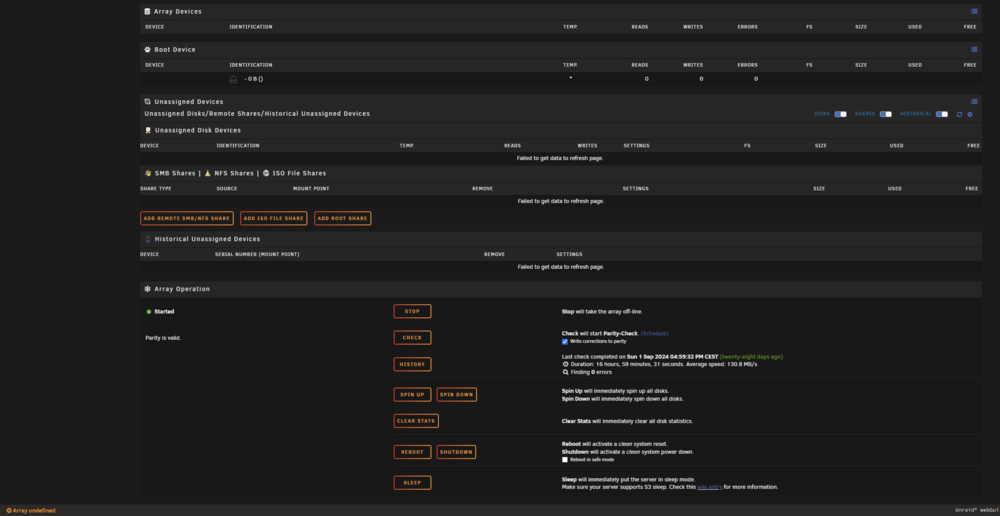
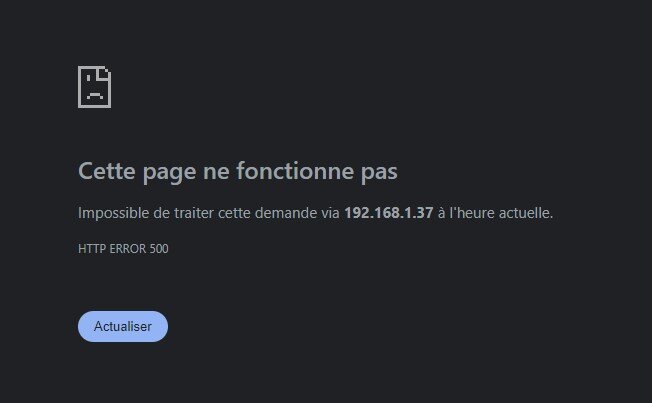
Seems to have worked! All this time and money just for that, you saved me! A bit of panic while doing the scrub, since I only saw "137 errors fixed" then the "main" tab alternating between empty array and Error 500, but after a forced reboot it seems that I don't have any red line for the moment, thanks Jorge ❤️ I also added a weekly scrub to cache and pools now, to avoid it happenning again. Will try to copy 3TB and stress the disks again, but it seems that it was that simple...
-
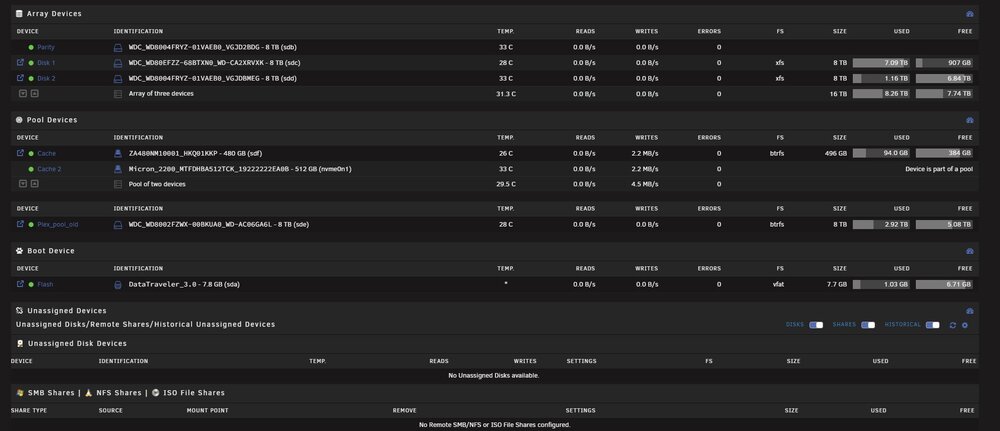
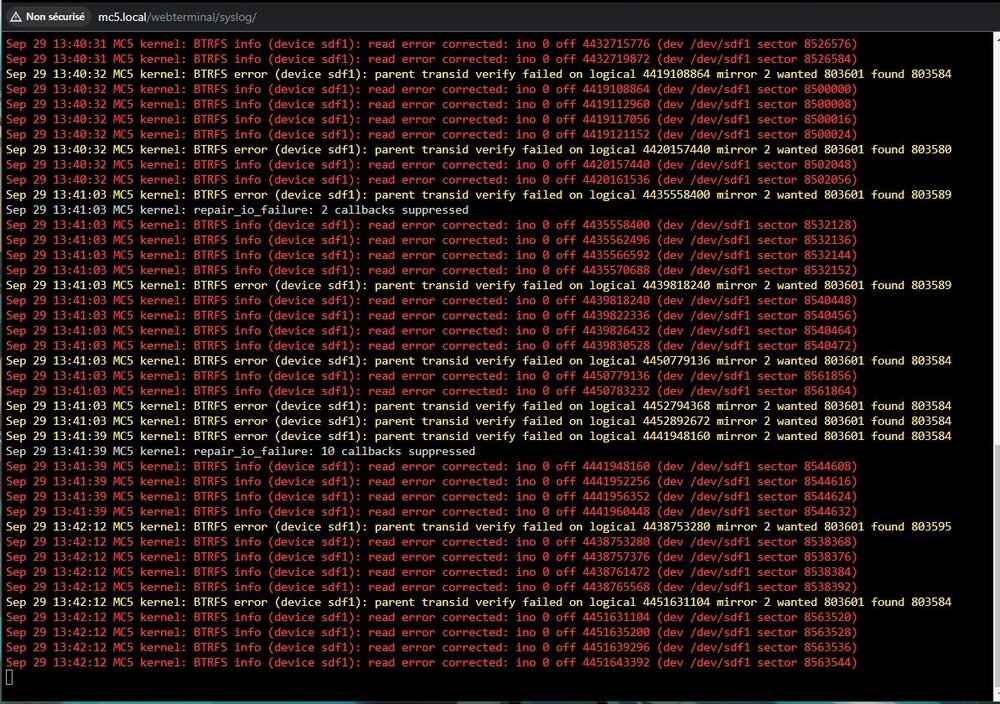
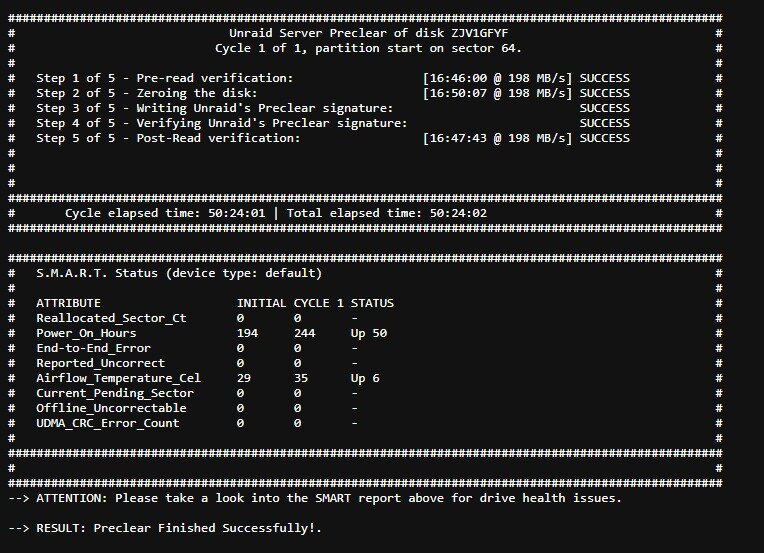
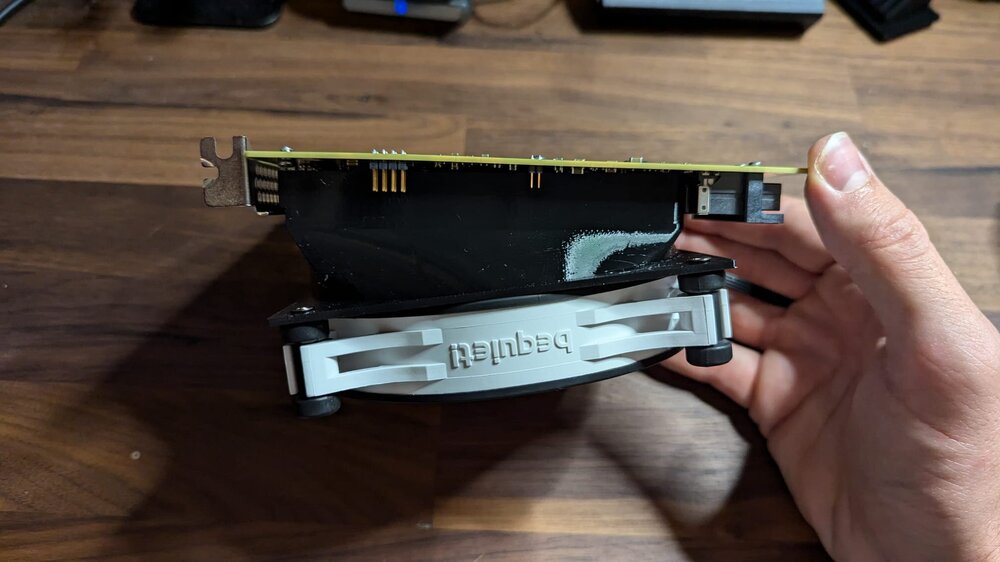
Hey! I am writing this today after trying to solve the problem myself for the past year to avoid bothering you, but I have a severe lack of skills soooo... Here is the thing: I had a problem with a storage disk, that had its data corrupted, and eventually comes to a "read only" error. When it was in "read only" state, any try to write something led to an error 5. It happened while doing hard read/write work (like downloading "50 ISOs of linux" simultaneously, or copying 3TB of data from a disk to another). So I tried to remove the disk, but then the problem moved to another disk. I bought like 4 others disks in total during this year, and precleared all of them to be sure: preclear read, zeroing and post-clear read all finished without any error (50h per disk). It seems that the I/O problem "moves" from a disk to another, depending of the disks that are in the array (if I remove the 2 12TB it mooves to the SSD cache, if I add some it might moove to the NVMe, or to the 12TB, I can't find any pattern there). I tought the SATA of the motherboard were too saturated, so I bought an LSI 9300-16i card, and even designed a 3D cooler adapter to keep it cool, but the problem persists. In the meantime, Fix Common Problems told me today that an "invalid folder" with the name of an old share is still within /mnt. Some "flash device corrupted also" while starting the array, but disappearing eventually. I am a bit confused now about what to test then... Maybe the PSU since it is a G650M, known to be a disaster? I bought another PSU to troubleshoot even this, but I assume that the problem is more software than hardware now. If someone sees something that I missed, it could help me a lot! Thanks ❤️ mc5-diagnostics-20240929-1442.zip