virtubit
Members
-
Joined
-
Last visited
Everything posted by virtubit
-
Does anyone with the Core Ultra 7 265k / 9 285k also have the problem that with Plex (Docker) the hw-transcoding is about 4 times slower than when the CPU without igpu does the transcoding? With Unraid 7.1-beta-3. It even leads to jerks during demanding transcoding when hw-transcoding is switched on.
-
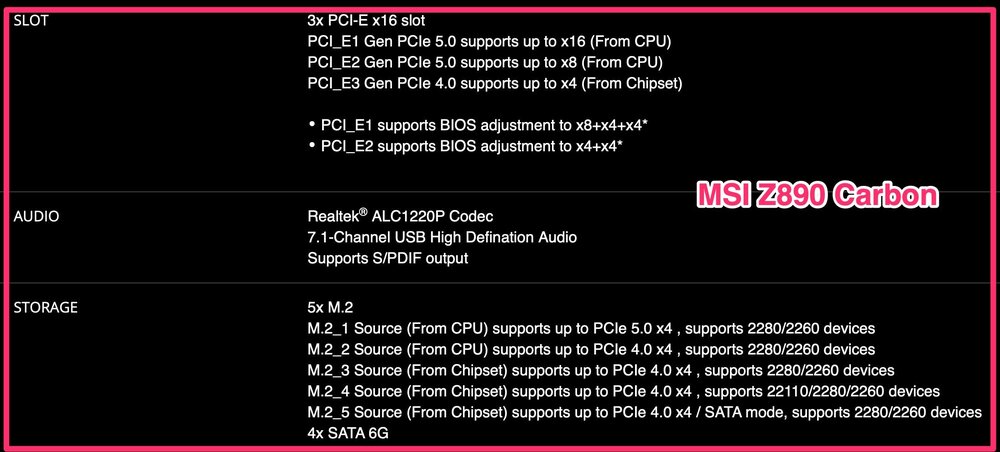
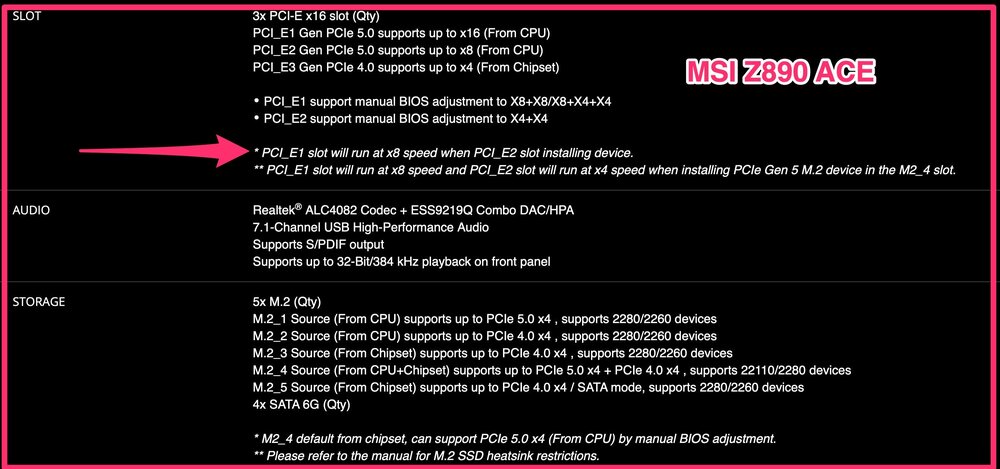
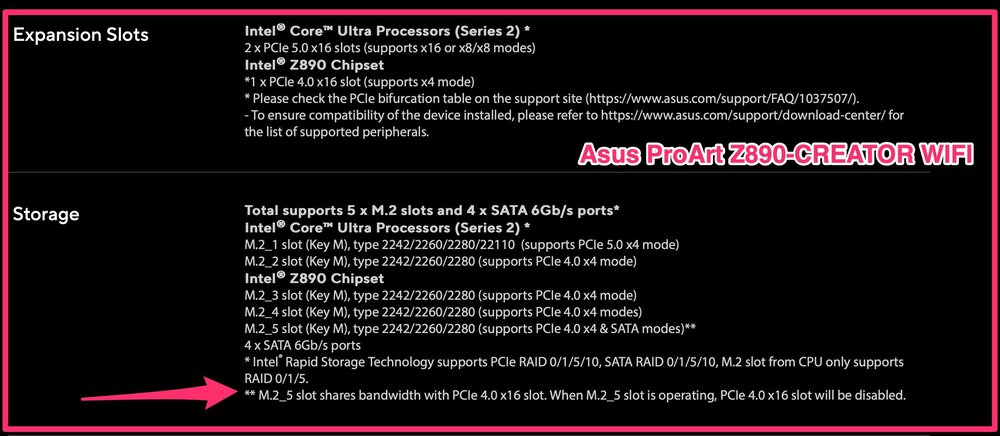
At first I wanted to buy the MSI Z890 ACE motherboard because of the 10 Gbits port. However, the ACE has line sharing for the PCIe card slots, i.e. if all slots are occupied, the lanes in slot 1 are halved (if I have understood this correctly). That's why I've decided in favour of the MSI Z890 Carbon, because there are apparently no restrictions with a full PCIe card configuration (if the official MSI specifications are correct...). But now I still need a solution for the 10 Gbits connection, without a PCIe card and it will probably be this one (should consume little power): IOCREST USB4 Single Port 10G Ethernet Adapter. By the way, the PCIe line sharing on the Asus ProArt Z890-CREATOR Wifi is even worse, an entire x16 card slot becomes unusable when an SSD is inserted in the M.2_5.
-
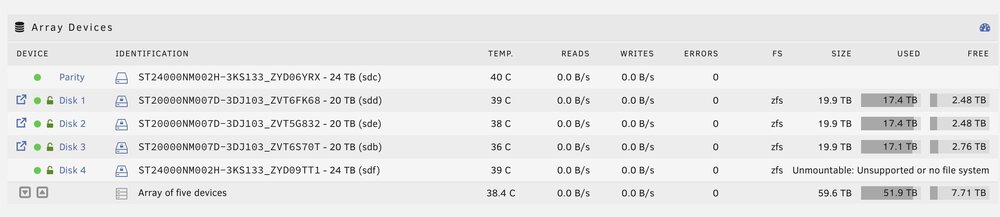
I had a valid parity check a few days before and the rebuild ended with Message "Data-Rebuild finished (0 errors)" and "Disk 4 returned to normal operation". Anyway, I think we'll stop troubleshooting here and I'll try another disc in the next few days. Then maybe we'll know more. Many thanks for your help! Stay tuned
-
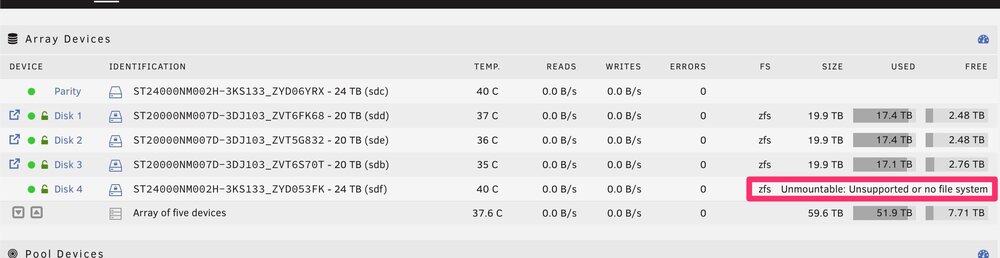
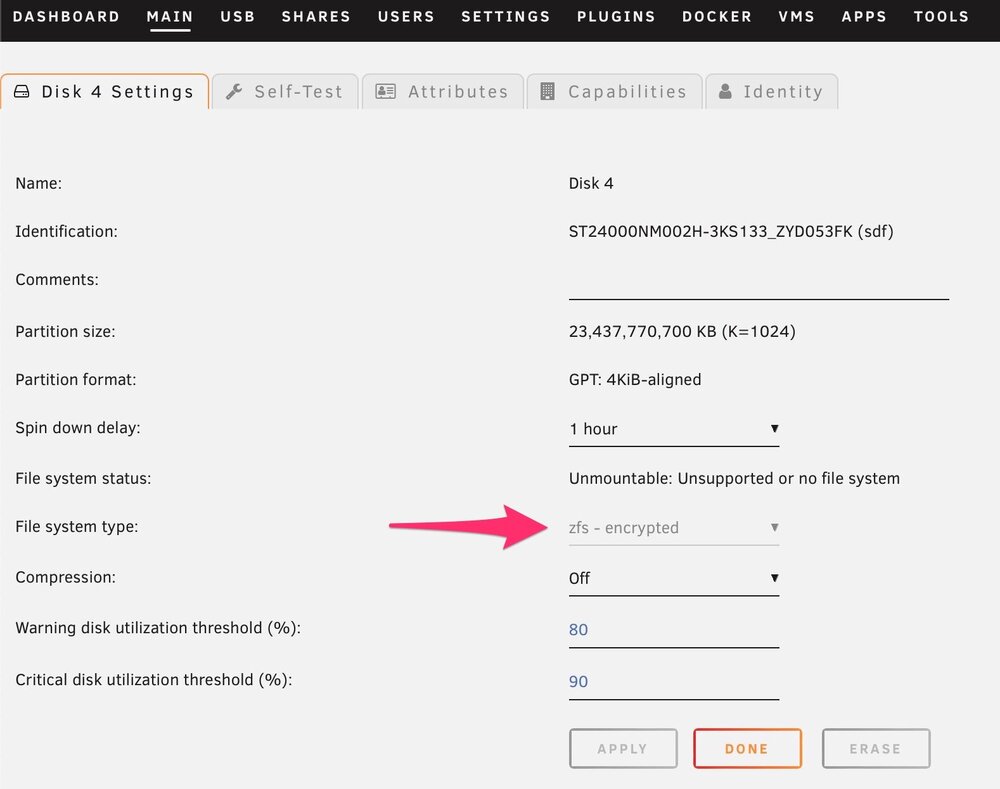
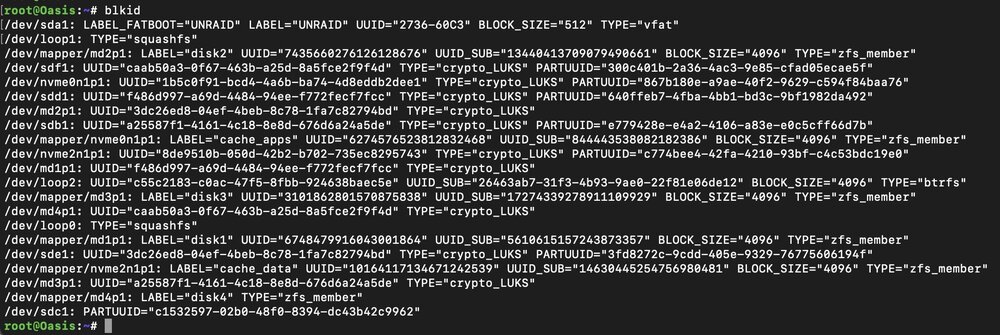
I have now replaced disc 4 with a new hard drive, but after the rebuild this did not produce any different results (as expected). Here I specified the file system the first time before starting the array and before the first rebuild of the new hard drive (but without formatting of course). It was previously zfs encrypted, like all discs in the array. And as I understand it, the rebuild happens at block level, there shouldn't have been a problem either way. Here is the output from blkid. I would at least like to know what went wrong. Maybe I'll swap out another disc with a new hard drive soon and make a video - in the unlikely event that the problem occurs again with another disc in the same array. Thank you!
-
Thank you. Unfortunately, I no longer have the old hard drive. I will probably try the rebuild with another new hard drive without specifying the file system before the rebuild. That certainly won't help, but you never know. And I don't know of any other option at the moment. Still very strange, I don't know what I could have done wrong.
-
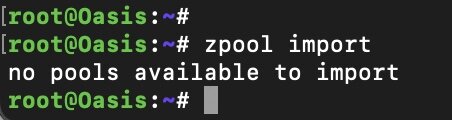
Thank you for your help. No, the old hard drive of disk 4 is not connected and no, I'm not formatting anything. Here is the output of zpool import: I could replace disc 4 with another new hard drive and run the rebuild again. Or would that be a waste of time? 🙂
-
I would also like to mention that I selected the zfs encrypted filesystem for the new disc before the array start and there was/is an option to format during and after the rebuild (which I did not do). Maybe it was my mistake to specify the file system before the rebuild?

-
I shut down the server. Then I replaced my Disk 4 (22TB, zfs encrypted) in the array with a new 24TB hard drive. Booting up. Select the new hard drive as a replacement in the main window, started the array and let the rebuild finish. After rebuilding it, though, the data on disc 4 seems to be missing. The new hard drive just says "Unmountable: Unsupported or no file system." Any ideas why the rebuild didn't work? Thank you! oasis-diagnostics-20240804-2023.zip