





ericbox
Members
-
Joined
-
Last visited
-
Thanks for the confirmation. Not the answer I would've liked, but I understand it is an edge use case. And, like you mentioned, at least it shouldn't affect when rebuilding any of the individual smaller data disks. I'm not going to bother raising a feature request, but if anybody from the Lime team reads this and thinks it would be useful, go for it!
-
Is there a way to limit a disk's size as seen by Unraid? I'm thinking of buying a larger disk to future-proof my parity, but having a parity drive significantly larger than data drives seems wasteful / unnecessary. I'm mostly worried about impacting the parity check and rebuild times. eg. Suppose I have 3 disks: 20TB + 4 + 4 ... It's rather useless for the array size to be seen as 20TB rather than 4TB and those checks taking 5x longer than if I had 4 + 4 + 4. Or am I misunderstanding how this will work? Fingers-crossed, maybe Unraid will speed through the last 16TB without significant impact to overall time? Thanks! Apologies if this has been asked before, but I couldn't find a topic with this specific question.
-
Thanks for the replies. Looks like it wasn't related to Unraid. I booted an Ubuntu live CD last night and saw some slowness on boot when it was mounting the XFS file system (only 6+ mins there), so I also suspected a corrupt FS. Luckily this was just a proof-of-concept so no real data. I formatted the drives and started Unraid fresh with a New Config and it now mounts quickly as expected. I'll cross my fingers and hope this was a one-time thing as I didn't find anybody else having similar issues. So maybe I corrupted it swapping drives around as I was getting things setup on my first-time Unraid usage. This seems like a great piece of software and a really nice community. Thanks again. I'll resolve this topic.
-
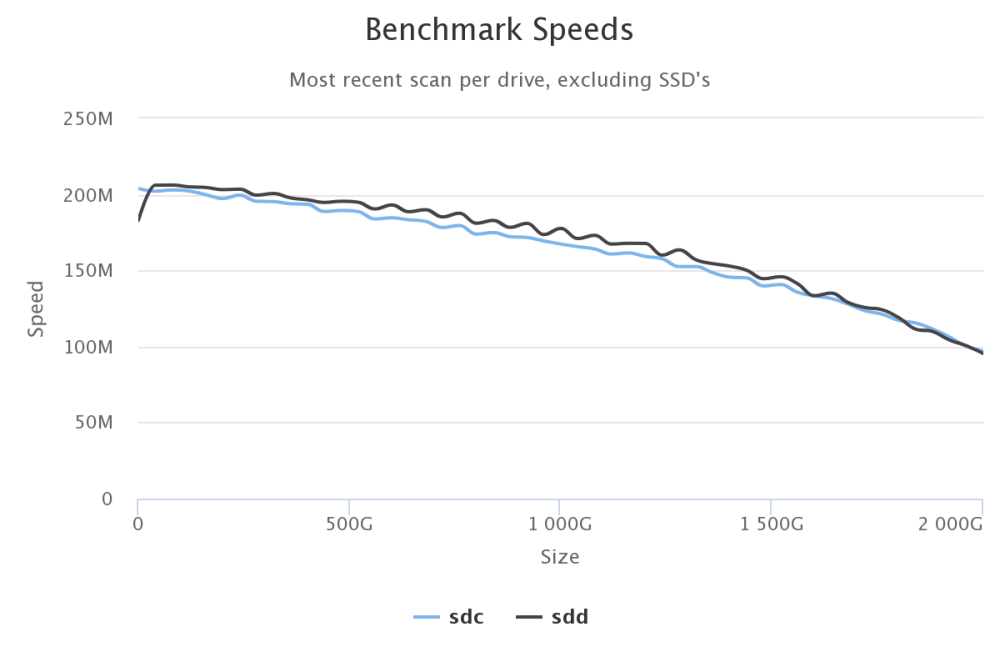
Not much to report from diskspeed, thanks for the suggestion though. Ran it multiple times with different percentages and saw similar performance. The array speed is fine once it's mounted, but it's just that initial 12min freeze that's very odd. Stopping the array responds quickly, within 10 seconds.
-
Yup, sorry, was just going off some old logs from last week since I rebuilt it ... captured diagnostics before (0112) and after (0126) mounting. And in case it's related, on bootup, the "Loading /bzroot..." does hang for 15-20seconds too danbox-diagnostics-20230908-0112.zip danbox-diagnostics-20230908-0126.zip
-
Can anybody explain why starting my array, more specifically, mounting the drive takes such a long time? When observing the syslog, the mount command consistently takes ~12m30sec for a 2TB array. This is 100% reproducible and always takes roughly the same amount of time +/- 10 seconds During this time, no other processes are running and interestingly enough the data drive has 1 - 1.5MB/s reads throughout this time. What exactly is it doing during this time and is there a way to avoid it? Is this expected and does it take longer as the array grows bigger? What I've tried: Started without plugins Ran xfs_check ... didn't notice anything out of the report, but not really sure what I'm looking for either Started the array in maintenance and manually ran the mount command via terminal. Same slowness, and verbose flag didn't include anything new The two disks are quite old with many power on hours as I'm just building this array as a proof-of-concept for now, but I'd like to make this my forever cloud Any help is appreciated. Thanks Edit: logs removed, diagnostics attached in reply below
