Rory.1
Members
-
Joined
-
Fix commom problems said that Out Of Memory errors detected on my server and that I need to post my diagnostics so any help would be appreciated. tower-diagnostics-20241229-1325.zip
-
That fixed it thanks
-
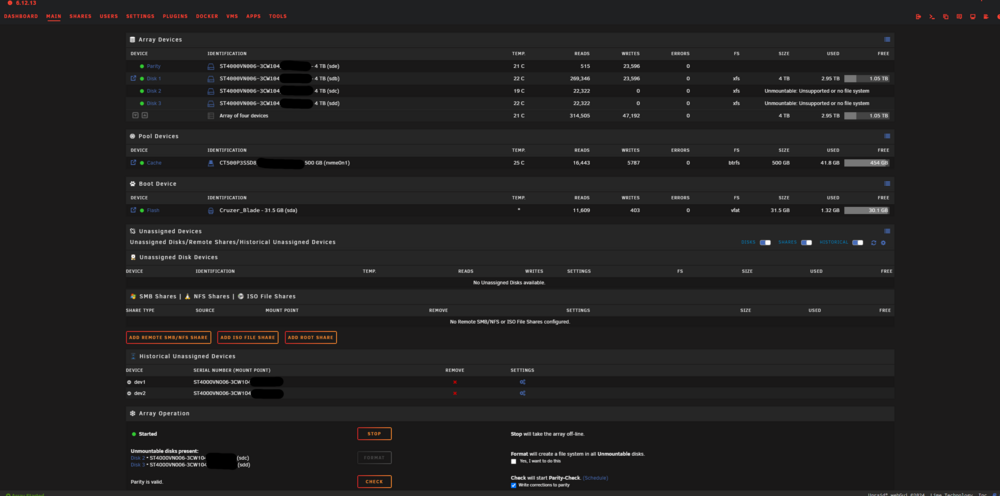
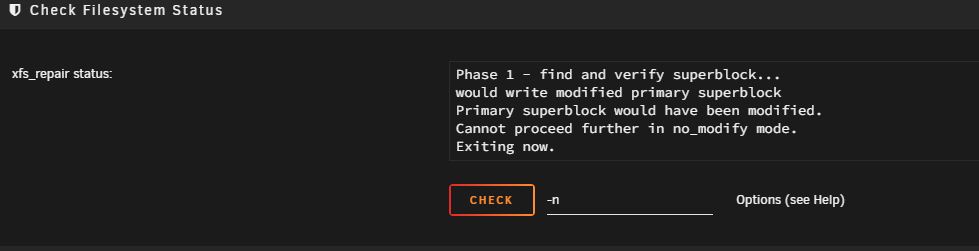
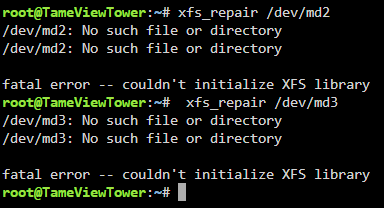
Can anyone help me fix this? I restarted my server because there was a new update for some drivers, and after it restarted, 2 of the drives say Unmountable: Unsupported or no file system I also tryed using the terminal to Check Filesystem and I get this: diagnostics-20241023-1824.zip
-
I have fixed it now I when into the network settings and changed the ip and it works now, thanks for the help.
-
Just tried it and it has done the same thing.
-
Rory.1 changed their profile photo
-
I booted it in safe mode and pressed start and it did the same thing.
-
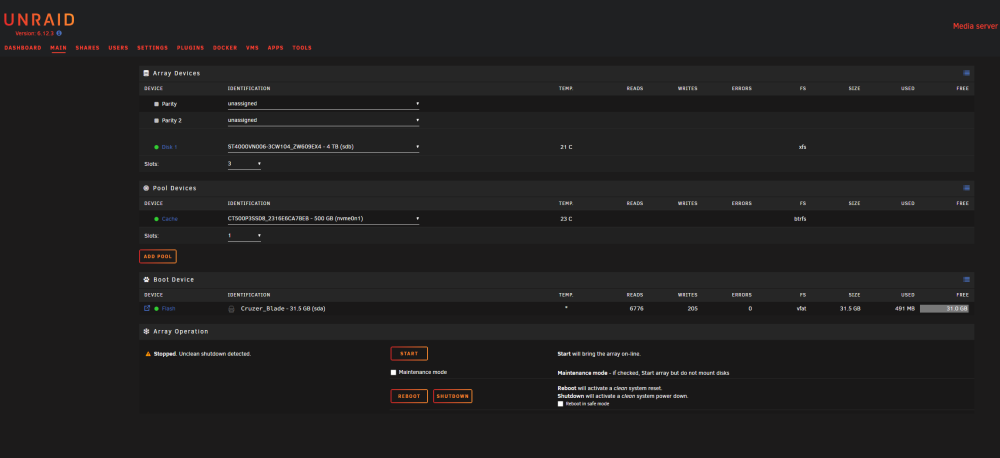
I am having some trouble starting my array, it will let me log into the Web Ui when turn it on, but when I press start I will say 404 Not found. I dont know if it helps but I have run a Read Check and it says that no errors where found and I have attached the logs, any help would be appreciated. tower-diagnostics-20231130-2048.zip