settled-automatic3364
Members
-
Joined
-
Last visited
-
Ohh, so I guess 30 MBs is normal... So I guess it's my use-case of moving 8-15Tb in one go that's kind of a worst case for Unraid Have you ever noticed how long it takes to move X Terabytes from the cache to an array in your case? I'll try Turbo write for today and I'll update soon with the new data
-
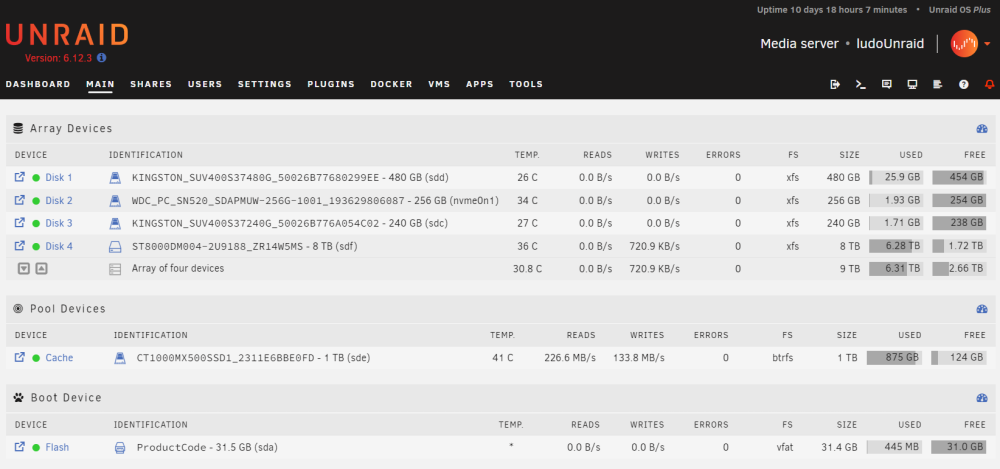
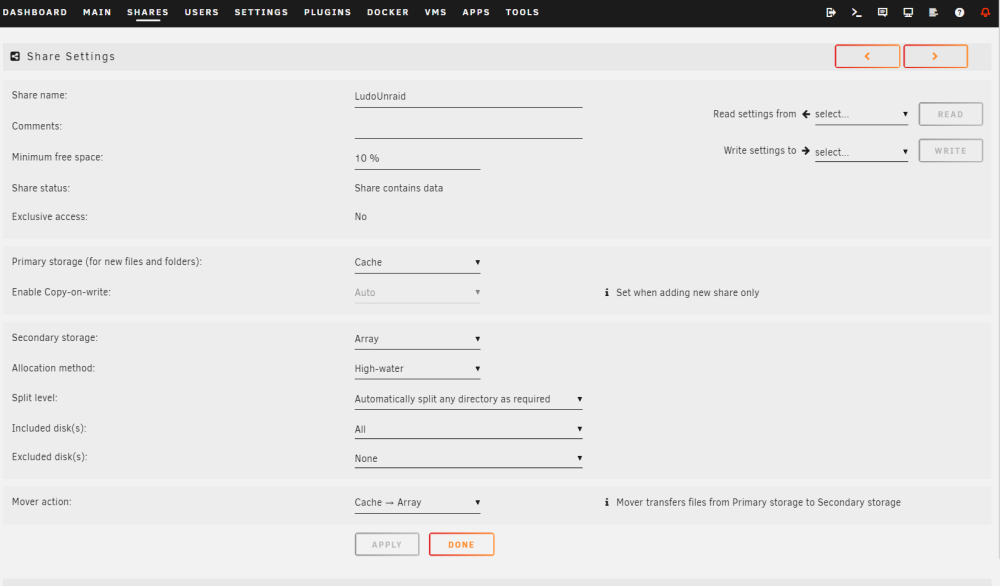
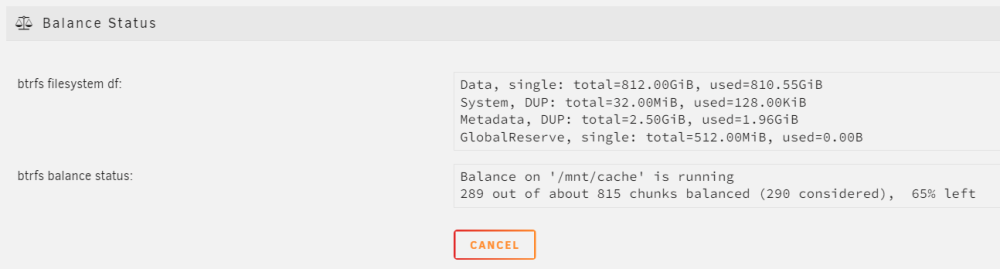
Hi, I've been searching for hours and days, but I can't fix my cache mover speed... First, please share cache mover speed stats / vidéo : I've looked for hours to see what is a "normal" behavior of the cache / cache mover. I've noticed it just changed with the 6.12 version so most videos aren't up to date... BUT there is just no videos that shows what are the expected speeds of moving from the cache to the array I'd imagine that the cache should move to the array at ± the max speed of the HDD ( 150Mbps?) but I couldn't find anything about writing to Unraid when the cache is already full, or at what speed the cache should flush to the array... If anyone wants to show their stats it would be much appreciated! I'll upload what mine looks like, but like I said, it seems broken. Second, please help me understand why my cache doesn't work properly : I have a cheap Terramaster NAS and 1 or 2 month ago I built an Unraid server. I want to transfer the 15Tb of data from the NAS to Unraid. Writing to the cache is fine, I write at close to 2Gbps to the cache. HOWEVER! The cache takes forever to move to the main array... The cache is 1Tb and it takes ± 24h to move to the array ( 1-40Mbps). The parity check on the array goes at ±160Mbps. I've recently tried to add the mover plugin CA Mover Tuning and it only made things way worse My main array is a bit unconventional, I took a few disks I had lying around, and I've just now disabled parity to see if it was the problem. ( it isn't ) Screen Captures and diagnostic : ludounraid-diagnostics-20230916-1055.zip