





habitual-stimulation2689
Members
-
Joined
-
Last visited
-
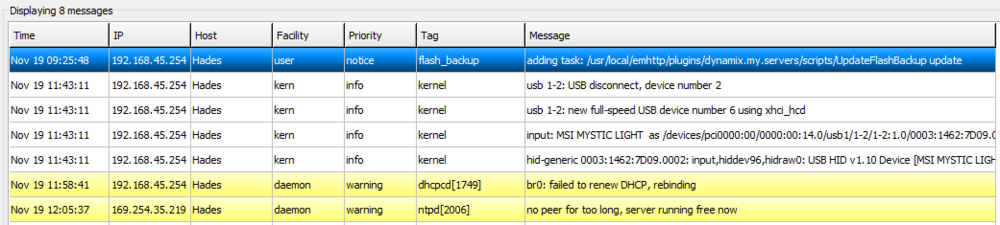
I think I found the culprit: Looks like my DHCP is having issues. I put in a new firewall and confirmed I was able to connect right to it (Using the new DHCP lease) without rebooting the server. This was not an unraid issue but a firewall issue. Closing this out!
-
Attaching the latest logs. I was home when it went offline (Watching a movie on Plex) - Sadly, disabling the docker/services would make the unit useless for us. We utilize the dockers for our Plex container. hades-diagnostics-20251118-1137.zip
-
I actually have the last few saved to my flash drive. Ill upload them. Could this be a NIC issue? I wouldnt think so as I can still ping it. I dont think its locked up either as I hit the power button one time and it cleanly shuts down. hades-diagnostics-20251115_0430.zip
-
Hey all, I have been having issues with my server going unresponsive... I am unable to SSH in or access the GUI - but the unit is pingable. If I hit the power button, I hear the drives shut down and the box shuts down cleanly. And I am able to bring it back up without issue. I have the syslog mirrored to the flash drive to capture it. I am attaching my logs for review. hades-diagnostics-20251117-1038.zip
-
Hey guys, This is a new one for me but I am having a lot of issues with my unraid install going "dark" - Unable to access any services or the GUI. The box is pingable however. Also unable to SSH in. The only fix it to power it down and then back up. I am attaching my diagnostics. hades-diagnostics-20251115_0430.zip

