





rcrafte
Members
-
Joined
-
Last visited
Everything posted by rcrafte
-
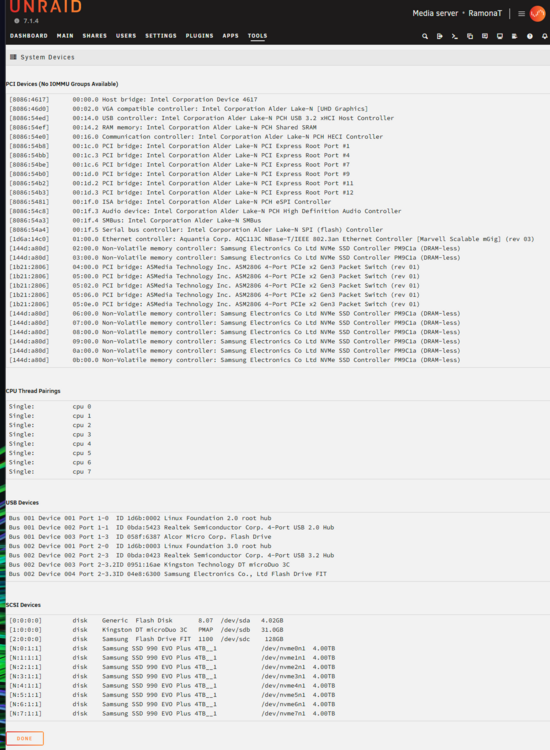
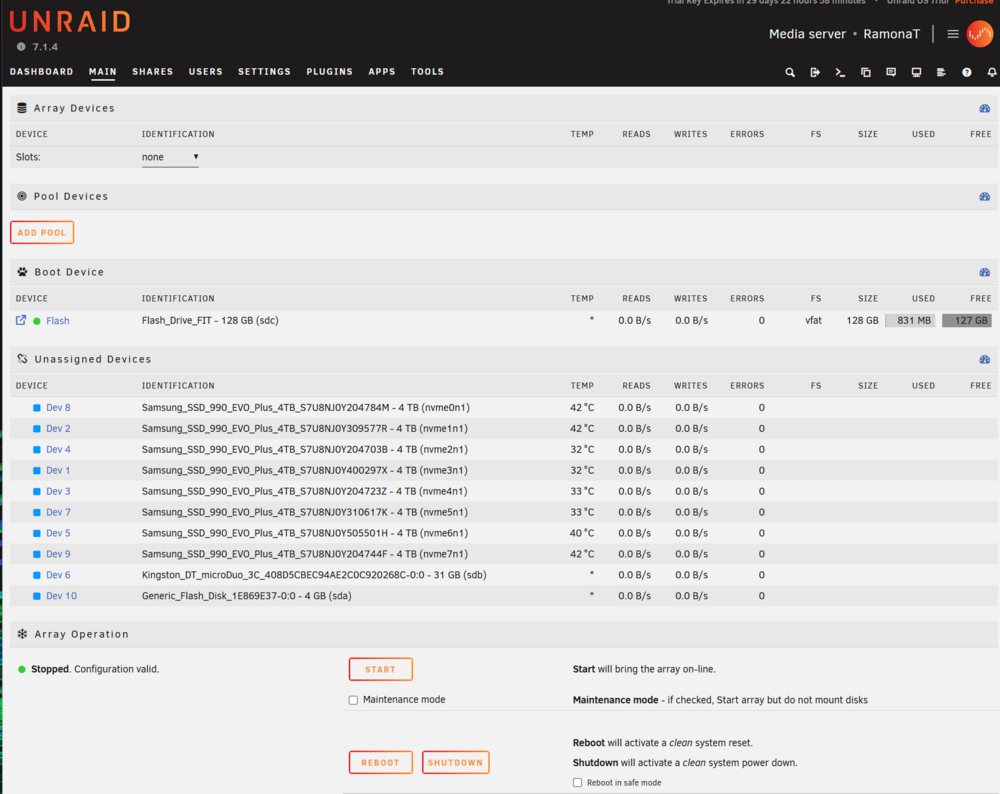
Hi there, I am new to Unraid, apologies for newb q's. The system I had a TRAID configuring in Terramaster TOS 6. The NAS is NVME drives only, 8 x 4TB Samsung 990 EVO Plus. I make the recommended BIOS changes to boot drive, secure boot, and VT-d. I created a flash install and booted the system with no changes to Unraid 7.1.4. I have connected to the NAS via tower.local and am on the Main tab. I have a Kingston flash drive externally in the USB port for use as a dummy array disk. I intend to have all NVME drives in the Pool. No Disk 1 appears under Array Devices, nothing is in Slots. The Array Operation shows the array as Stopped. I have never configured an array in Unraid, I am assuming this is an error perhaps it is seeing some info from the TRAID array it was configured as. What have I tried to do to fix I have gone to Tools and New Config. I have tried to reset the array disk config, this does not do anything I can see. I have rebooted after doing New Config, even though I was not prompted to do so. Stuck. I am an hour into this and not making progress. Google Gemini was pretty helpful so far, but troubleshooting has stalled after new config. Ideas? I have attached a screenshot of System Devices under Tools. Also a screenshot of main tab for clarity. Thanks!
-
Thanks Jorge. Did the amendment you gave me make NVMe better somehow? I have lost a bit of trust in Disk 2 and no idea why Disk 3 went wonky too. Rebuilding now in maintenance mode. Once completed, I'll move everything back to QNAP, nuke the Array, and start the ZFS journey. Is there a guide you can point me at so I stay on path?
-
Thanks for helping, I really appreciate it. Disk 2 shows red x and says device is disabled. Disk 3 shows as fine now. It is set to menu view already. I added the new line to the boot section. Stopped the array, reboot. Disk 2 shows red x and is disabled and contents emulated still but does appear in Identification. What's the right way to get things in good shape now? Should I rebuild from parity? On the separate issue of zfs, I am down to do it just so new I don't know where to start. I don't plan on adding any new media, it's fully populated already and all disks are 2TB and I don't plan on needing more ahead of upgrading hardware a few years down the line.
-
Hi there, I am trying to complete my move to a new NAS. I am moving from QNAP to Unraid, so a bit of a newbie. I have installed Unraid 6.12.4 on an Asustor Flashstor 12 Pro FS6712X. AI populated it with 12 2TB NVMe drives. 1 parity, 11 data. I got about 70% of my data moved over and then Drive 2 was marked as failed. It now shows as no device. Drive 3 shows as missing now. Both drives do not show temp in the Array display. I have stopped the array and it will not start now. "Stopped. Invalid configuration." Any ideas on how to get back up? All hardware is new and this is first use. I booted to ADM when I took the NAS out of the box to verify it worked, then immediately installed Unraid via thumbdrive. Diagnostics attached. Thanks! ramonanas-diagnostics-20231019-0843.zip

